All blog posts
Published on
13.11.2026
Implementing an LMS: From paper chaos to digital training management in 30 days

Lisa Kubatzki
Senior Content Marketing Manager @ keelearning
description

The annual hygiene training is due, the signature sheets are spread across three branches, and the last person who updated the Excel file is on vacation. If that sounds familiar, this article is for you.
The short answer: You can implement an LMS in 30 days if you do things in the right order: first clarify goals and stakeholders, then test, then set up content and users, then roll out. Below you'll find the plan week by week.
It is based on our conversations with 32 companies in October 2026, from a bakery chain with 43 branches to a public transport company with 900 employees. One pattern stood out: 12 of these companies still manage training records on paper, in Excel or scattered across several systems. A sustainability officer from the events industry described it as “a chaos of Excel spreadsheets, Outlook appointments and printed signature lists on site.” (Quotes translated from German.)
{{key-takeaways}}
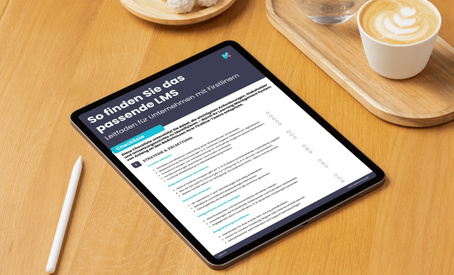
The right LMS for frontline teams
Signs that Excel is no longer enough
Once records go missing during audits or training no longer reaches your employees, it's time for an LMS. These are the five signs we heard most often:
- Records get lost. “Then the person is on vacation, and the sheet of paper disappears somewhere and never turns up again,” the administration team of a bakery chain told us.
- Audits turn into a search mission. If you need to prove who was trained when for ISO, hygiene or occupational safety, you need the report at the push of a button.
- Part of your workforce has no email or PC. This applied to 7 of 32 companies: drivers, construction sites, branches, production.
- In-person training eats up time and travel costs. A learning and development manager from the skilled trades said of his trainer: “He drives all over Germany and trains whoever he can catch.”
- Not everyone understands the content in the local language. 11 of 32 companies need multilingual training.
If two or more of these apply, manual administration probably costs you more than a system. One customer did the math: one hour of training for 300 employees, including payroll costs, adds up to “a few thousand euros a year” in working time alone.
Before you start: Who has a say
Bring management and IT on board before you choose a system, not afterwards. In 17 of 32 conversations, management gave the final approval; in 9, IT was part of the decision.
| Role | What this role cares about |
|---|---|
| Management | Cost-benefit, contract term, less process work |
| IT | Single sign-on, HR system integration, security |
| Data protection and IT security | Server location, GDPR, use of AI and private devices |
| Works council (if any) | Performance monitoring, use of private phones |
| Specialist departments (QM, hygiene, occupational safety) | Mandatory content, deadlines, records |
A tool administrator summed up why this matters: IT “doesn't really like it when we go it alone with tools like this.”
The 30-day plan
Each week has a clear outcome. By day 30, your first mandatory trainings run digitally and you can pull the records at the push of a button.
Week 1: Inventory and goals
- List all mandatory trainings: topic, target group, frequency, legal basis
- Define target groups: Who has email, who only has a phone, who has no device at all?
- Note the languages your workforce needs
- Set a goal for day 30, e.g. “Hygiene training runs digitally for all branches”
Week 2: Select and test a system
- Compare two or three vendors using a checklist
- Use a trial account with real content, not demo data
- Test two perspectives: admin (create a course, pull a report) and employees (log in on a phone)
- Clarify pricing: per user, tiers or flat rate, and which add-ons are extra
Week 3: Set up content and users
- Start with ready-made compliance courses instead of building everything yourself. keelearning offers more than 190 courses in its course library.
- Turn your own materials, such as PowerPoint or PDF files, into courses with AI
- Create users automatically from your HR system, e.g. via the Personio integration (HR integrations)
- Give employees without email access via a code or QR code and the app
Week 4: Pilot, rollout and records
- Start with a pilot group, e.g. one location
- Set up automatic reminders and deadlines, for example with escalation management
- Incorporate feedback from the pilot group, then roll out to everyone
- Pull your first training report and review it with QM or your auditor
{{inline-cta}}
Common pitfalls
Most implementations don't stall because of technology, but because of acceptance and expectations.
- Too many features at once. Start with one mandatory training, not the whole catalog. Several companies told us explicitly: “Definitely no gamification.” The mandatory part has to run smoothly first.
- Underestimating resistance to private phones. “They won't install it on their private phones.” Clarify alternatives early: browser access, company devices or an on-site terminal.
- Misreading the pricing model. 9 of 32 companies initially misread a quote, for example reading a flat rate as a per-user price. Ask for the total cost for your number of users in writing.
- Planning too little internal capacity. Adapting all content yourself takes time. Ready-made courses and AI course creation reduce the effort considerably.
- Signature instead of understanding. “Everyone signs the code of conduct. But nobody has read it.” Short learning units with comprehension questions prove more than a signature.
FAQ: Implementing an LMS
How long does it take to implement an LMS?
With ready-made compliance courses and automatic user import, your first trainings can be ready in a few days. For a proper rollout including a pilot, plan for around 30 days.
Do I need IT for this?
Not necessarily to get started. For single sign-on and the connection to your HR system, though, IT should be involved early.
How do I reach employees without an email address?
Through access via a code or QR code and an app. This way, drivers, branch staff and construction teams can learn on the go.
Can I reuse existing training materials?
Yes. PowerPoint, PDF and Word files can be turned into courses with AI.
How much does an LMS cost?
That depends on the pricing model: per user, in tiers or as a flat rate. Ask for the total cost for your number of users and what is available as an add-on.
Conclusion: Start small, document properly
Implementing an LMS doesn't mean digitizing everything at once. Start with the mandatory training that causes you the most work today, and build from there.
Would you like to see how keelearning works for your company? We'll show you in a personal, no-obligation demo.
Key Takeaways
- You can implement an LMS in around 30 days: set goals, test, set up content and users, roll out.
- Bring management and IT on board before you choose a system. In 17 of 32 conversations, management gave the final approval.
- Start with ready-made compliance courses and your own materials instead of building everything from scratch.
- Reach employees without an email address via access codes, QR codes and an app.
- Begin with one mandatory training and a pilot group, not with every feature at once.
Table of Contents
Ready for training that works?
Get to know keelearning in a personal demo – no obligation and tailored to your needs.
Share




The learning platform for businesses looking to make their training simple, mobile, and accessible to all – with no IT overhead.