





Admin & User Roles

Custom Roles

With keelearning, you can assign roles and permissions as granularly as you wish. From super admin to learner: everyone gets exactly the access they need – and no more.

Schedule a demo

With keelearning, you can assign roles and permissions as granularly as you wish. From super admin to learner: everyone gets exactly the access they need – and no more.

Schedule a demo

These companies are already training with keelearning

what they get

Full control. Clearly structured. Without chaos.

The more people use a platform, the more important well-thought-out rights management becomes. keelearning makes it easy for you to clearly assign responsibilities – without complicated IT configuration.

The more people use a platform, the more important well-thought-out rights management becomes. keelearning makes it easy for you to clearly assign responsibilities – without complicated IT configuration.

Relevant content for every target group

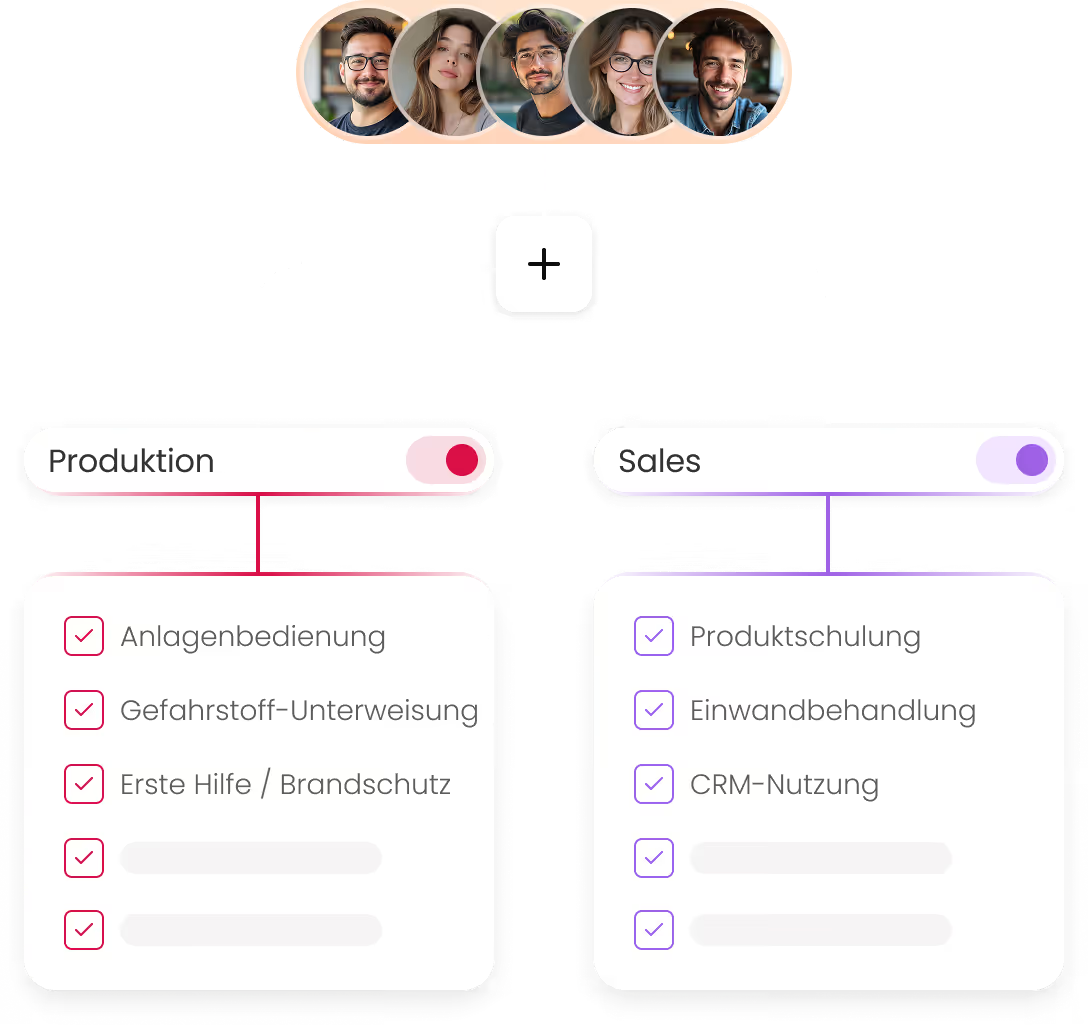
Not every course is intended for every employee. With the TAG structure and user groups, you precisely control which users see which content – without manual individual assignment.

Admins with precisely the right scope

Whether full access for HR or restricted rights for team leaders and editors – you define which administrators can edit, view, and manage what.

Internal and external on one platform

Internal staff and external partners can be trained together on a single platform – with distinct access permissions and customized views.

»keelearning is an excellent tool for engaging employees in learning through a playful approach. The intuitive app enjoys high user acceptance. Our requests were implemented smoothly, and keeunit continues to support us with direct assistance and advice even after the rollout.«

Marion Kleinmann

Head of VEA Professional Training & Innovations

,

Wüstenrot Bausparkasse AG

Eyebrown

heading

description

description

Admin Roles & Permissions

Each admin gets exactly what they need

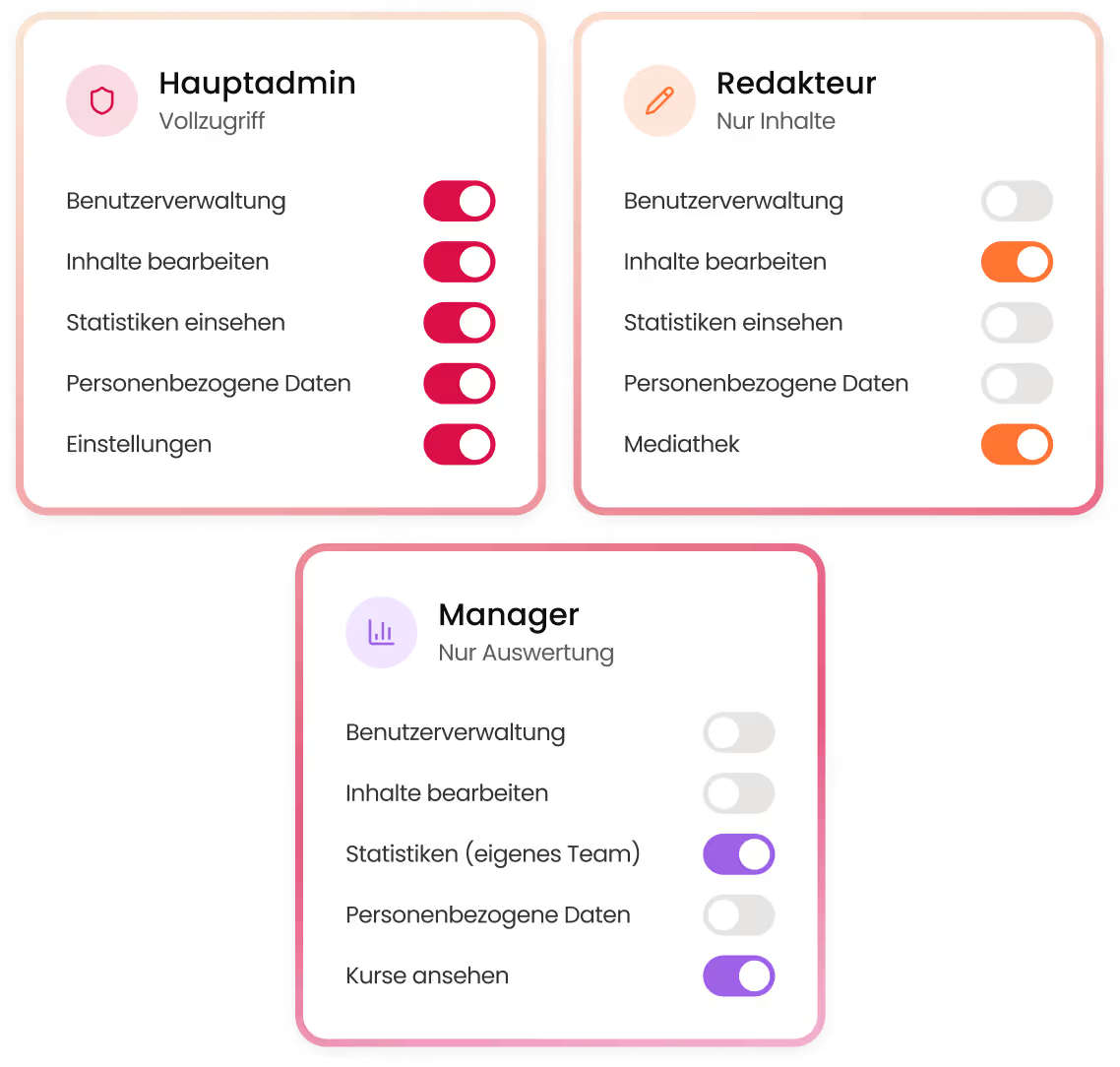
keelearning allows you to create multiple admin roles with different permission levels. You determine who can do what – protecting sensitive data and processes from unauthorized access.

keelearning allows you to create multiple admin roles with different permission levels. You determine who can do what – protecting sensitive data and processes from unauthorized access.

Freely configurable admin roles

Create roles with individual rights – for HR, trainers, editors, team leaders, or external course managers.

Granular permissions at the function level

Control which areas of the platform are accessible per role – from user management to statistics.

Clear responsibilities within the team

Multiple admins can work simultaneously without interfering with each other.

User Groups & Content Assignment

Each learner only sees what is relevant to them

With user groups and the TAG structure, you can categorize employees by department, location, role, or other criteria. Courses, learning paths, and media library content are then automatically displayed to the correct group – without manual individual assignment.

With user groups and the TAG structure, you can categorize employees by department, location, role, or other criteria. Courses, learning paths, and media library content are then automatically displayed to the correct group – without manual individual assignment.

TAG structure for flexible content assignment

Link content and user groups via tags – easy to maintain and infinitely scalable.

Automatic assignment upon user creation

New employees automatically receive the relevant content upon creation – no extra effort required.

Different visibility for internal & external users

External partners only see what is shared with them – internal content remains protected.

User Management & Overview

Effortless User Management

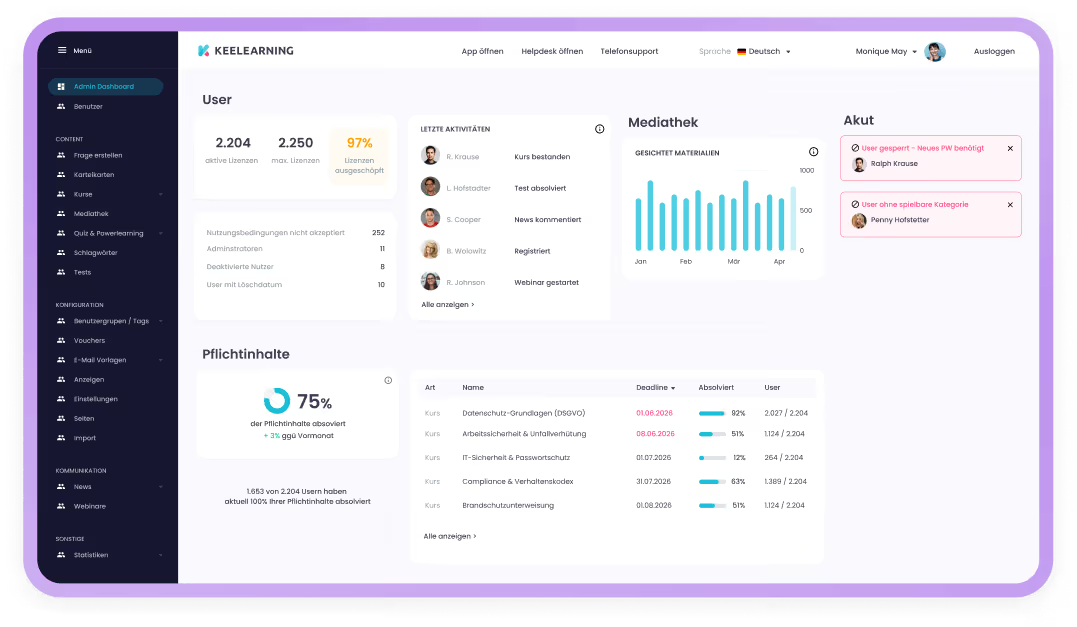
The Admin Dashboard gives you an overview of all users, learning statuses, and completion rates. Combined with escalation management and automated reporting, user administration remains manageable even with growing teams.

The Admin Dashboard gives you an overview of all users, learning statuses, and completion rates. Combined with escalation management and automated reporting, user administration remains manageable even with growing teams.

Clear Admin Dashboard

All relevant metrics on users, learning progress, and completions at a glance.

Individual and Bulk User Management

Edit, deactivate, or assign to groups – for a single user or hundreds at once.

Automated Reporting to Managers

Automatically email statistics and learning progress reports to department heads or supervisors.

Explore Product

See keelearning in action: how you create courses, invite employees,
and track learning progress in real-time.

See keelearning in action: how you create courses, invite employees,
and track learning progress in real-time.

“What particularly impressed us is keelearning’s modern, user-friendly platform – including guest access without registration, great gamification features, and the ability to manage both internal employee training and training for customers and partners within a single learning environment.”

Christian Wernicke

Team Lead for the Knowledge and Qualification Team

,

d.velop AG

See how keelearning works for your company – in a personalized, no-obligation demo.

Interactive Product Tour
Book a Demo
More Features

Roles and Permissions as Part of the Bigger Picture

Admin and user roles seamlessly integrate with other keelearning features – creating a platform that grows without becoming cluttered.

Admin and user roles seamlessly integrate with other keelearning features – creating a platform that grows without becoming cluttered.

Escalation Management

Define who is automatically notified for missed mandatory training – depending on their role and responsibility.

Reporting & Analytics

Each admin role only sees the statistics relevant to them – team leaders see their team, HR sees everything.

Multi-Tenancy

Manage multiple business units or tenants within a single instance – with separate roles and permissions per area.

Interfaces & Integrations

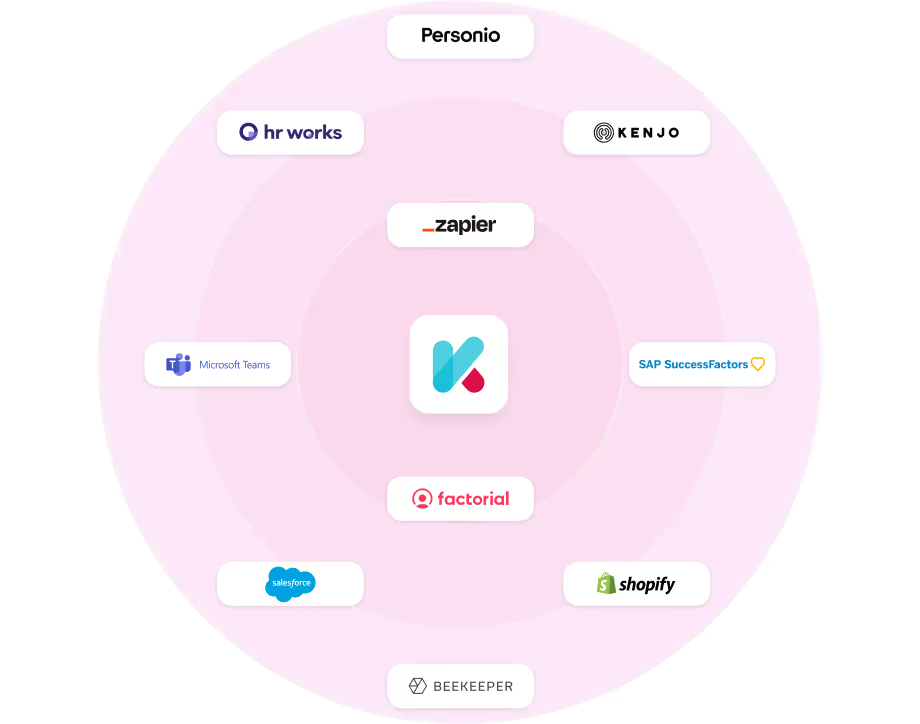
Automatically synchronize roles and user groups with your HR software – to keep your platform always up-to-date.

Registration Options

Combine role concepts with flexible registration methods – from SSO to vouchers, always ensuring the right level of authorization.

Data Protection & Security

Role-based access control protects sensitive learning and user data – GDPR-compliant, hosted in Germany.

Success Stories

How companies with keelearning learn – and grow.

Whether retail, logistics, manufacturing, or SaaS – our customers come from a wide range of industries and have one thing in common: they now train more efficiently, measurably, and with real results.

All success stories

Whether retail, logistics, manufacturing, or SaaS – our customers come from a wide range of industries and have one thing in common: they now train more efficiently, measurably, and with real results.

All success stories

Software

d.velop Case Study: Von Eigenentwicklung zu keelearning

From In-house Solution to Professional Platform: How d.velop Scales Role-Specific Knowledge Internally and Externally with keelearning

Gescher

> 1,100 employees & > 15,500 customers

View success story
D.velop

Finances

Wüstenrot Case Study: Quiz-App für 1.400 Außendienstler

1,400 Wüstenrot field staff learn playfully with the quiz app developed by keelearning.

Kornwestheim

1,400 field staff

View success story
Wüstenrot Bausparkasse AG

Retail

Blume 2000 Case Study: Mehrsprachig schulen im Einzelhandel

Blume 2000 empowers employees with digital learning: Flexible, practical, and available everywhere thanks to the keelearning platform. Discover more!

> 250 branches

> 2,300 employees

View success story
Blume 2000

Logistics

MS Direct Case Study: Mehrsprachig schulen in der Logistik

From warehouse to dispatch: How a logistics service provider upskills its workforce in a mobile, multilingual, and just-in-time manner.

8 Locations

690 Employees

View success story
MS Direct AG

Retail

Kamps Case Study: Pflichtschulungen für 3.500 Mitarbeitende

Shift work, branch operations, many nationalities – and annually recurring training that must reach everyone. Kamps made the leap from in-person training to a mobile app and now provides flexible, verifiable, and multilingual training.

360 Branches

> 3,500 Employees

View success story
Kamps GmbH

Production

Signia Case Study: Produktwissen & Podcast mit keelearning

Podcasts in E-Learning: Signia expands its e-learning offering with podcasts, reaching its target audience even more effectively.

125 Markets

11,000 employees worldwide

View success story
Signia GmbH
keelearning offers everything you need for professional development

Authoring tool

What else you can expect from keelearning

What else you can expect from keelearning

Knowledge Community

Transform your employees into a knowledge community. Centralize your company's knowledge in an always-available chatbot.

Course library & templates

Ready-made, audit-proof courses on various topics and customizable templates, so your training can start in no time.

Learn more

Gamification

Media Library & News

A central source for all your files, instructions, and documentation. Never again will anything get lost in scattered documents.

Learn more

Employee Chat

Connect your team & establish a direct line between course managers and learners.

Learn more

Common Questions about Admin and User Roles in keelearning

The questions we receive most frequently – answered before you have to ask them.

The questions we receive most frequently – answered before you have to ask them.

Yes. Via interfaces and the REST API, user roles and group memberships can be automatically synchronized with your HR software – so that changes in the company are immediately visible on the platform.

Yes. keelearning supports simultaneous use by internal and external target groups on a shared platform – with clearly separated visibility and access rights.

Via keelearning's tag structure, you link content with user groups. New courses or learning paths are automatically shown to the right target group – without manual individual assignment.

Yes. You can give team leaders a restricted admin role through which they can view only the learning progress and statistics of their own group – without access to other areas of the platform.

In keelearning, you can create any number of admin roles with individual permissions. You decide per role which areas of the platform may be accessed – from full user management to purely editorial rights.