









Chat, Comments & Evaluation

Communication and evaluation tools

Clarify questions, collect feedback, ensure progress – keelearning brings learners, trainers, and admins into genuine exchange. Direct. Multilingual. With a messenger-like interface.

Schedule a demo

Clarify questions, collect feedback, ensure progress – keelearning brings learners, trainers, and admins into genuine exchange. Direct. Multilingual. With a messenger-like interface.

Schedule a demo

These companies are already training with keelearning

What you get

Internal communication that truly propels training

If learners get stuck, they drop out. With the right communication tools, no one gets stuck – and no feedback is lost.

If learners get stuck, they drop out. With the right communication tools, no one gets stuck – and no feedback is lost.

Resolve Questions Instantly

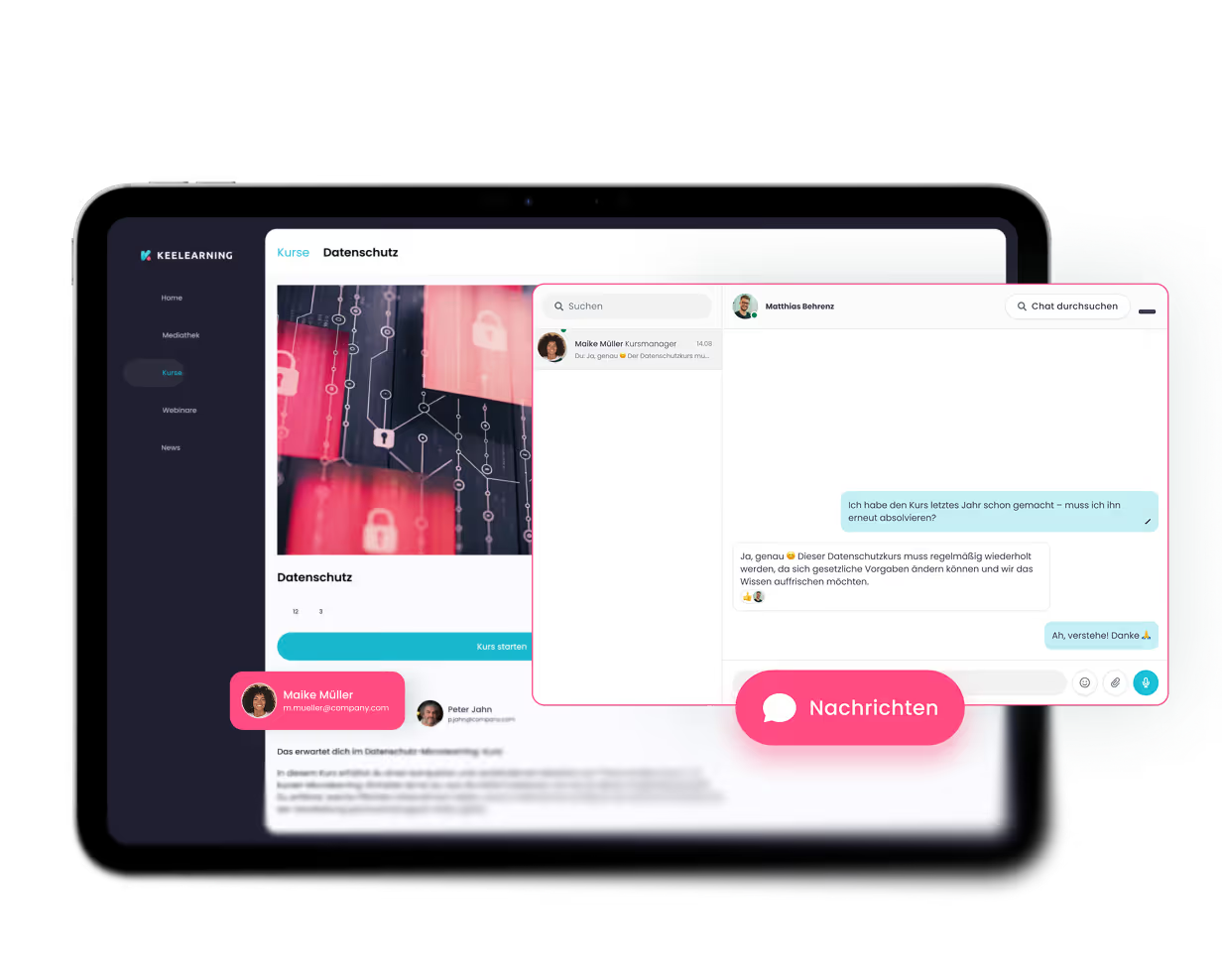
Learners can ask questions directly in the course or via chat – and course managers respond exactly where the need arises. Fewer dropouts, higher completion rates.

Overcome Language Barriers

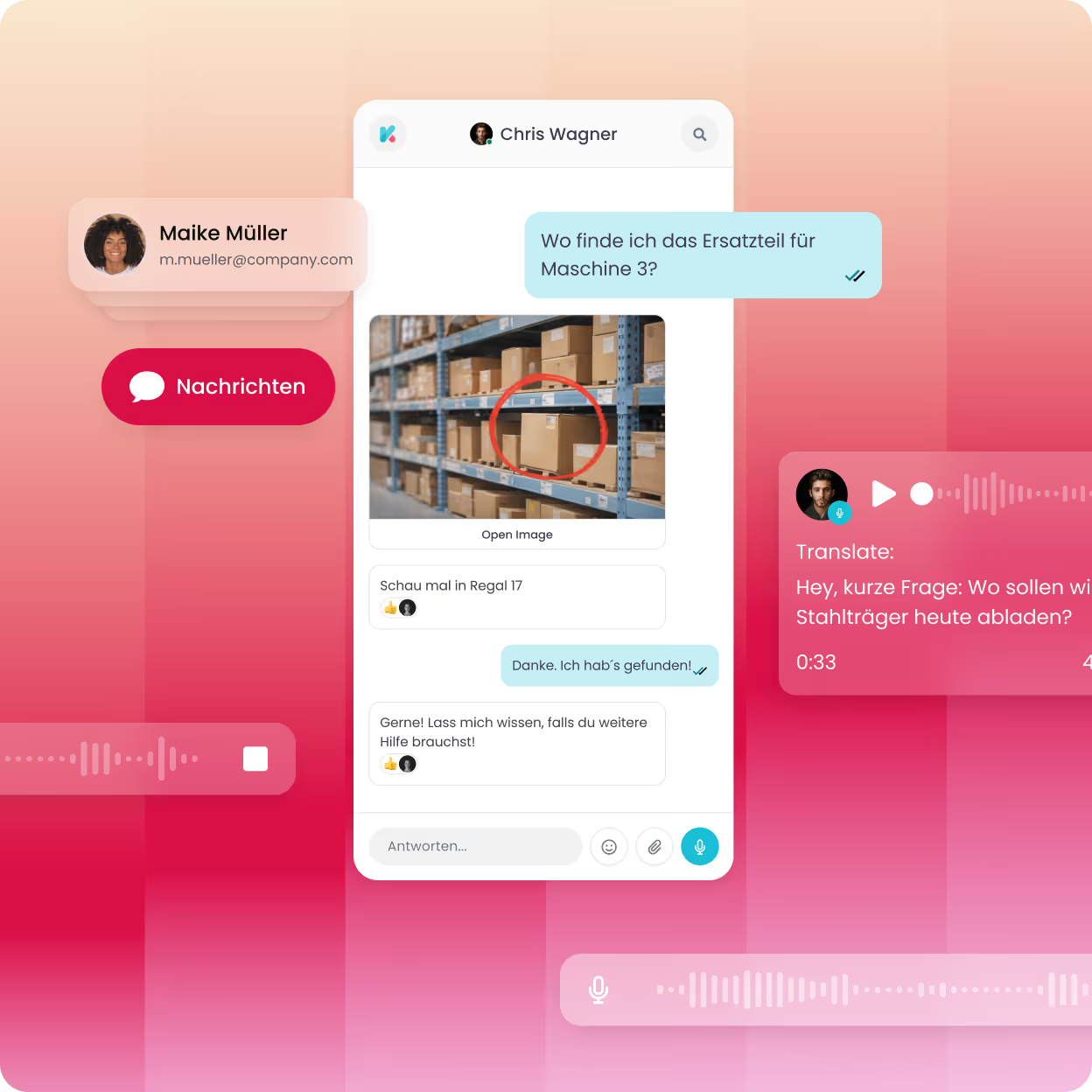
Messages are translated into over 20 languages with a click – ideal for international teams and companies with frontline workers who aren't at a desk every day.

Measure Training Quality

Course ratings, surveys, and comments provide real user feedback, allowing you to continuously and strategically improve training content.

»The keelearning e-learning platform is an ingenious tool for training and motivating our employees and partners across Germany. We have significantly less effort – in terms of time, logistics, and finances. You'd have to search long and hard to find a flaw, and even then, you'd likely come up empty-handed.«

Maik Neumann

Managing Director

,

M2 Personal GmbH

Eyebrow

heading

description

description

Chat & Direct Messages

Quick help. Anytime. Anywhere.

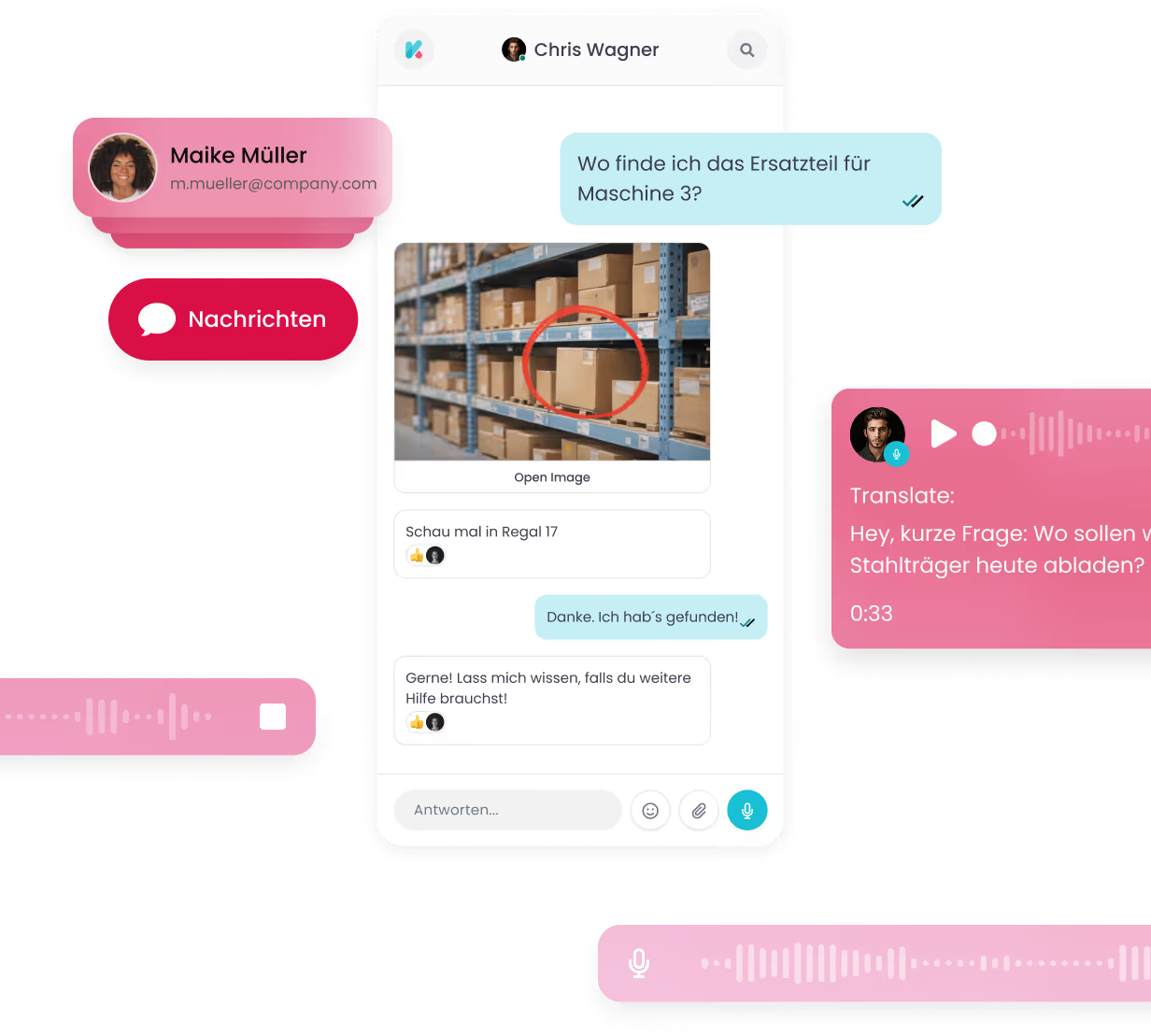
With the integrated messenger chat, learners can directly contact trainers or the course manager – without leaving the platform. Admins can also message users directly from the admin area and communicate 1:1. This eliminates training obstacles simply because a question goes unanswered.

With the integrated messenger chat, learners can directly contact trainers or the course manager – without leaving the platform. Admins can also message users directly from the admin area and communicate 1:1. This eliminates training obstacles simply because a question goes unanswered.

Messenger Design for Intuitive Use

Familiar chat interface that requires no training – from day one.

Direct Messages from the Admin Area

Message individual users directly, without needing external tools.

Communication for Non-Desk Workers

Accessible via app and without an email address – ideal for manufacturing, logistics, and retail.

Automatic translation

Overcome language barriers - Connect teams

The integrated Autotranslate translates text and voice messages into over 20 languages, directly within the chat. Learners read and respond in their native language – without admins or trainers having to manually translate. This way, you can engage your entire team, no matter where they work or what language they speak.

The integrated Autotranslate translates text and voice messages into over 20 languages, directly within the chat. Learners read and respond in their native language – without admins or trainers having to manually translate. This way, you can engage your entire team, no matter where they work or what language they speak.

Click-to-translate for text & voice messages

Incoming messages are automatically displayed in the learner's preferred language.

Over 20 supported languages

From German and English to Arabic and Polish – your team communicates without barriers.

Fosters understanding, inclusion, and motivation

Training in the native language is proven to increase engagement and completion rates.

Comments & Course Communication

Direct line to the course instructor

Learners can comment on course content, ask questions, and leave notes – directly within the relevant section of the course. Trainers get an overview of all comments and can respond quickly and precisely. This reduces frustration, fosters discussion, and creates an atmosphere conducive to learning.

Learners can comment on course content, ask questions, and leave notes – directly within the relevant section of the course. Trainers get an overview of all comments and can respond quickly and precisely. This reduces frustration, fosters discussion, and creates an atmosphere conducive to learning.

Comments at course and content level

Feedback and questions are captured exactly where they arise – contextualized and traceable.

Streamlined comment management for admins

All comments centrally visible and respondable, effortlessly.

Fewer training barriers, more completions

Learners who get quick answers are less likely to drop out.

Explore Product

See keelearning in action: how you create courses, invite employees,
and track learning progress in real-time.

See keelearning in action: how you create courses, invite employees,
and track learning progress in real-time.

"Everyday branch life can be super hectic and stressful – learning needs to be flexible and fit into daily routines. That's exactly what the e-learning platform allows us to do."

Larissa Herzberg

Brand Manager

,

Blume 2000 SE

See how keelearning works for your company – in a personalized, no-obligation demo.

Interactive Product Tour
Book a Demo
Additional Features

What else keelearning's multilingual
learning platform ‍can do

Auto-translation is at the core – but keelearning takes multilingualism further.

Auto-translation is at the core – but keelearning takes multilingualism further.

Surveys & Course Evaluation

Collect structured feedback on courses and instructors – with customizable questionnaires directly within the platform.

Push & Browser Notifications

Keep learners up-to-date with automatic notifications – about new courses, deadlines, or direct messages.

Assignments & Assessments

Assign tasks to learners and grade submitted work directly in the admin area – efficiently and transparently.

Scheduling

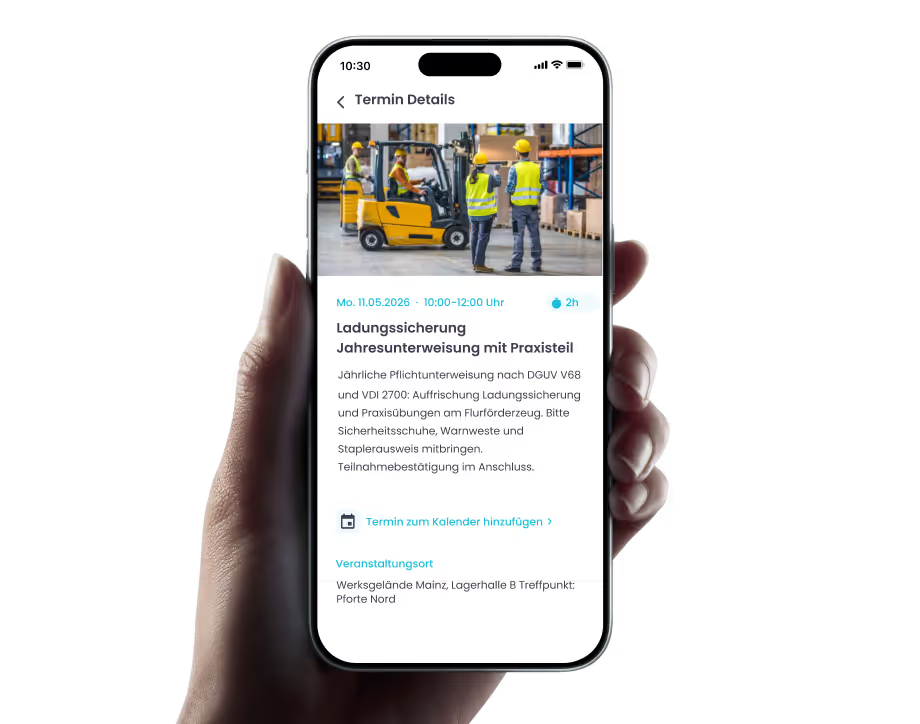
Plan and manage live or in-person events with open or restricted enrollment directly within the platform.

Quality Management

Monitor course quality and learning progress – and continuously optimize training content based on data.

Email Notifications

Admins can send important information directly via email to individual users or groups – without an external mail client.

Success Stories

How companies with keelearning learn – and grow.

Whether retail, logistics, manufacturing, or SaaS – our customers come from a wide range of industries and have one thing in common: they now train more efficiently, measurably, and with real results.

All success stories

Whether retail, logistics, manufacturing, or SaaS – our customers come from a wide range of industries and have one thing in common: they now train more efficiently, measurably, and with real results.

All success stories

Retail

Blume 2000 Case Study: Mehrsprachig schulen im Einzelhandel

Blume 2000 empowers employees with digital learning: Flexible, practical, and available everywhere thanks to the keelearning platform. Discover more!

> 250 branches

> 2,300 employees

View success story
Blume 2000

Retail

Kamps Case Study: Pflichtschulungen für 3.500 Mitarbeitende

Shift work, branch operations, many nationalities – and annually recurring training that must reach everyone. Kamps made the leap from in-person training to a mobile app and now provides flexible, verifiable, and multilingual training.

360 Branches

> 3,500 Employees

View success story
Kamps GmbH

Hygiene

Tana-Chemie Case Study: Digitale Akademie mit keelearning

Digital training for cleaning teams with the keelearning app: Flexible, legally compliant learning and multilingual content for optimal results.

2 production sites, 7 sales companies

> 80 employees at headquarters

View success story
Tana Chemie

Logistics

MS Direct Case Study: Mehrsprachig schulen in der Logistik

From warehouse to dispatch: How a logistics service provider upskills its workforce in a mobile, multilingual, and just-in-time manner.

8 Locations

690 Employees

View success story
MS Direct AG

Production

Signia Case Study: Produktwissen & Podcast mit keelearning

Podcasts in E-Learning: Signia expands its e-learning offering with podcasts, reaching its target audience even more effectively.

125 Markets

11,000 employees worldwide

View success story
Signia GmbH

Software

DATAflor Case Study: +200 % Umsatz durch keelearning

DATAflor began migrating old employee and customer trainings to keelearning, thereby increasing not only completion rates but also its own revenue.

8 locations

~ 60 employees

View success story
DATAflor
keelearning offers everything you need for professional development

Authoring tool

What else you can expect from keelearning

What else you can expect from keelearning

Knowledge Community

Turn your employees into a knowledge community. Centralize your company knowledge in an always-ready chatbot.

Course library & templates

Ready-made, audit-proof courses on various topics and customizable templates, so your training can start in no time.

Learn more

Gamification

Media Library & News

A central source for all your files, instructions, and documentation. Never again will anything get lost in scattered collections.

Learn more

Gamification

Learn more

Frequently Asked Questions about the keelearning Learning Management System

The questions we get asked most often – answered before you have to ask them.

The questions we get asked most often – answered before you have to ask them.

Yes. keelearning is accessible via app and via voucher login without an email address – ideal for non-desk workers in production, logistics, or retail.

With integrated surveys and course ratings, you receive structured feedback directly from your learners. This way you recognize which content resonates well – and where there's room for optimization.

Yes. Via the admin area, you can send targeted 1:1 direct messages to individual users – without external mail tools or messengers.

The auto-translate supports over 20 languages. Text and voice messages are translated with a click – so learners and trainers can communicate in their respective native languages.

Yes. Learners can comment on course content and ask questions directly to trainers or course managers – without leaving the platform. Admins see all comments centrally in the admin area.