





Branding & Corporate Design

LMS in your
Corporate Design

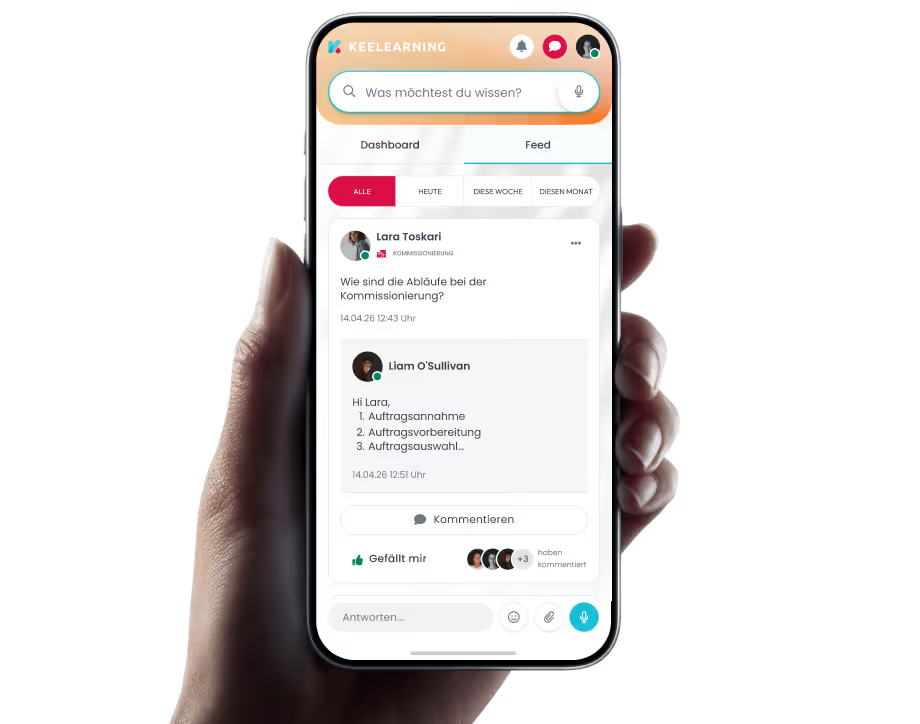
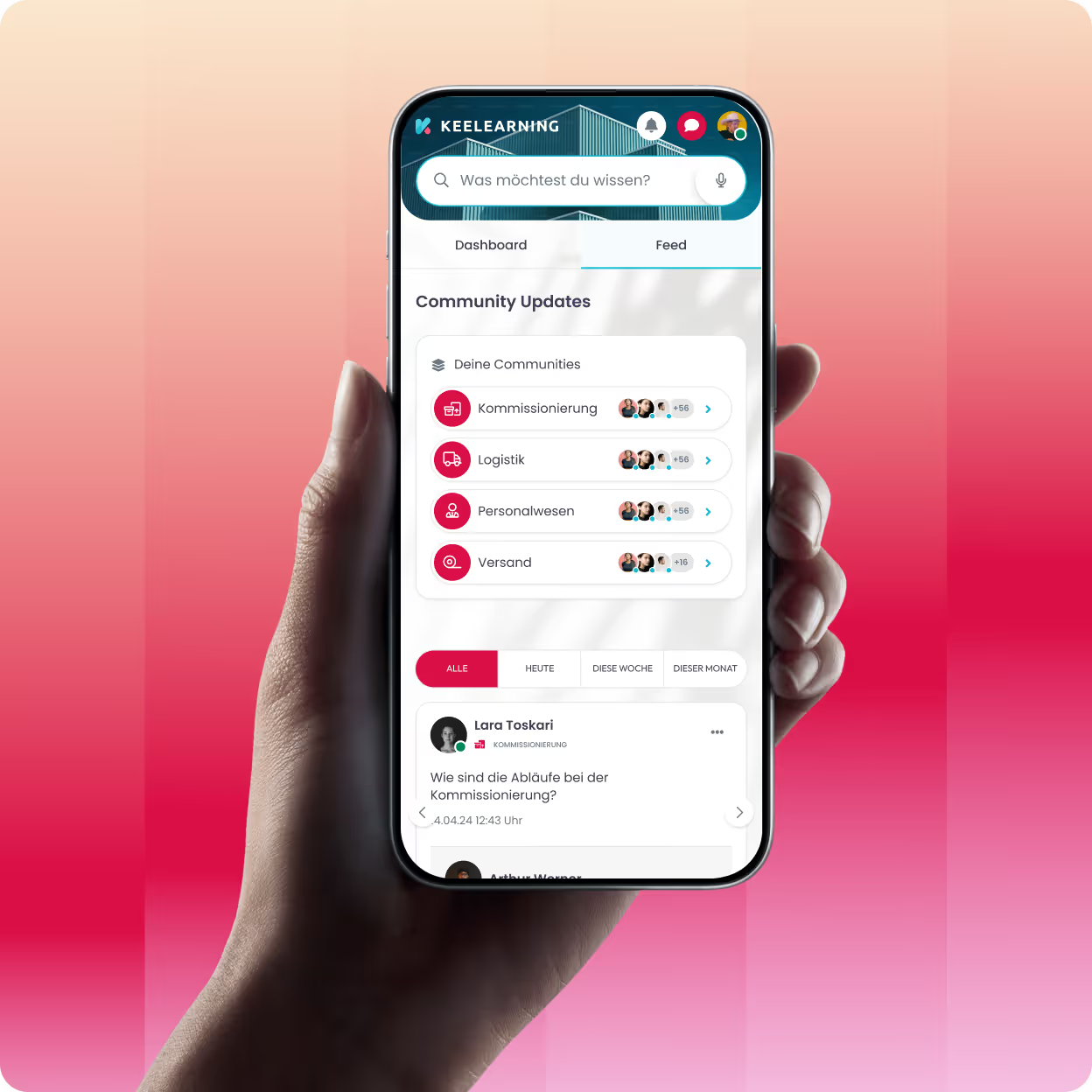
keelearning adapts to your branding – not the other way around. Your own colors, logo, domain, and homepage: your learning platform looks like a part of your company. Because it is.

Schedule a demo

keelearning adapts to your branding – not the other way around. Your own colors, logo, domain, and homepage: your learning platform looks like a part of your company. Because it is.

Schedule a demo

These companies are already training with keelearning

What you get

Benefits of a learning platform in your corporate design

A generic-looking learning platform signals to learners: This is off-the-shelf standard software. A branded platform signals: This is our training environment – and it's part of our culture.

A generic-looking learning platform signals to learners: This is off-the-shelf standard software. A branded platform signals: This is our training environment – and it's part of our culture.

Strengthens brand identity and trust

Consistent design conveys professionalism and a sense of belonging. Learners immediately recognize: This is our platform – and therefore take training content more seriously and with greater motivation.

Fully customizable – no developers needed

Colors, logo, homepage, email sender: All branding settings can be configured directly in the admin area. No code, no IT involvement, no waiting time.

Ideal for white-label and customer training

Train external partners or customers under your own brand – or theirs. With multi-tenancy, each target audience gets its own branded training environment.

Keelearning is a user-friendly and flexible learning platform, ideal for digital training and knowledge transfer. It stands out with its ease of use, diverse learning formats, and excellent adaptability to individual company needs. Overall, Keelearning offers a modern solution for effective e-learning in a professional context. I can give it a very clear recommendation.

Stefan Froböse

Service and Support

,

DATAflor AG

Eyebrow

heading

description

description

Colors, Logo & Appearance

From primary color to favicon: all your brand.

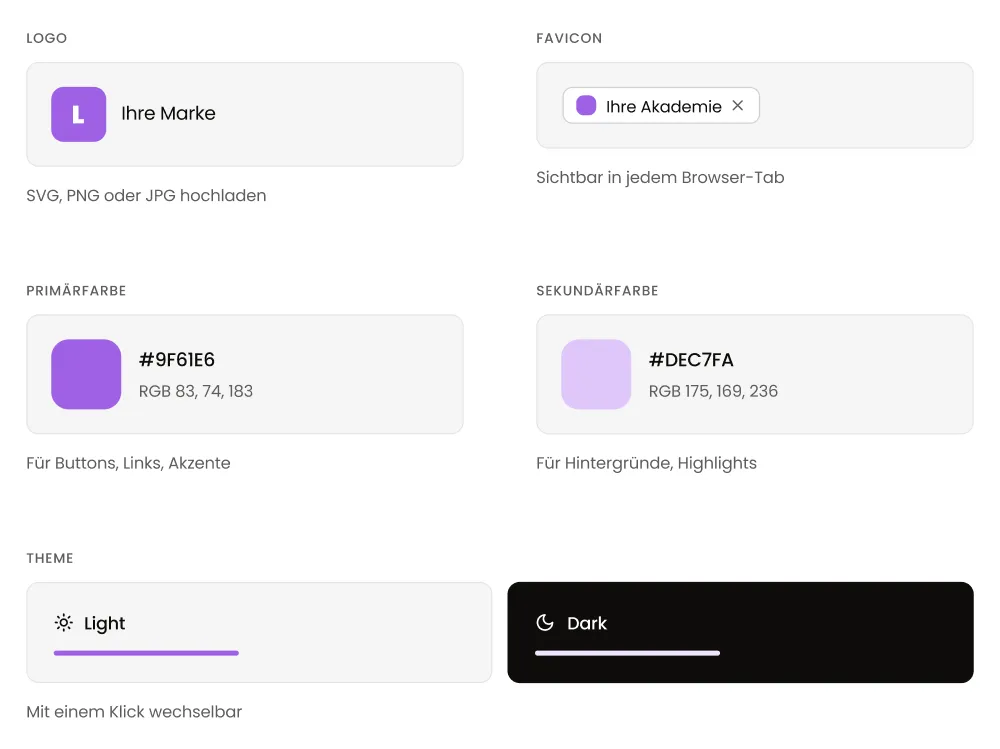
Define your primary and secondary colors, upload your logo, and decide whether your platform should appear in a light or dark theme. The result: a learning environment that doesn't feel like external software to learners, but rather a natural part of your company's brand identity.

Define your primary and secondary colors, upload your logo, and decide whether your platform should appear in a light or dark theme. The result: a learning environment that doesn't feel like external software to learners, but rather a natural part of your company's brand identity.

Customizable primary and secondary colors

Set your corporate colors once – keelearning automatically applies them across the entire platform.

Logo on all pages and in the app

Your brand is visible everywhere – in the browser, in the mobile app, and in automatically sent emails.

Light and Dark Themes available

Decide which theme better suits your brand identity – and change it anytime with a click.

Homepage, Domain & Email

Every interaction with your platform bears your unique signature.

Design your learning platform's homepage with a custom header image and a unique slogan. Your platform can be accessed via your own subdomain or a fully custom domain. And all automatically sent emails will be dispatched from your own email address.

Design your learning platform's homepage with a custom header image and a unique slogan. Your platform can be accessed via your own subdomain or a fully custom domain. And all automatically sent emails will be dispatched from your own email address.

Custom Homepage with Image and Slogan

Welcome learners with your brand image and message – right from their first visit to the platform.

Custom Domain or Subdomain

Your learning platform is accessible via your own URL – for maximum brand recognition and a professional appearance.

Custom Email Sender for Increased Trust

Automatic notifications are sent from your sender address – not a generic system address.

Standard images, Banners & Details

Consistency in every detail.

Small details that collectively create a platform that truly feels like your company.

Small details that collectively create a platform that truly feels like your company.

Standard images for a consistent visual identity

Set up once, displayed everywhere – for a consistent visual identity even without individual course images.

Banners for important topics and announcements

Strategically showcase highlights – whether new courses, mandatory training, or internal communications.

Automated reports for stakeholders

Automatically email statistics and learning progress reports to department heads or supervisors.

Explore Product

See keelearning in action: how you create courses, invite employees,
and track learning progress in real-time.

See keelearning in action: how you create courses, invite employees,
and track learning progress in real-time.

»In the first 7 weeks, we've already generated more revenue than in the entire last quarter. (...) The huge advantage is that everything is seamlessly integrated. I can use it for onboarding, compliance training, internal professional development, and I also have a media library where I can store knowledge and make it available for future reference.«

Marcus Monecke

Authorized Signatory

,

DATAflor AG

See how keelearning works for your company – in a personalized, no-obligation demo.

Interactive Product Tour
Book a Demo
Additional Features

Branding makes the first impression. The rest will win them over.

A branded platform is just the beginning. keelearning also offers all the features that truly complete your training environment.

A branded platform is just the beginning. keelearning also offers all the features that truly complete your training environment.

Multi-Tenancy

Each tenant receives its own corporate design – for white-label training and branded environments per client or business unit.

Dedicated Domain per Tenant

In combination with multi-tenancy, each training environment is accessible under its own URL.

Authoring Tool & Course Creation

Create courses that visually align perfectly with your platform – with the integrated AI authoring tool directly in keelearning.

App with Your Branding

Your logo and colors are also reflected in the mobile keelearning app – for a consistent brand experience on every device.

Custom Email Server

Set up your own email server and ensure that all system notifications are sent from your sender address.

Data Protection & Security

Even with customized deployments, keelearning remains GDPR-compliant – Hosted in Germany, ISO 27001 certified.

Success Stories

How companies with keelearning learn – and grow.

Whether retail, logistics, manufacturing, or SaaS – our customers come from a wide range of industries and have one thing in common: they now train more efficiently, measurably, and with real results.

All success stories

Whether retail, logistics, manufacturing, or SaaS – our customers come from a wide range of industries and have one thing in common: they now train more efficiently, measurably, and with real results.

All success stories

Quality and Project Management

Less effort, more reach: How DGQ digitally scales its academy with keelearning

How Germany's leading quality management organization trains its employees and partners nationwide with significantly less time, logistical, and financial effort.

Frankfurt am Main

> 200 trainers and > 6,000 quality experts

View success story
DGQ

Insurance

From mandatory subject to competition: 400 TK apprentices get excited about social security

How Germany's largest health insurance company uses gamification to sustainably and engagingly teach complex specialized knowledge to apprentices and dual students.

Hamburg

> 15,000 employees

View success story
Techniker Krankenkasse

Retail

Sustainability that truly resonates: How Alnatura conveys its corporate philosophy to 3,700 employees with an award-winning WBT

Alnatura successfully trains employees with a Web-Based Training – naturally, on sustainability.

> 150 stores

> 3720 employees

View success story
Alnatura

Retail

Personal, practical, available everywhere: How Blume 2000 reinvents retail training with keelearning

Blume 2000 empowers employees with digital learning: Flexible, practical, and available everywhere thanks to the keelearning platform. Discover more!

> 250 branches

> 2,300 employees

View success story
Blume 2000

Retail

How Kamps digitized mandatory training for 3,500 employees in 20 languages.

Shift work, branch operations, many nationalities – and annually recurring training that must reach everyone. Kamps made the leap from in-person training to a mobile app and now provides flexible, verifiable, and multilingual training.

360 Branches

> 3,500 Employees

View success story
Kamps GmbH
keelearning offers everything you need for professional development

Authoring tool

What else you can expect from keelearning

What else you can expect from keelearning

Knowledge Community

Turn your employees into a knowledge community. Centralize your company's knowledge in an always-ready chatbot.

Course library & templates

Ready-made, audit-proof courses on various topics and customizable templates, so your training can start in no time.

Learn more

Gamification

Multi-tenancy

Create diverse learning environments for your clients. Manage all learning environments centrally.

Learn more

Media Library & News

A central source for all your files, instructions, and documentation. Never again will anything get lost in scattered documents.

Learn more

Frequently Asked Questions about Branding in our LMS

Your most frequently asked questions – answered before you have to ask.

Your most frequently asked questions – answered before you have to ask.

You can control this yourself. With your own domain, your own logo, and your own email sender, the platform appears entirely under your brand – with no visible reference to keelearning, if you wish.

Yes, in combination with multi-tenancy. Each tenant receives a fully independent training environment with individual design, its own domain, and its own email sender.

Yes. The logo and colors apply across the platform – in both the web view and the iOS and Android app. Learners experience a consistent brand image on every device.

No. You make all branding adjustments directly in the admin area – without code, without developers, and without an IT ticket. Most settings are done in just a few minutes.

You can individually configure primary and secondary colors, logo, domain, homepage with a custom header image and claim, default images, banners, and the email sender. You also choose between a light and dark theme for the entire platform.