






Multi-tenancy

Multi-tenant learning platform

Manage multiple business units, subsidiaries, or clients within a single LMS – each tenant with its own design, content, and administrators. No duplicated effort or costs.

Schedule a demo

Manage multiple business units, subsidiaries, or clients within a single LMS – each tenant with its own design, content, and administrators. No duplicated effort or costs.

Schedule a demo

These companies are already training with keelearning

What you get

Scale without building silos

If you want to train multiple target groups, locations, or customers through one platform, you don't need four different LMSs – but a single one that acts like many.

If you want to train multiple target groups, locations, or customers through one platform, you don't need four different LMSs – but a single one that acts like many.

Efficiency through centralized management

Instead of operating multiple parallel systems, you manage all clients within a single platform. One login, one overview, one support – but as many individual training environments as you need.

Each client remains separate

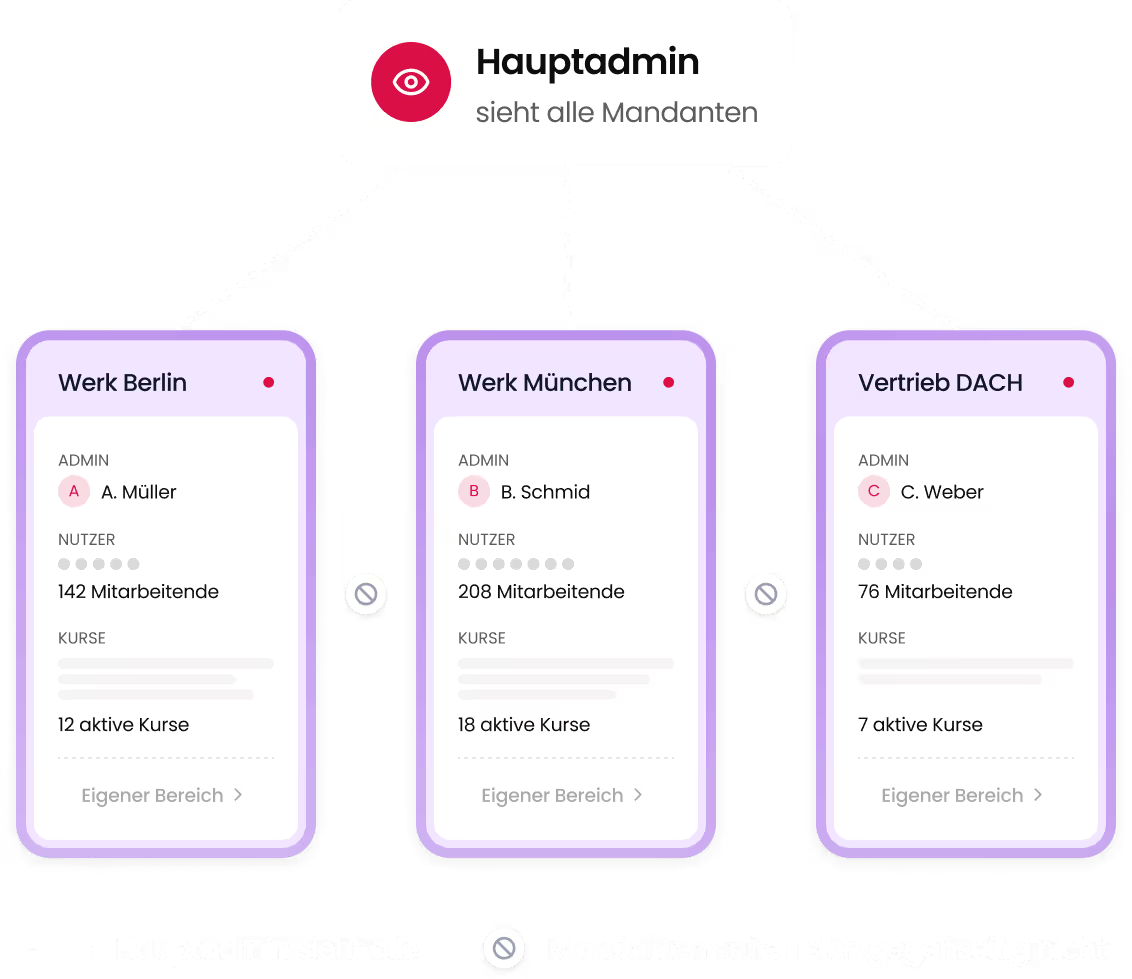
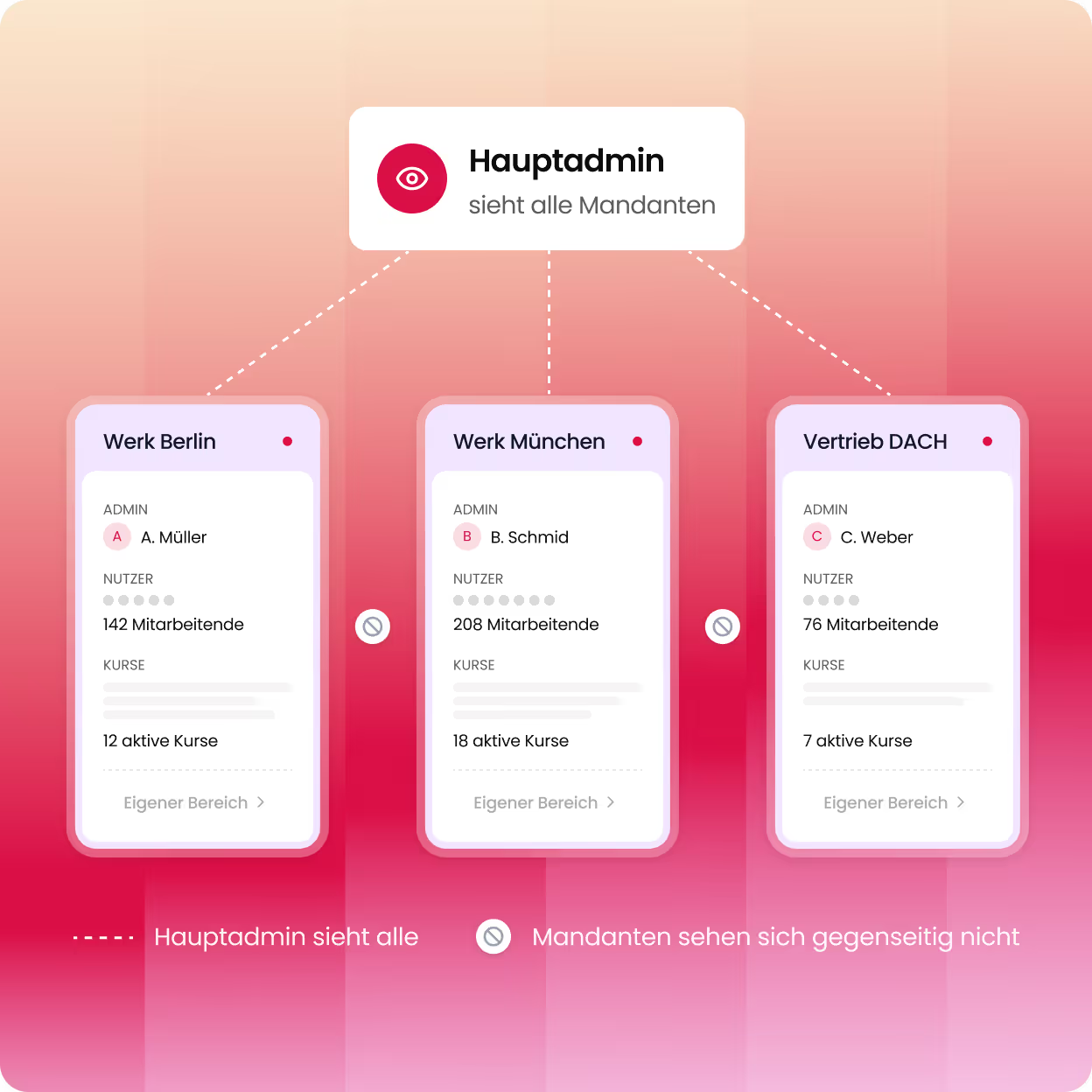
Although everything runs on a single platform, no tenant can see the users, courses, or data of another. Complete data separation – without any additional technical effort.

Cost efficiency, not license sprawl

No expensive individual licenses per subsidiary or customer. Keelearning's multi-tenancy saves on license, maintenance, and administration costs – while providing full functionality for each tenant.

“What particularly impressed us is keelearning’s modern, user-friendly platform – including guest access without registration, great gamification features, and the ability to manage both internal employee training and training for customers and partners within a single learning environment.”

Christian Wernicke

Team Lead for the Knowledge and Qualification Team

,

d.velop AG

Eyebrow

heading

description

description

Custom client environments

Each client gets their own learning environment

For each client, you set up a completely independent training environment – with custom corporate design, a dedicated domain, and its own email server.

For each client, you set up a completely independent training environment – with custom corporate design, a dedicated domain, and its own email server.

Custom corporate design per client

Each client's logo, colors, and appearance can be fully customized – for an authentic brand experience.

Dedicated domain for each instance

Each client is accessible via their own URL – for maximum recognition and a professional appearance.

Dedicated email server per client

Emails such as invitations, reminders, and certificates are sent via a client-specific sender.

Central content management

Create once. Share for all or just for one

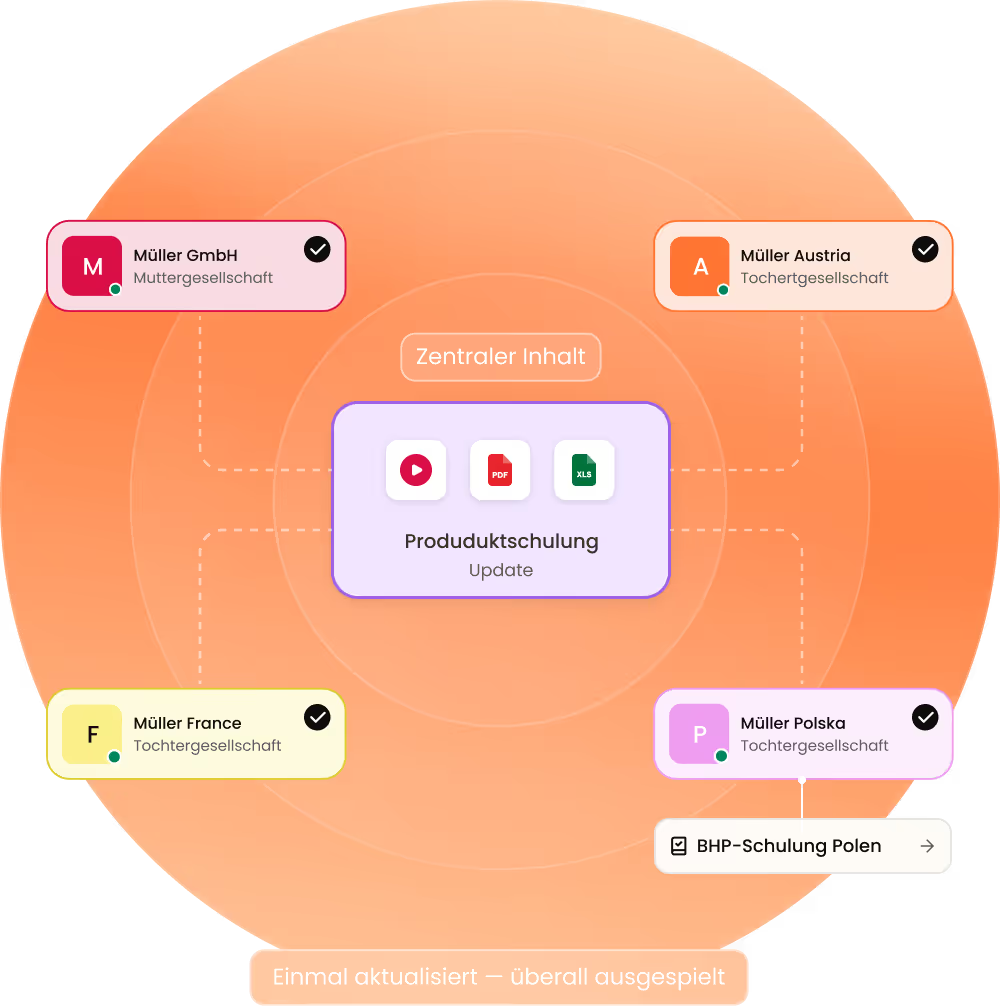
A central content catalog prevents duplicate maintenance: updates automatically apply wherever the content has been shared. At the same time, each tenant can create their own exclusive content, visible only to their users.

A central content catalog prevents duplicate maintenance: updates automatically apply wherever the content has been shared. At the same time, each tenant can create their own exclusive content, visible only to their users.

Central content catalog for all tenants

Templates and standard courses are available to all tenants – without duplicate content and without redundant maintenance.

Targeted content assignment per tenant

Decide which tenant sees which content – at the course, learning path, or media level.

Individual features configurable per tenant

Define which platform features a tenant can use – and which ones cannot.

Management & Data Protection

Separate Data. Shared Control.

Each tenant fully independently manages their own users, courses, and admins – without visibility into other tenants. At the same time, as a super admin, you always maintain the overall overview.

Each tenant fully independently manages their own users, courses, and admins – without visibility into other tenants. At the same time, as a super admin, you always maintain the overall overview.

Complete Data Separation Between Tenants

Users, courses, and data from different tenants are not visible to each other – GDPR-compliant by design.

Independent Management per Tenant

Each tenant can independently manage their own admins, users, and courses – without access to other areas.

High-level Reporting for Super Admins

Track training activities and compliance across all tenants – in a central view.

Explore Product

See keelearning in action: how you create courses, invite employees,
and track learning progress in real-time.

See keelearning in action: how you create courses, invite employees,
and track learning progress in real-time.

"For us, shift work, diverse working models, and many different nationalities were the biggest hurdles in training. keelearning is an absolute game-changer: We train the entire company digitally, moving away from in-person sessions and sharing our knowledge in the participants' native languages. The app is incredibly easy for both admins and users to operate – content lands directly on their phones, significantly speeding up on-site onboarding. A true simplification of work that significantly lightens our load."

Claudia Salz

Franchise Partner Training and Development

,

Kamps GmbH

See how keelearning works for your company – in a personalized, no-obligation demo.

Interactive Product Tour
Book a Demo
Additional Features

Multi-tenancy in Action

The power of multi-tenancy truly unfolds when combined with other keelearning features – creating a learning platform that genuinely scales.

The power of multi-tenancy truly unfolds when combined with other keelearning features – creating a learning platform that genuinely scales.

Custom Branding

Each tenant gets their own distinct corporate design – logo, colors, fonts – directly configurable within the platform.

Admin & User Roles

Define custom admin roles and permission levels for each tenant – ensuring clear responsibilities at every level.

Analytics & Reporting

Track learning progress and completion rates across all clients or at the individual client level – as needed.

Integrations & Interfaces

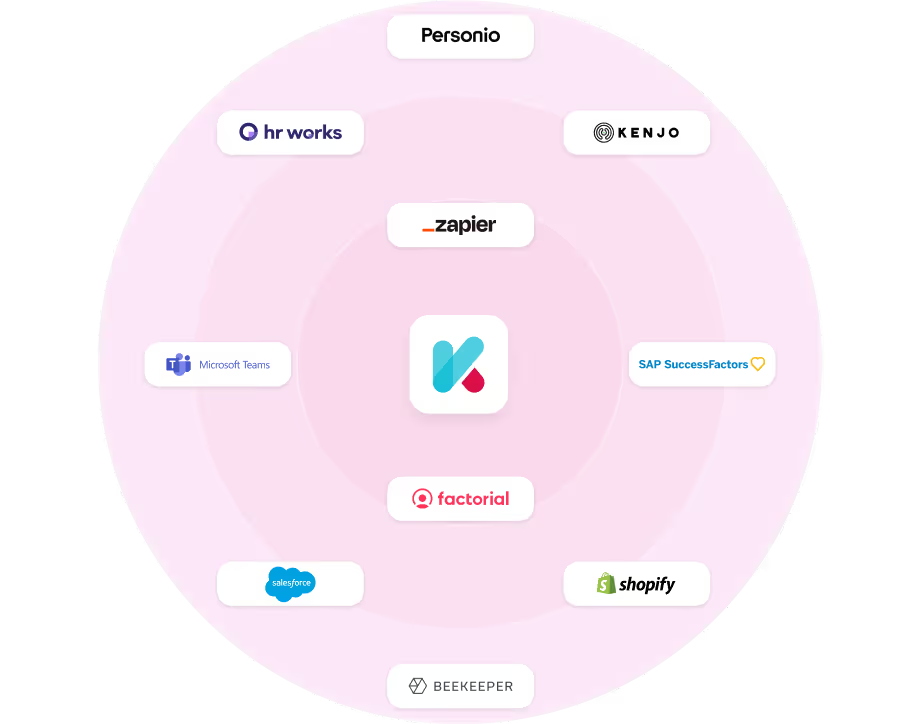
Connect individual clients with their respective HR or CRM software – independently and without mutual interference.

Registration Options

Each client can use their own registration methods – from SSO to voucher codes, adapted to their user structure.

Escalation Management

Mandatory training and deadlines are configured and monitored per client – with client-specific escalation levels and responsible parties.

Success Stories

How companies with keelearning learn – and grow.

Whether retail, logistics, manufacturing, or SaaS – our customers come from a wide range of industries and have one thing in common: they now train more efficiently, measurably, and with real results.

All success stories

Whether retail, logistics, manufacturing, or SaaS – our customers come from a wide range of industries and have one thing in common: they now train more efficiently, measurably, and with real results.

All success stories

Software

d.velop Case Study: Von Eigenentwicklung zu keelearning

From In-house Solution to Professional Platform: How d.velop Scales Role-Specific Knowledge Internally and Externally with keelearning

Gescher

> 1,100 employees & > 15,500 customers

View success story
D.velop

Production

Signia Case Study: Produktwissen & Podcast mit keelearning

Podcasts in E-Learning: Signia expands its e-learning offering with podcasts, reaching its target audience even more effectively.

125 Markets

11,000 employees worldwide

View success story
Signia GmbH

Logistics

MS Direct Case Study: Mehrsprachig schulen in der Logistik

From warehouse to dispatch: How a logistics service provider upskills its workforce in a mobile, multilingual, and just-in-time manner.

8 Locations

690 Employees

View success story
MS Direct AG

Software

DATAflor Case Study: +200 % Umsatz durch keelearning

DATAflor began migrating old employee and customer trainings to keelearning, thereby increasing not only completion rates but also its own revenue.

8 locations

~ 60 employees

View success story
DATAflor

Retail

Blume 2000 Case Study: Mehrsprachig schulen im Einzelhandel

Blume 2000 empowers employees with digital learning: Flexible, practical, and available everywhere thanks to the keelearning platform. Discover more!

> 250 branches

> 2,300 employees

View success story
Blume 2000

Retail

Kamps Case Study: Pflichtschulungen für 3.500 Mitarbeitende

Shift work, branch operations, many nationalities – and annually recurring training that must reach everyone. Kamps made the leap from in-person training to a mobile app and now provides flexible, verifiable, and multilingual training.

360 Branches

> 3,500 Employees

View success story
Kamps GmbH
keelearning offers everything you need for professional development

Authoring tool

What else you can expect from keelearning

What else you can expect from keelearning

Knowledge Community

Turn your employees into a knowledge community. Centralize your company knowledge in an always-ready chatbot.

Course library & templates

Ready-made, audit-proof courses on various topics and customizable templates, so your training can start in no time.

Learn more

Gamification

Chat

Connect your employees & establish a direct line between course managers and learners.

Learn more

Media Library & News

A central source for all your files, instructions, and documentation. Never again will anything get lost in scattered documents.

Learn more

Frequently Asked Questions about the multi-tenant Learning Management System

The questions we receive most frequently – answered before you have to ask them.

The questions we receive most frequently – answered before you have to ask them.

You can translate course content, the platform's user view, news, media library content, and chat messages into other languages with a single click.

Yes. External users and customer trainings also benefit from full multilingual support – centrally managed in keelearning, individually experienced on your own learning platform.

Yes – not only course content but also navigation elements and notifications are fully available in the supported languages. Employees navigate in their native language from the very start.

keelearning is available in over 20 languages – including English, Turkish, Arabic, Polish, Spanish, Chinese, and Ukrainian. More languages are continuously being added.