All blog posts
Published on
07.04.2026
The best 360Learning alternatives: Compare the top tools!

Lisa Kubatzki
Senior Content Marketing Manager @ keelearning
description
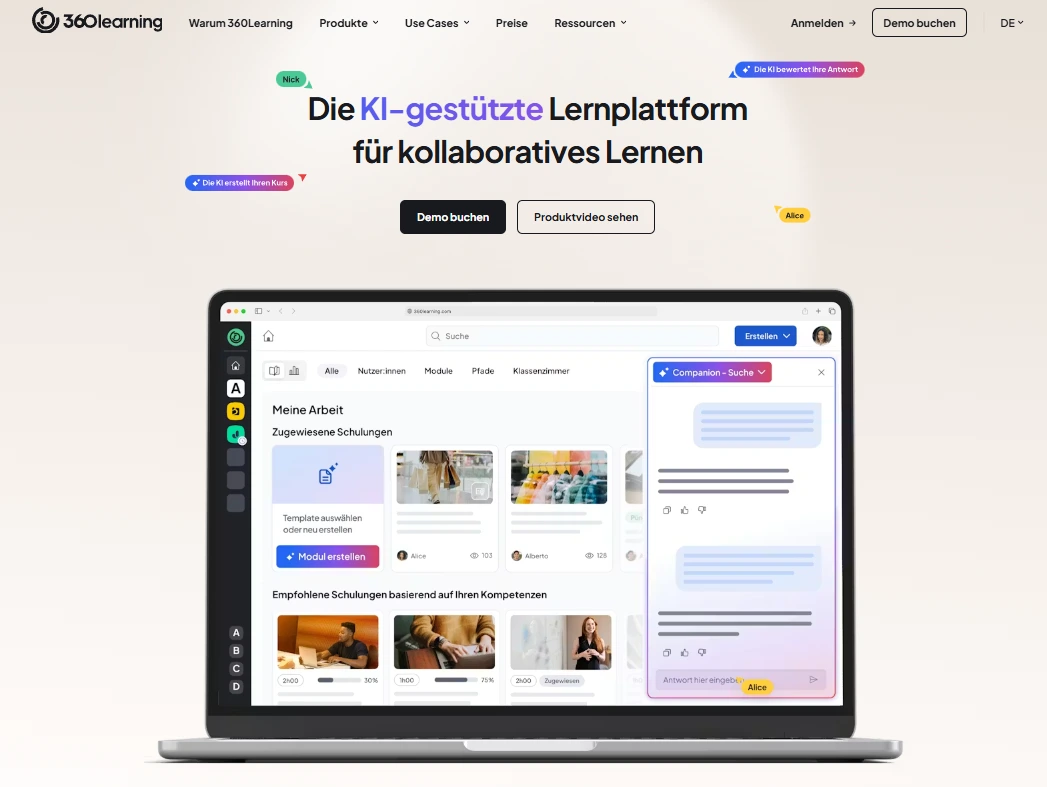
Have you decided on 360learning only to realize in your day-to-day work that the e-learning platform doesn't quite fit your requirements? In this article, we will show you the best 360learning alternatives.
Right off the bat: None of the platforms mentioned is "better" or "worse" per se. It is all about finding the right learning platform for your specific use case. Ultimately, the best 360learning alternative is not the one with the most features, but the one your team actually uses.
Disclaimer: This comparison is based on the status as of March 17, 2026. We strive to keep all information as current and accurate as possible and to update it regularly. However, as the range of functions can change at any time, we recommend visiting the official websites of the respective platforms directly for the latest information or contacting them.
A summary of the most important points:
- Keelearning: ideal for frontline teams and mobile use
- Docebo: strong enterprise solution with many features
- TalentLMS: simple and quick to deploy
- iSpring Learn: focus on content creation
- Absorb LMS: good UX and scalability
The deciding factor is not the tool itself, but:
- Your team structure
- Your use case
- Actual day-to-day usage
Why should you consider a 360learning alternative?
360learning is an established platform for collaborative learning. Nevertheless, many companies encounter typical challenges in daily operations.
1. Complexity in daily work
Users report that the platform is extensive but not always intuitive. Typical feedback from reviews includes: "Lots of features, but navigation is not always self-explanatory." Teams without a fixed workplace or with little time for training reach their limits quickly here.
2. Low usage within the team
A frequently underestimated problem: learning platforms are introduced but hardly used. This is often because content is presented in too complex a manner, access is not intuitive, and learning is not integrated into daily workflows. The tool is there, but the impact is missing.
3. Focus on content instead of application
Many LMSs, including 360learning, are strongly geared towards courses. In practice, however, teams need quick answers and support at the "moment of need."
4. Not ideal for frontline teams
For sectors such as:
- Retail
- Manufacturing
- Logistics
- Healthcare
classic LMSs like 360learning are not ideal because they are not designed mobile-first, are too complex, and are not integrated into the workflow.
The best 360learning alternatives in comparison
Have you already invested time and resources in a learning platform? The rollout might have gone well, the initial content was created, but after a few months, the picture looks different. Team members hardly use the platform, questions are still asked directly, and the desired effect fails to materialize.
What you need is a solution that really works in daily operations. A platform that not only offers features but is actually used. One that fits your teams, your processes, and the way you work.
The good news is: there isn't one single right solution, but various approaches that work differently well depending on the company. Below, we introduce some exciting alternatives to 360learning. You will learn where their respective strengths lie, which use cases the tools are suitable for, and what you should look out for when choosing.
1. Keelearning
Self-praise, as they say, stinks a little. We want to be transparent here:
We intentionally list keelearning as the first alternative. Not because we claim it is the best solution for every company, but because it is particularly suitable for certain use cases.
At the same time, it is important to us to provide you with a fair and sound overview of other providers in the course of this article, so you can make the right decision for your company.
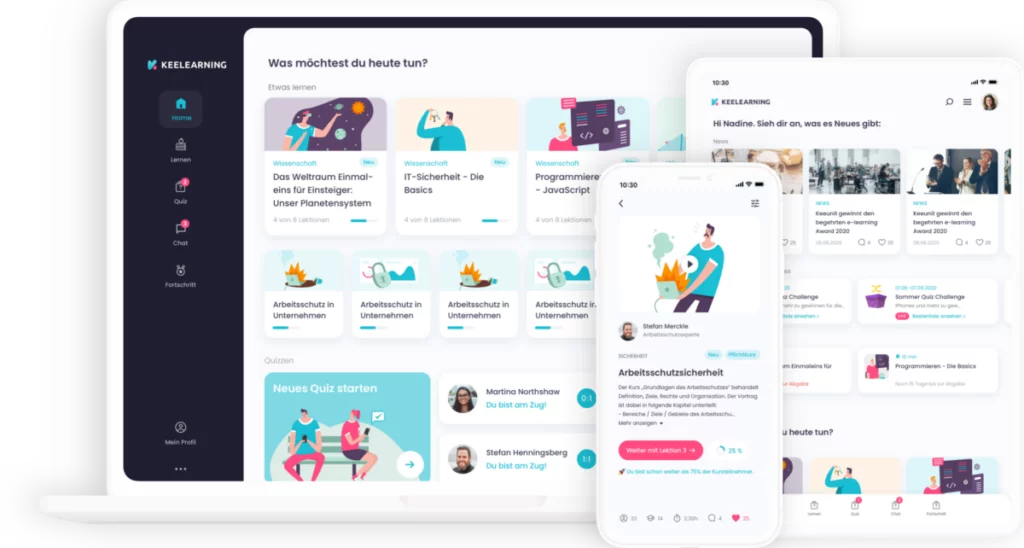
Ideal for: Companies with operational teams and frontline teams
With keelearning, learning fits flexibly into everyday life because learning content is available directly on the smartphone at any time. This makes access particularly low-threshold, as the smartphone is always at hand nowadays.
Learning does not become an additional task, but can be flexibly integrated into the daily routine thanks to microlearning, for example between two tasks or during short breaks. This is a crucial advantage, especially for frontline teams. They rarely work at a desk and need information exactly where it arises. Mobile learning ensures that knowledge does not have to be searched for, but is immediately available and can be used at exactly the right moment.
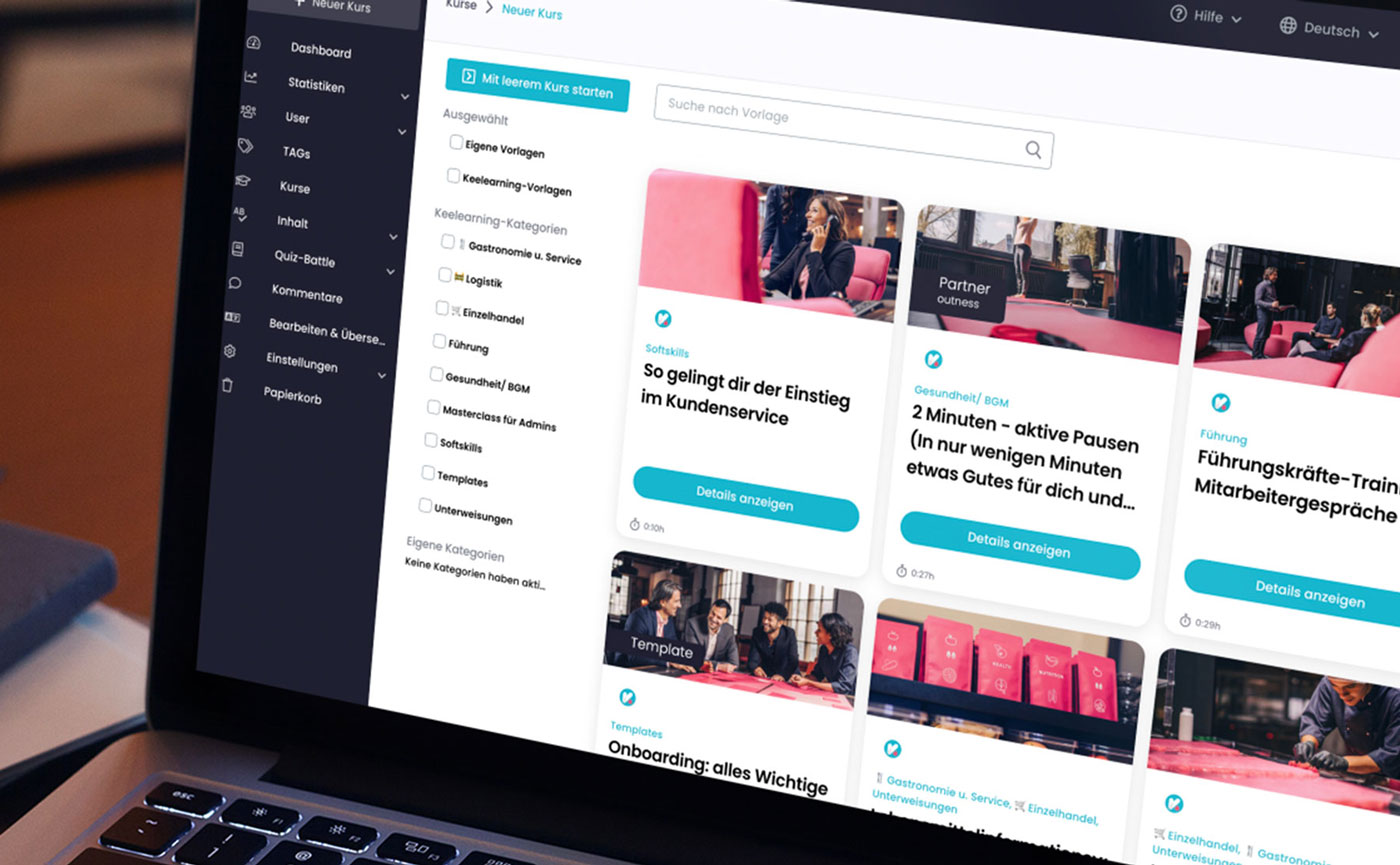
Special features
- Mobile-first
- Microlearning
- AI + community learning combined
Features
- Automatic translations
- Pre-built course library
- Microlearning formats (short & practical)
- Mobile onboarding
- AI-supported knowledge access
- Community feed for exchange
- Easy content creation
- Training management software
Typical use cases
- Onboarding "on the job"
- Training in production
- Product training in sales
- Knowledge access in daily work
Suitable for whom?
- Companies with many operational team members
- Decentralized organizations
- Teams with little time for classic training
Not ideal if...
… you are looking for purely academic course management.
2. Docebo
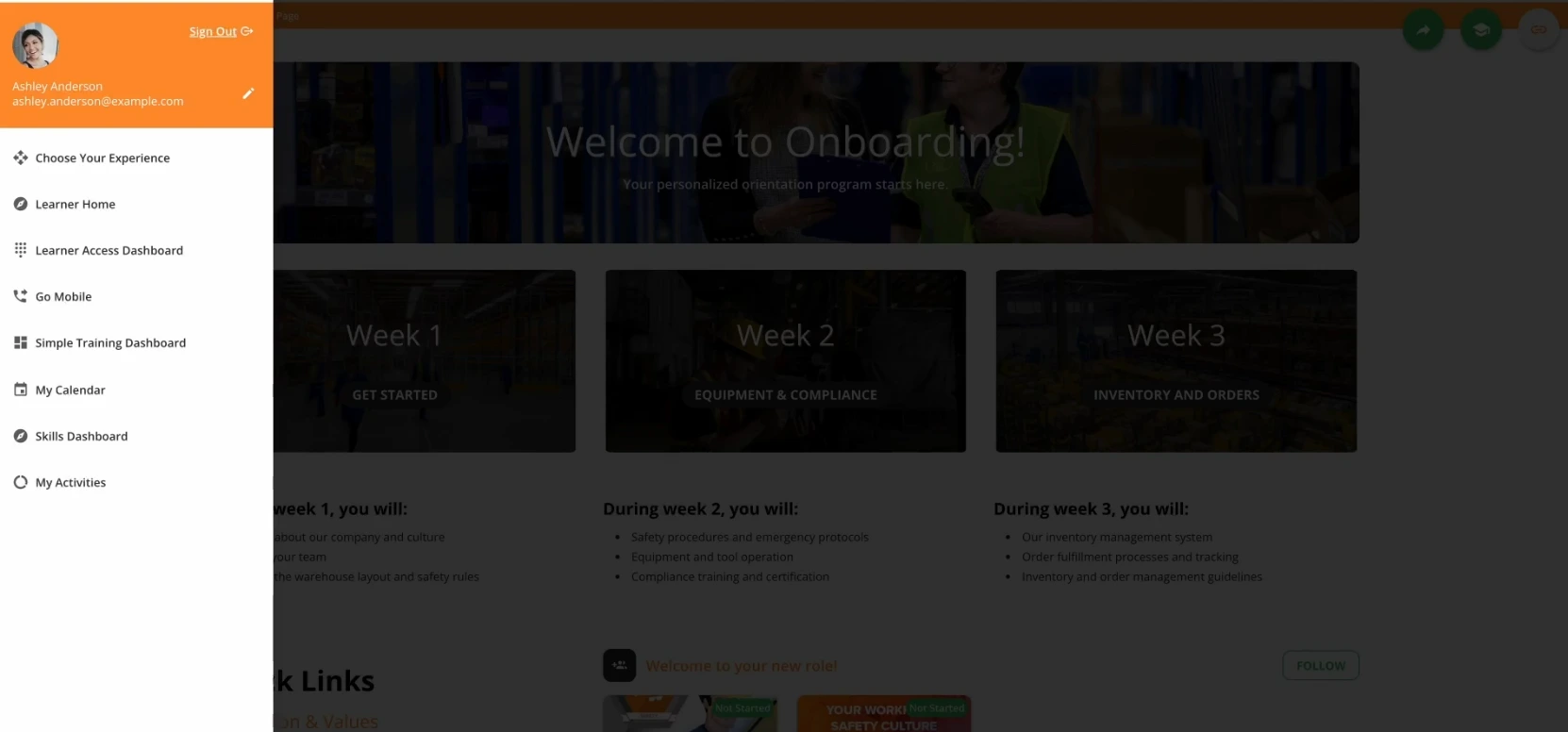
Docebo is primarily aimed at companies that want to build a comprehensive learning ecosystem. The platform offers numerous features, integrations, and options for automating learning processes. This allows learning to be highly structured and integrated into existing systems.
At the same time, this range of features also brings a certain complexity. Introduction and administration require time and clear processes. For organizations with the corresponding resources, however, this can be an advantage, as learning processes can be targeted and scaled very precisely.
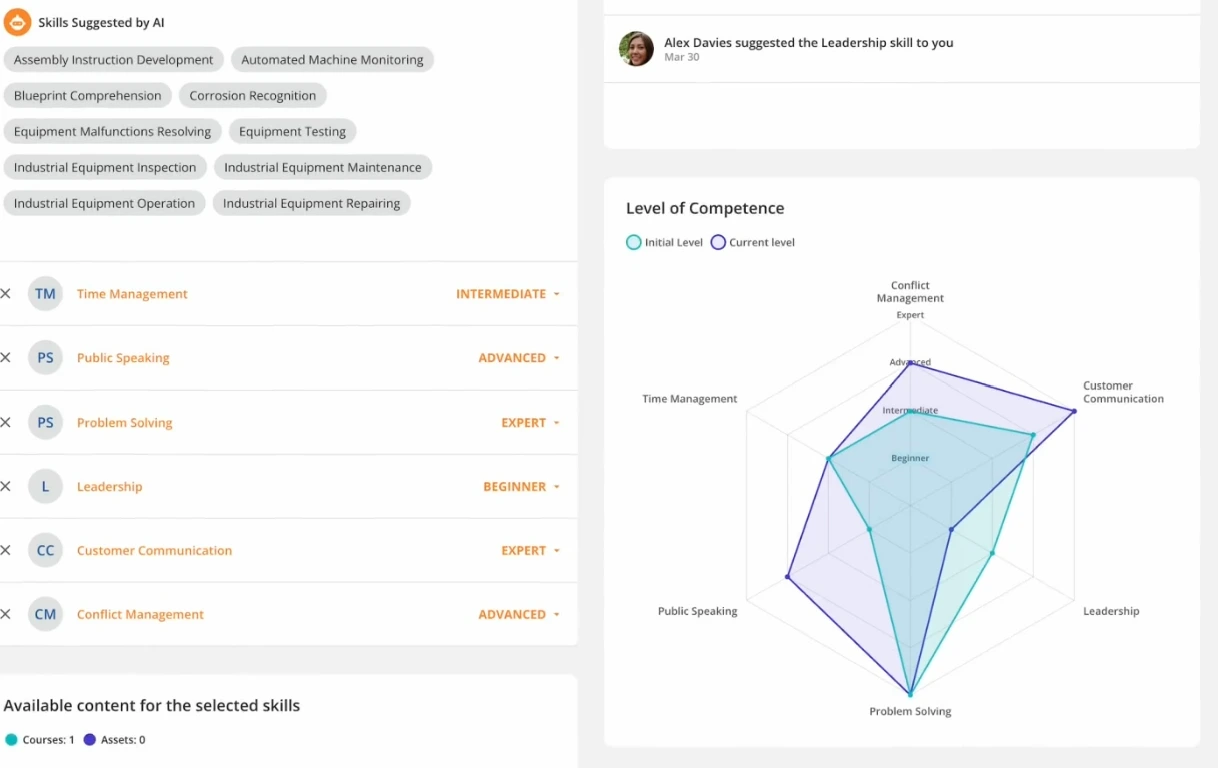
Ideal for: large companies with complex structures and many integrations
Docebo shows its strengths particularly in international companies or environments with many different learning requirements. Content can be managed, rolled out, and evaluated centrally.
Special features
• Strong enterprise focus
• Many integrations and expansion options
• Automation of learning processes
Features
• Learning Management System with extensive functions
• AI-supported learning recommendations
• Detailed reporting and analytics
• Integrations into existing HR and business systems
• Automated learning paths
Typical use cases
• Company-wide training programs
• Compliance trainings
• International training structures
• Complex learning paths for different roles
Suitable for whom?
• Large companies and corporations
• Organizations with complex structures
• Teams with dedicated L&D resources
Not ideal if...
… you are looking for a simple, quickly deployable solution without major implementation effort.
… you are looking for a solution that is immediately intuitively usable without extensive introduction or training.
3. TalentLMS
TalentLMS is aimed at companies that want to introduce a learning platform without major implementation effort. The focus is clearly on simplicity and quick operational readiness. Content can be created, managed, and rolled out to teams quickly, without the need for extensive technical resources.
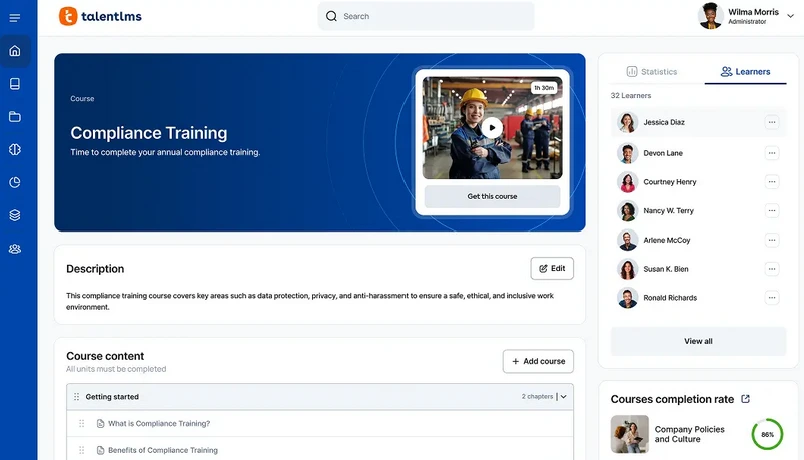
Ideal for: small to medium-sized enterprises that want to start quickly and easily
Especially for companies introducing an LMS for the first time or those without complex requirements, TalentLMS offers an uncomplicated entry. The platform is clearly structured and allows training to be provided in an organized manner.
Compared to more specialized solutions, the focus is less on learning in daily work and more on classic course formats. For many scenarios, this is perfectly sufficient, especially when it comes to standardized training.
Special features
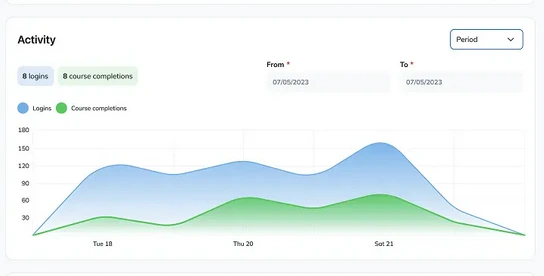
• Quick implementation
• Simple and intuitive operation
• Low technical effort
Features
• Course management and learning paths
• Gamification elements (e.g., points, badges)
• Certificates and tests
• Reporting and progress overviews
• Cloud-based usage
Typical use cases
• Onboarding of new team members
• Standardized employee training
• Compliance trainings
• E-learning for smaller teams
Suitable for whom?
• Small to medium-sized enterprises
• Teams without their own L&D department
• Companies that want to start quickly
Not ideal if...
… you want to build complex, highly individualized learning ecosystems with many integrations.
… you are looking for a solution that provides knowledge situationally, rather than primarily depicting structured training.
4. iSpring Learn
iSpring Learn is aimed at companies that focus on structured learning content and course creation. The platform is particularly closely integrated with authoring tools and enables content to be created quickly and integrated into training programs.
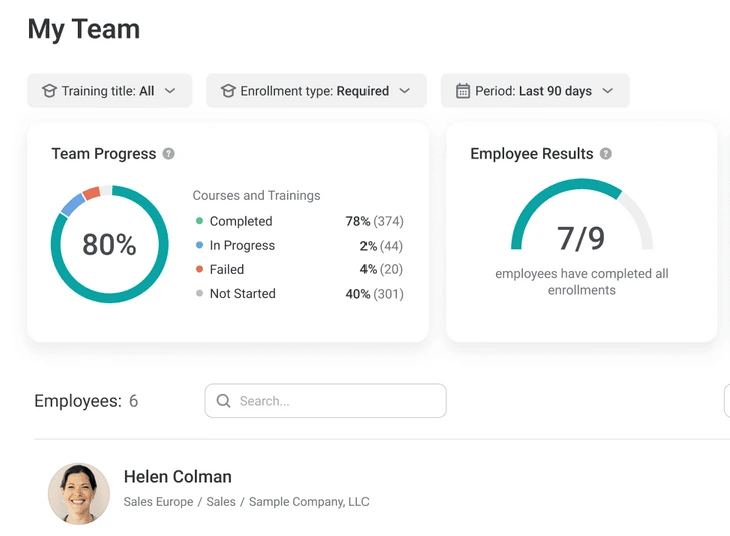
Ideal for: Companies with a strong focus on classic e-learning courses and content creation
A big advantage lies in the easy creation of courses, especially for teams that already work with PowerPoint. Content can be converted into e-learning formats without much effort and provided directly in the platform.
The focus is clearly on classic training formats. Learning takes place in a structured manner via courses and learning paths. This makes sense for many use cases, especially when content is to be conveyed in a standardized way. Less in the foreground, however, is spontaneous knowledge access in daily work.
Special features
• Strong content creation (especially with PowerPoint)
• Close integration with authoring tools
• Focus on classic e-learning courses
Features
• Course creation and management
• PowerPoint-based content creation
• Learning paths and certifications
• Reporting and progress analysis
• Mobile use possible
Typical use cases
• Compliance trainings
• Product trainings
• Structured onboarding programs
• Knowledge transfer via courses
Suitable for whom?
• Companies with a focus on content production
• L&D teams that create a lot of training content
• Organizations with classic training structures
Not ideal if...
… learning is primarily intended to take place spontaneously in daily work or if the focus is on quick knowledge access instead of courses.
5. Absorb LMS
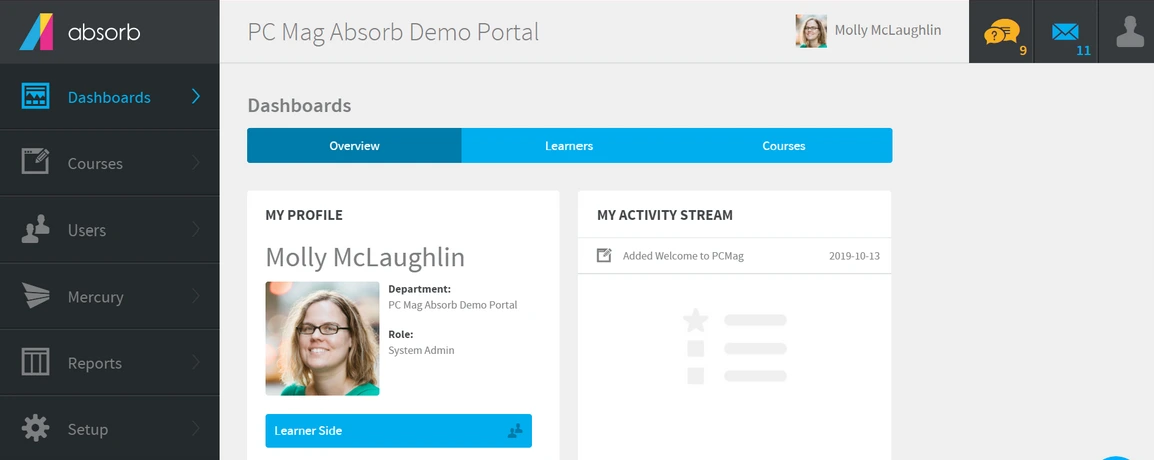
Absorb LMS relies on a combination of modern user guidance and scalable learning structures. Companies can organize training programs clearly and roll them out specifically to different target groups. At the same time, the platform combines a clear, intuitive interface with extensive functions for administration and growth.
Ideal for: Growing companies looking for a scalable and visually modern platform
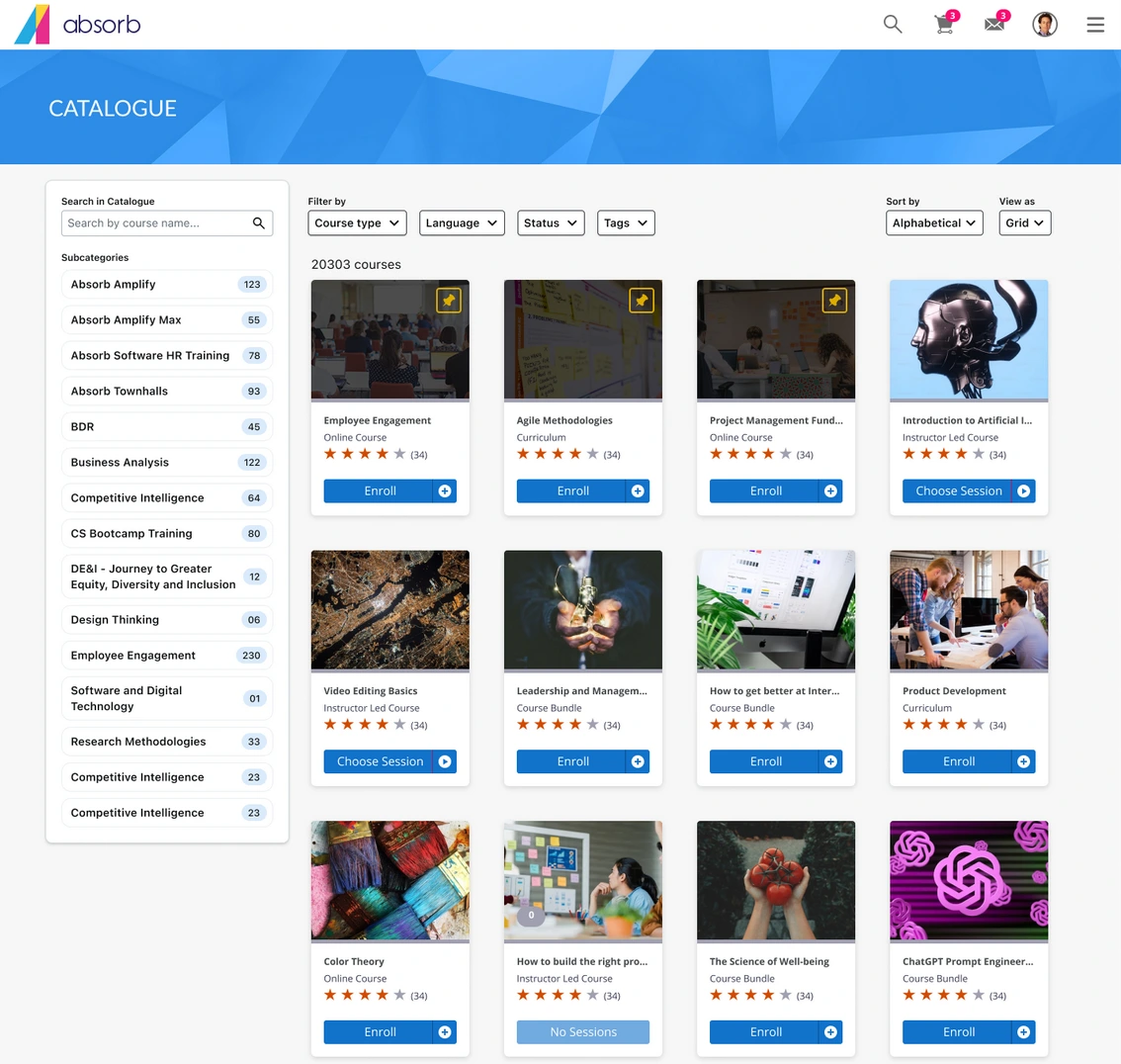
Especially for organizations that want to professionalize their learning processes while remaining flexible, Absorb LMS offers a solid foundation. The platform combines an appealing interface with features that are suitable for both smaller teams and larger structures.
Compared to simpler solutions, Absorb LMS is more comprehensive but remains more accessible than classic enterprise systems. The focus is on structured learning, supplemented by modern user guidance and automation options.
Special features
• Modern and user-friendly interface
• Good scalability
• Combination of structure and flexibility
Features
• Course management and learning paths
• Personalized learning environments
• Reporting and analytics
• Automations (e.g., enrollments)
• Integration into existing systems
Typical use cases
• Onboarding in growing companies
• Standardized training programs
• Compliance and mandatory training
• Scalable e-learning structures
Suitable for whom?
• Medium-sized to larger companies
• Organizations with growing learning structure
• Teams with a need for scaling and structure
Not ideal if...
… you are looking for a very simple, minimalist solution without configuration effort.
… you would like an LMS with a German-language interface.
6. Didask
Didask pursues a somewhat different approach than many classic learning platforms. The focus here is not primarily on managing courses, but on the intelligent creation and communication of knowledge with the help of AI. Content is intended to be created faster while simultaneously being prepared in a didactically sensible way.
Ideal for: Companies that strongly rely on AI-supported content creation and scalable knowledge transfer
The platform supports the automated creation and structuring of training content. This can be a major advantage, especially for teams that produce a lot of content or want to efficiently convert existing knowledge into learning formats.
Compared to classic LMSs, the focus is less on community or informal learning in daily work, and more on the intelligent preparation of learning content. Learning takes place in a structured manner but is provided more efficiently and quickly through AI.
Special features
• Strong focus on AI-supported content creation
• Didactically structured learning preparation
• Automation of learning processes
Features
• AI-based creation of learning content
• Automatic structuring of knowledge
• Learning paths and knowledge modules
• Analysis of learning progress
• Scalable content production
Typical use cases
• Quick creation of training content
• Knowledge preparation from existing documents
• Scalable training programs
• Standardized further education
Suitable for whom?
• Companies with high content demand
• L&D teams with a focus on efficiency
• Organizations that want to actively use AI
Not ideal if...
… learning is to take place strongly via exchange, community, and peer-to-peer formats.
… you are looking for a very simple, immediately usable solution without content preparation.
How do you find the right 360learning alternative?
Depending on the structure, way of working, and requirements in the company, very different needs arise.
A simple decision aid
If your team works predominantly mobile and learning should take place directly in everyday life, a solution like Keelearning is suitable. Here, the focus is on quick access to knowledge, without the need for long training sessions.
If, on the other hand, you work in a company with complex structures, many departments, and integrations, platforms like Docebo or Absorb LMS are a good choice. They make it possible to control learning processes centrally and build them in a scalable way.
If you want to start as quickly as possible and are looking for a simple solution for classic training, TalentLMS can be the right option. The focus here is on quick implementation and uncomplicated usage.
If you rely heavily on the creation and management of learning content, iSpring Learn is particularly suitable. The platform primarily supports the structured transmission of knowledge via courses.
An important reality check
Regardless of the platform chosen, a similar pattern can be seen in many companies: the biggest problem lies not in the features, but in the actual usage.
A learning platform only unfolds its added value if it is actively used in everyday life. Concretely, this means: content must be relevant, access must work simply, and learning must not be perceived as an additional task.
Conclusion: The right decision does not start with tool research
The choice of the right learning platform decides not only on your learning strategy, but on the actual usage in the company. Companies invest in systems that impress on paper, but are hardly used in everyday life. You make the better decision when you start from daily operations:
- How does your team work?
- When is knowledge needed?
- How easy is access?
If you would like to see how Keelearning is used in practice, book a free demo appointment.
FAQ: 360learning alternatives
What is 360learning?
360learning is a learning platform with a focus on collaborative learning and user-generated content.
Which LMSs exist besides 360learning?
The most important alternatives include Keelearning, Docebo, TalentLMS, iSpring, and Absorb LMS.
Which learning platform is the best?
This depends strongly on the area of application. There is no generally best solution, only suitable solutions for different requirements.
How do I choose the right LMS?
Pay attention to the target group, use case, usability in daily work, and, if necessary, integrations.
Table of Contents
Ready for training that works?
Get to know keelearning in a personal demo – no obligation and tailored to your needs.
Share
Lorem ipsum dolor sit amet, consectetur adipiscing elit. Suspendisse varius enim in eros elementum tristique. Duis cursus, mi quis viverra ornare, eros dolor interdum nulla, ut commodo diam libero vitae erat. Aenean faucibus nibh et justo cursus id rutrum lorem imperdiet. Nunc ut sem vitae risus tristique posuere.





The learning platform for businesses looking to make their training simple, mobile, and accessible to all – with no IT overhead.


