All blog posts
Published on
19.05.2026
Digital Onboarding: How to digitize the onboarding process for employees and customers

Lisa Kubatzki
Senior Content Marketing Manager @ keelearning
description

Digital onboarding does not mean sending a PDF by email. This is precisely where the most common misconception lies. Many companies have partially digitized their onboarding process but have not really improved it. New employees receive presentations, documents, invitations, and checklists. Yet, they often still lack orientation.
Effective digital onboarding does more: It guides new team members step-by-step through the onboarding process, imparts relevant knowledge, makes progress visible, and ensures that content remains available at all times. It works similarly for customers. After signing a contract or purchasing a product, they also don't just need more information, but rather clear learning paths, quick wins, and practical application help.
For companies with many firstline teams, multiple locations, or a high training demand, keelearning is particularly suitable. The platform supports digital onboarding as a learning process: mobile, multilingual, structured, and with formats that work in everyday life.
Too Long, Didn’t Read: Digital Onboarding at a Glance
- Digital onboarding makes onboarding more structured, measurable, and scalable.
- The process begins before the first day of work or before the first product usage.
- Good digital onboarding processes combine automation, learning modules, personal check-ins, and feedback.
- Compared to PDFs, digital platforms offer clear learning paths, updateability, interaction, and reporting.
- For firstline teams, the following are particularly important: mobile usage, simple language, short content, and multilingualism.
- keelearning is suitable for companies that want to not only inform employees or customers but also make them capable of action quickly.
Book a demo & get to know keelearning for your onboarding
What is digital onboarding?
Digital onboarding describes the digital accompaniment of new employees or new customers through their entry into a company, role, product, or process. The goal is to build knowledge in a structured way and provide orientation. It is not just about administrative tasks. Ideally, digital onboarding includes:
- Welcome information
- Tasks and checklists
- Learning modules
- Videos and microlearning
- Quizzes and knowledge checks
- Feedback questions
- Appointments and personal check-ins
- Documents and guidelines
- Product or process training
- Progress evaluation
The decisive difference compared to classic onboarding is that content is not tied to individual people, locations, or appointments. It is available centrally and can be deployed in a targeted manner.
Why PDFs are not digital onboarding
PDFs are not fundamentally bad. They are suitable for reference knowledge, legal information, or supplementary documents. However, as a central onboarding tool, they are rarely sufficient. PDFs explain a lot, but "guide" little. Typical disadvantages of PDF-based onboarding:
- Content is consumed passively
- Progress is barely measurable
- Updates are difficult to distribute
- Learners do not know what is really important
- Managers do not see where uncertainties arise
- long documents fit poorly into operational workflows
- multilingual versions quickly become confusing
Digital onboarding solves these problems by translating content into clear steps. Instead of a 40-page document, new team members receive short modules, concrete tasks, and understandable knowledge checks.
How does digital onboarding work?
A good digital onboarding process follows a clear logic. For employees, it can be structured into four phases.
1. Preboarding: Orientation before the start
Preboarding begins after the job offer or contract signature. This phase is about reducing uncertainty and creating anticipation.
Suitable content includes:
- Welcome message
- Overview of the first day
- Arrival or login information
- Contact persons
- Company values
- Short introductory videos
- Initial organizational tasks
This phase is particularly important for firstline teams. Anyone without a fixed desk job needs clear information before starting:
- Where do I need to go?
- What do I bring with me?
- Who will receive me?
- What clothing or work equipment do I need?
2. First week: Creating security
In the first week, new team members do not need a flood of information. They need orientation. Digital onboarding platforms structure the first steps clearly:
- Daily schedule
- Role understanding
- Introduction to tools
- Safety or hygiene training
- Initial process modules
- Short knowledge checks
- Feedback after the first day
Important: Digital does not mean impersonal. Personal conversations, greetings by managers, and team contact remain crucial. The platform ensures that important content is not forgotten.
3. First 30 to 90 days: Deepening knowledge
After the initial orientation, the actual learning phase begins. New employees must understand processes, get to know products, apply standards, and become more confident in their role. The following work particularly well here:
- Microlearning units
- Video tutorials
- Quiz formats
- Digital checklists
- Practical tasks
- Learning paths by role or location
- Regular feedback questions
This is crucial, especially in everyday operational life. A new team member in retail needs different content than someone in production or customer success. Digital onboarding makes these differences manageable.
4. Integration: From entry to development
Onboarding does not end after the first week. Integration often takes several months. This phase is about consolidating security and making development visible. Sensible measures are:
- 30-/60-/90-day feedback
- Advanced courses
- Product training
- Certificates
- Learning progress evaluation
- Repetition of critical content
- Transition to continuous further education
This turns digital onboarding into the foundation for long-term learning.
Digital onboarding for customers
Digital onboarding does not only affect employees. Customers also need a structured introduction after purchase or contract signature. Especially with software, products requiring explanation, or complex services, the same problems often arise:
- Customers do not understand central functions
- Support requests repeat
- Product benefits are recognized too late
- Individual customer success appointments scale poorly
- Knowledge is dependent on personal explanations
Digital customer onboarding starts right here. It guides new customers through the most important steps, imparts product knowledge, and makes application easier. Typical content includes:
- First steps in the product
- Short feature training
- Best practice modules
- Checklists for getting started
- Video tutorials
- Quizzes or self-tests
- Certificates for power users
The benefit is clear: The customer gets into action faster. At the same time, the explanation effort in the team decreases.
Which tools and platforms are available?
There are various tools for digital onboarding. Which one you need depends on the target group and use case.
ToolArea of ApplicationBenefitOnboarding Appmobile employees, firstline teamsAccess via smartphoneLMS / E-Learning PlatformTraining and learning pathsImpart knowledge in a structured wayHR SoftwareContracts, tasks, master dataAutomate administrationCollaboration ToolsExchange and team contactStrengthen social integrationVideo ToolsLive check-ins and trainingCreate personal proximityKnowledge DatabaseReference knowledgeMake information centrally discoverableFeedback ToolsEvaluationImprove process
For HR managers, it is important: Not every tool solves the same problem. HR software can map administrative tasks well. A learning platform ensures that knowledge is really understood and applied.
If your goal is to digitize the onboarding process, you should therefore first clarify: Is it about administration, communication, or training? Usually, a good process needs a combination.
How to digitize your onboarding process
Digital onboarding is not created by tool selection alone. Start with the process.
1. Make existing onboarding visible
First, collect everything that currently happens:
- Which emails are sent?
- Which documents do new team members receive?
- Which training sessions take place?
- Who explains which processes?
- Which questions come up repeatedly?
- Where do errors or delays arise?
This way, you can identify which parts should really be digitized.
2. Distinguish target groups
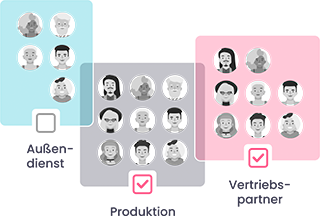
Not all learners need the same onboarding. Segment by role, location, language, experience level, and work environment. Here are some examples:
- New employees in sales
- New managers
- Seasonal workers
- Remote team members
- International team members
- New customers
- Partner companies
The more precise the target groups are, the more relevant the content becomes.
3. Define learning objectives
Don't ask: What information do we need to provide? Ask: What should new people be able to do confidently after onboarding? Here are some examples:
- operate a cash register system
- apply safety rules
- advise customers
- explain products
- follow internal processes
- use a software feature independently
These learning objectives form the basis for modules, quizzes, and checklists.
4. Break content into small units
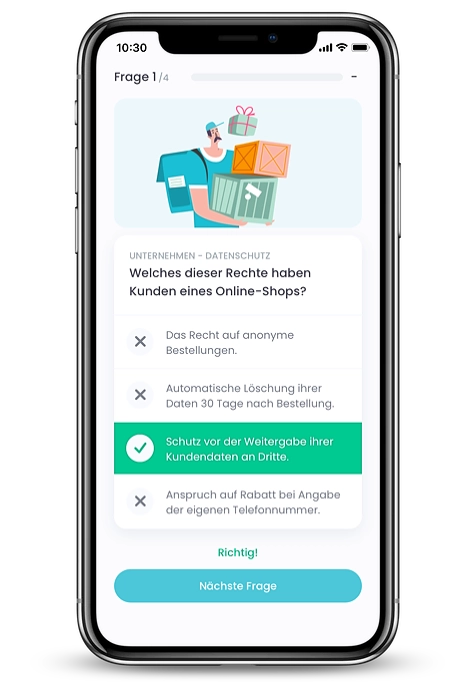
Long content slows down digital onboarding. Better are short, clear learning units with a concrete goal. A module should:
- cover one topic
- be understandable in a few minutes
- have a clear result
- be directly usable in everyday life
- be repeatable if necessary
This makes onboarding digital, but not overloaded.
5. Plan personal accompaniment
Automation is helpful. However, it does not replace a relationship. Therefore, plan fixed contact points:
- Welcome meeting
- Check-in after the first day
- Feedback after the first week
- Conversation after 30 days
- Development meeting after 90 days
Digital onboarding works particularly well when automated learning paths and personal accompaniment interact.
6. Measure progress
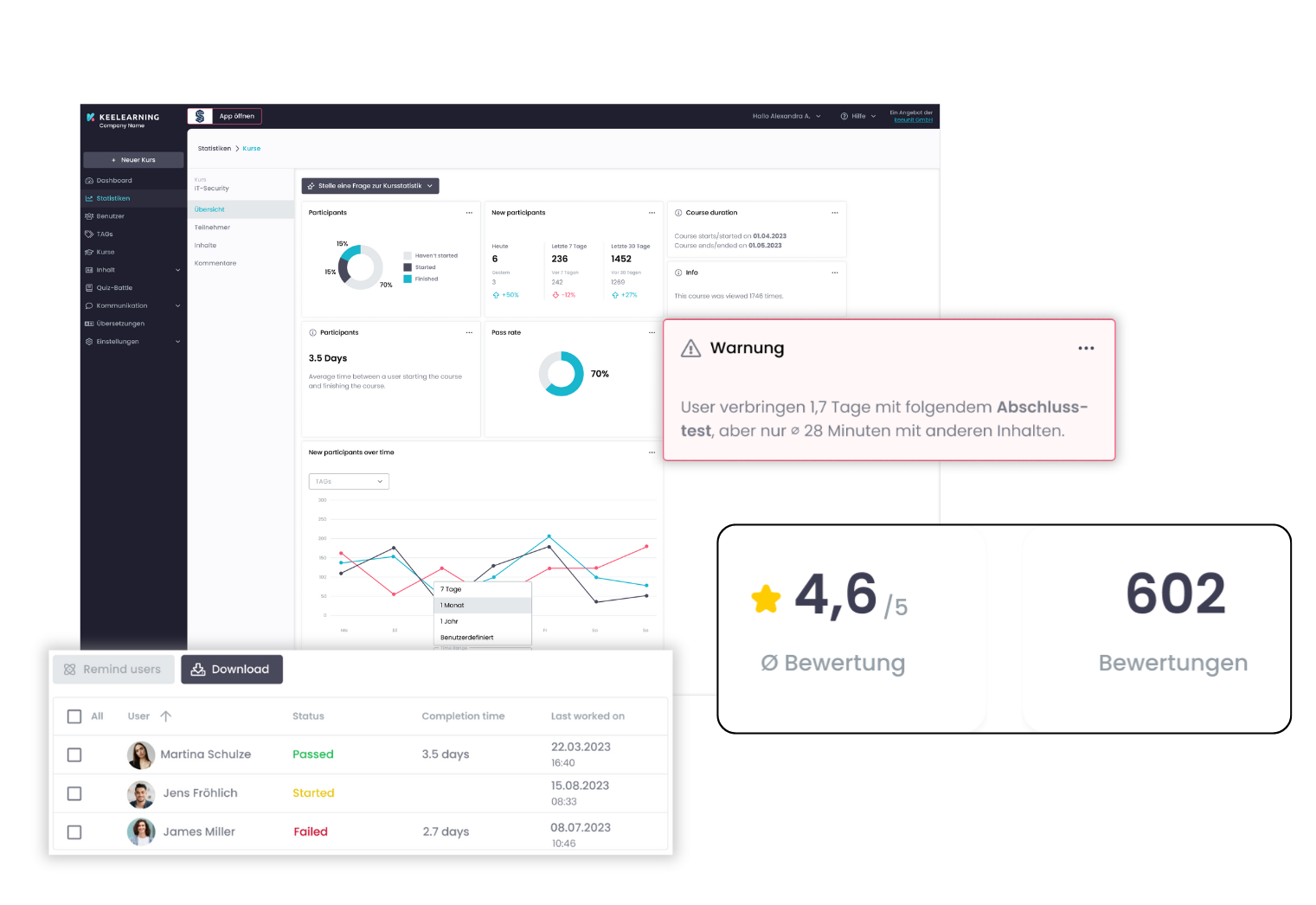
A major advantage of digital platforms is measurability. You see which content has been completed, where learners drop out, and which knowledge checks show difficulties. Meaningful metrics are:
- Completion rate
- Processing time
- Results from quizzes
- Feedback values
- Time to productivity
- Recurring inquiries
- Turnover during the probationary period
- Support effort for customers
This is how you develop your onboarding further based on data.
Why digital onboarding is particularly relevant for firstline teams
Firstline teams work directly with customers, products, machines, or patients. They often do not have a fixed PC workstation. Nevertheless, they especially need clear training because errors in everyday life become visible quickly. Classic onboarding formats often do not fit here, because:
- Face-to-face appointments are difficult to plan
- Training at the headquarters costs time
- PDFs are rarely used in everyday work
- Content is not always available in multiple languages
- Knowledge is passed on orally and inconsistently
Digital onboarding via a mobile platform solves many of these problems. New team members call up content on their smartphones, learn in short units, and repeat important topics. Managers see at the same time who has completed which training.
With keelearning, onboarding content can be provided mobile, translated into several languages, and supplemented by quizzes, learning paths, and training formats. This makes onboarding not only digital but also suitable for everyday life.
Best practices for digital onboarding
For digital onboarding to be effective, you should follow these ground rules:
- Start before day one.
Good orientation begins in preboarding. - Think in learning paths.
New employees need sequence, not just material. - Keep content short.
Microlearning works better than long documents. - Use multiple formats.
Videos, quizzes, checklists, and tasks complement each other. - Make progress visible.
Reporting helps HR, managers, and learners. - Plan social integration.
Digital content needs personal contact points. - Update content regularly.
Outdated information weakens trust. - Get feedback.
New team members often recognize gaps particularly quickly.
From entry to learning journey
Digital onboarding is more than a digital folder. It is a structured learning process that makes new employees and customers capable of action faster. HR managers especially benefit from this because recurring tasks become more plannable and important content no longer depends on individual people.
However, the biggest lever is not in the digitalization itself. It lies in clarity. Anyone wanting to digitize their onboarding process should first know what skills, information, and experiences new people really need.
With keelearning, you implement digital onboarding as a mobile, multilingual, and practical learning journey. This way, you also reach operational teams without a fixed PC workstation, create uniform standards, and make progress visible. Book a free demo!
Find more professional insights, current perspectives, and impulses on LinkedIn.
Note on tools and platforms
This comparison is up to date as of 05/11/2026. We attach great importance to keeping the information up to date and reviewing it regularly. Since offers, functions, and conditions can change, however, we recommend that you also inform yourself directly on the official websites of the respective providers or contact their sales department if interested.
FAQ: Frequently asked questions about digital onboarding
What does digital onboarding mean?
Digital onboarding means introducing new employees or customers to a company, role, or product in a structured manner using digital tools. This includes learning modules, tasks, documents, check-ins, and progress measurement.
How do I digitize our onboarding process?
Start with an analysis of the existing process. Then define target groups, learning objectives, content, and suitable formats. Subsequently, transfer the content to a platform, test the flow, and improve it with feedback and metrics.
What advantages does digital onboarding have over PDFs?
Digital onboarding is more interactive, measurable, and easier to update. Learners receive clear learning paths instead of individual documents. Companies also see which content has been completed and where there is still a need for support.
Which platform is suitable for digital onboarding?
That depends on the focus. HR software is suitable for administrative processes. An LMS or an onboarding software are particularly suitable when training, learning paths, and knowledge checks are the focus. For firstline teams, a mobile solution is particularly important.
Can digital onboarding replace personal onboarding?
No. Digital onboarding does not replace personal accompaniment. However, it ensures that important content is available in a structured way and that managers have more time for individual support.
Table of Contents
Ready for training that works?
Get to know keelearning in a personal demo – no obligation and tailored to your needs.





The learning platform for businesses looking to make their training simple, mobile, and accessible to all – with no IT overhead.