All blog posts
Published on
23.11.2026
Organizing customer training: Setting up tenants, roles and access the right way

Lisa Kubatzki
Senior Content Marketing Manager @ keelearning
description

The content for your customer training is ready and the first customers want to get started. Then the real questions come up: Who creates the users at the customer? Is customer A allowed to see what customer B is learning? And how do you find out whether the training actually landed?
The short answer: Customer training is best organized on a multi-tenant learning platform. Each customer gets its own area, optionally with its own admin who only manages that customer's users. You create content once centrally and handle access, branding and reporting per customer.
In our conversations with 32 companies in October 2026, questions about customer training were strikingly often not about content but about organization: separate areas per customer, dedicated admins at the customer and clear responsibilities. That is what this article is about.
{{key-takeaways}}
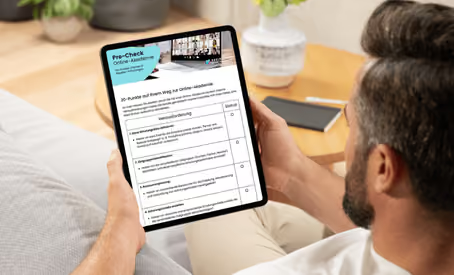
Ready for your online academy?
Why customer training fails on organization
Good content alone isn't enough. Many customer training programs stall because the structure behind them is missing. Four problems are typical:
- Everyone sees everything. Without separate areas, customers end up in the same environment. That is confusing and a risk for confidential content.
- Every user request lands with you. New employees at the customer, department changes, people leaving: if only your team can create users, the admin effort grows with every customer.
- Access is the first hurdle. Not every learner at the customer has a work email address or a PC.
- Nobody knows who has been trained. Neither you nor your customer can see who completed which training, until support answers the same questions for the third time.
The basic structure: one system, many areas
The solution is a clear structure that you set up once and reuse for every new customer. It consists of six building blocks:
| Building block | The question behind it | How to solve it |
|---|---|---|
| Separate area per customer (tenant) | Who sees which content and users? | Each customer gets its own learning environment and only sees what has been released to it |
| Roles and admins | Who is allowed to manage what? | Admin roles with permissions per feature, optionally an admin at the customer who only manages their own area |
| Audiences | Who gets which course? | Link content to groups using TAGs, for example by product, package or role at the customer |
| Access | How do learners get onto the platform? | SSO, invitation link, CSV import or voucher code, in any combination |
| Branding | Whose brand does the academy run under? | Your own logo, colors, domain and email sender |
| Reporting | Who has been trained, and how far? | Reports per customer and per role, optionally sent automatically by email |
In keelearning, you set this up with admin and user management: tenants within one instance, with separate roles and permissions per area. External partners and customers only see what has been released to them.
Who does what? Assign roles clearly
The most important decision when organizing is not technical but organizational: who is responsible for what? A split into four roles has proven effective:
- Central administration (your side): creates customer areas, assigns permissions and keeps an overview of all customers.
- Editorial team (your side): creates and updates training content without needing access to user data.
- Customer admin (customer side): manages their own users and sees their progress, but only in their own area.
- Learners: see exactly the courses released to their group.
The customer admin is the biggest lever. They take user maintenance off your team's plate and make training a shared effort with the customer. Permissions are assigned per feature, for example user management and statistics yes, editing content no.
6 steps to organizing customer training
- Define customer groups: Which customers get their own area? With many small customers, a shared area with audiences by product or package can be enough.
- Define roles and permissions: Clarify who on your side and who at the customer gets which permissions before the first customer starts.
- Create content centrally: Build courses once and roll them out to the right customers via audiences, instead of copying them for each customer.
- Choose the access method: SSO suits customers with their own identity provider, an invitation link or CSV import suits many individual participants, and a voucher code suits learners without email. If you already maintain customer data in your CRM, users can be synced automatically via the REST API.
- Set up branding: Choose logo, colors, domain and email sender so the academy is recognizable as your offering.
- Agree on reporting: Define with the customer who receives which report, for example a monthly email report to the customer admin.
Tip: Start with two or three pilot customers. That way you test roles, access and content before rolling the structure out to all customers.
{{inline-cta}}
In practice: customer training as a revenue lever
The software provider DATAflor moved its customer and employee training to keelearning. Instead of long in-person and live online sessions, there are now short modules of 5 to 10 minutes with interactive tasks, and employees and customers share uniform access to the platform. The result: more than 200% more revenue from customer training in the following quarter and a 100% completion rate for mandatory courses. Read more in the DATAflor case study.
If you train dealers rather than customers, you'll find the right approach in Dealer training without travel costs.
Common mistakes when organizing customer training
- One shared login for everyone at the customer: Saves effort in the short term, but makes any record or report impossible.
- Copying content for each customer: With every product update, you then have to adjust dozens of courses one by one.
- No contact person at the customer: Without a customer admin, every user request gets stuck with your team.
- Planning reporting at the end: If you only ask after the rollout what should be measured, you often have the wrong data.

How good is your customer and partner training?
A clear rating and three measures that work right away.
- Assess training processes
- Spot support load
- Check scalability
- 3 levers for more revenue
FAQ: Organizing customer training
What does multi-tenancy mean for customer training?
Multi-tenant means a learning platform manages several separate areas within one instance. Each customer has its own learning environment with its own users, content, branding and reporting, and cannot see other customers' areas.
Can a customer manage its own users?
Yes, with its own admin role for its area. The customer admin creates users and sees their learning progress, but has no access to other customers or to your internal content.
How do customer employees get access to the training?
Through single sign-on, an invitation link for self-registration, a CSV import or a voucher code. Voucher codes are suitable for participants without an email address. The methods can be combined.
Can I train customers and my own employees on the same platform?
Yes. Internal and external audiences use one shared platform but only see the content that has been released to them. Content that fits both, you create only once.
How many admin roles do I need for customer training?
Four are usually enough: central administration on your side, an editorial team for content, one admin per customer and the learners. In keelearning, you can create any number of admin roles with individual permissions.
Conclusion: structure first, then scale
Customer training only grows with you if the organization behind it is right. A separate area per customer, clear roles with an admin at the customer, suitable access methods and agreed reporting ensure that each new customer adds hardly any extra effort.
Would you like to see what a multi-tenant customer academy looks like with keelearning? We'll show you in a personal demo, with no obligation.
Key Takeaways
- Customer training fails more often on missing organization than on content.
- A multi-tenant platform gives each customer its own area with its own users, branding and reporting.
- An admin at the customer manages their own users and takes work off your team.
- Access via SSO, invitation link, CSV import or voucher code can be combined.
- You create content once centrally and roll it out to all customers via audiences.
Table of Contents
Ready for training that works?
Get to know keelearning in a personal demo – no obligation and tailored to your needs.




The learning platform for businesses looking to make their training simple, mobile, and accessible to all – with no IT overhead.