All blog posts
Published on
20.03.2026
How to design effective SaaS onboarding that retains customers

Lisa Kubatzki
Senior Content Marketing Manager @ keelearning
description

Do you keep running into the same problems?
- You train customers, but they don't get into doing.
- Your customers don't understand your software.
- Support is constantly overrun with the same questions.
Then you most likely have problems in your software's onboarding process.
In this article, we show you how to identify problems in SaaS onboarding before they arise, how to optimize and digitize your onboarding, and how to use it to retain your customers in the long term.
Why onboarding for software is so crucial
Many SaaS companies invest a lot in acquisition and product development – while neglecting the moment that decides between success and churn: the first few weeks after the purchase.
Studies like those from userlens.io show: customers who experience a fast, clear start stay longer, use more features, and recommend the product more frequently. Customers who feel left alone cancel – often without feedback.
Three factors are particularly decisive for this:
- Quick start → User actively uses software
The shorter the time until the first moment of success (the so-called "time to value"), the greater the probability of retention. Anyone who hasn't understood what the product does for them by the end of the first session usually doesn't come back.
- Clarifying questions
Uncertainties arise in the first few hours. Effective customer onboarding in the SaaS sector answers questions before they reach support – through structured content, clear learning paths, and knowledge that can be accessed at any time.
- A sense of being supported
Customers shouldn't feel like they're on their own with software. Designing onboarding so that customers feel understood and supported builds trust – and that pays off directly in retention.
Are your customer training programs effective, or are they just a drain on resources? Find out with our free customer training check.
Steps to the perfect SaaS onboarding
Structured onboarding follows a clear logic. Here are the five central building blocks:
1. Define goals
Before you start with courses, videos, or webinars, clarify what your customers should be able to do after onboarding. Which core functions must they master? What is the minimum knowledge required for a successful start? Without clear learning objectives, onboarding lacks direction – and you won't be able to measure its success later on.
Distinguish between different user types: an administrator needs different knowledge than an end user. The more specifically your content is tailored to the role, the higher the relevance – and the shorter the time until they achieve their first win.
2. Motivate users
Onboarding shouldn't feel like a chore. If you confront customers with dry PDFs or endless explanatory videos, you'll lose them quickly. Instead, use interactive formats, short learning units, and visible progress to keep motivation high. Gamification elements – such as progress bars, badges, or short quizzes – can help make learning a positive experience.
Framing is also important: communicate to the customer from the start why onboarding is valuable for them personally – not as an obligation, but as a shortcut to getting faster results with your software.
3. Configuration orientation
Many customers don't fail because of the product, but because of the setup. Effective onboarding guides users step-by-step through the initial configuration: creating an account, adjusting settings, and inviting the team. The smoother this process, the faster the customer can get to work.
Checklists and progress bars help users stay on track while providing a sense of accomplishment—even before everything is fully configured.
4. Software training
Training your customers focuses on practical product knowledge: how do the key features work? Which workflows support daily tasks? This part of onboarding is best served by structured courses that customers can complete at their own pace—anytime, anywhere, and in their preferred language.
Follow the "need to know before nice to know" principle: start with what customers need immediately to become productive. Introduce advanced features later, once the customer has already achieved their first wins. Too much information at once leads to overwhelm—and overwhelm leads to churn.
5. Actively drive early wins
The moment a customer achieves a real result with your software for the first time—the first completed course, the first learning path rolled out, or the first certificate issued—is critical for long-term retention. Plan this moment intentionally. What is the simplest action that quickly demonstrates the value of your software? Structure your onboarding to ensure this moment happens as early as possible.
6. Gather feedback and iterate
No onboarding process is perfect on the first try. Build in short feedback loops—a survey at the end of onboarding, a check-in call after 30 days, or simply analyzing where customers drop off. This data is invaluable: it shows you exactly where your process has gaps and gives your team the insights needed to make targeted improvements.
7. Ongoing support
Onboarding doesn't end after two weeks. New features, changes in customer roles, or growing user numbers require continuous training. Anyone who relies on a central e-learning platform here ensures that knowledge is always current and accessible – without having to start from scratch every time.
💡 Not sure which software is right for your customer training? Take a look at our comparison of the best e-learning platforms!

Want to know how the software company DATAflor optimized and scaled its customer training?
Watch our webinar on the topic now!
Prerequisites for effective SaaS onboarding
Before you create your first course, you need a solid foundation. The right software is just one piece of the puzzle.
Clear internal responsibilities
Onboarding only works if someone is clearly in charge of it. In many SaaS companies, it falls through the cracks between Customer Success, Sales, and the product team—everyone is somehow responsible, but no one really is. Define who owns the onboarding process, who creates the content, and who measures success.
Deep understanding of your customers
Effective onboarding assumes you know what prior knowledge your customers have, what goals they are pursuing, and where they typically stumble. Talk to your support team: what questions keep coming up? What mistakes do new users reliably make? These insights are the foundation for content that truly helps.
Structured onboarding process
Without a clear sequence—which step comes when, which content is mandatory, and which is optional—you cannot create a consistent experience. Learning paths that are automatically triggered as soon as a new user is created ensure that no customer falls through the cracks.
High-quality, up-to-date content
The best process is of little use if the content is outdated, incomplete, or difficult to understand. Content creation and maintenance must be viewed as an ongoing task, not a one-time initiative. Modern authoring tools and AI-supported creation help to significantly reduce this effort.
The right training software
An LMS allows you to create onboarding content once and play it out an unlimited number of times – to all customers, in every language, on every device. What matters when choosing:
- User-friendliness: Your customers should be able to navigate the platform without any instructions.
- Automation: Learning paths should be assigned automatically as soon as a new user is created.
- Reporting: Who has completed which course? Where are there knowledge gaps? Good tracking makes onboarding success measurable.
- Integration: The solution should fit seamlessly into your existing tech stack – CRM, helpdesk, SSO.
Example: Setting up customer training with keelearning
- In our authoring tool, you can use templates to create your courses and digital customer training yourself with ease. Content can be translated into different languages.
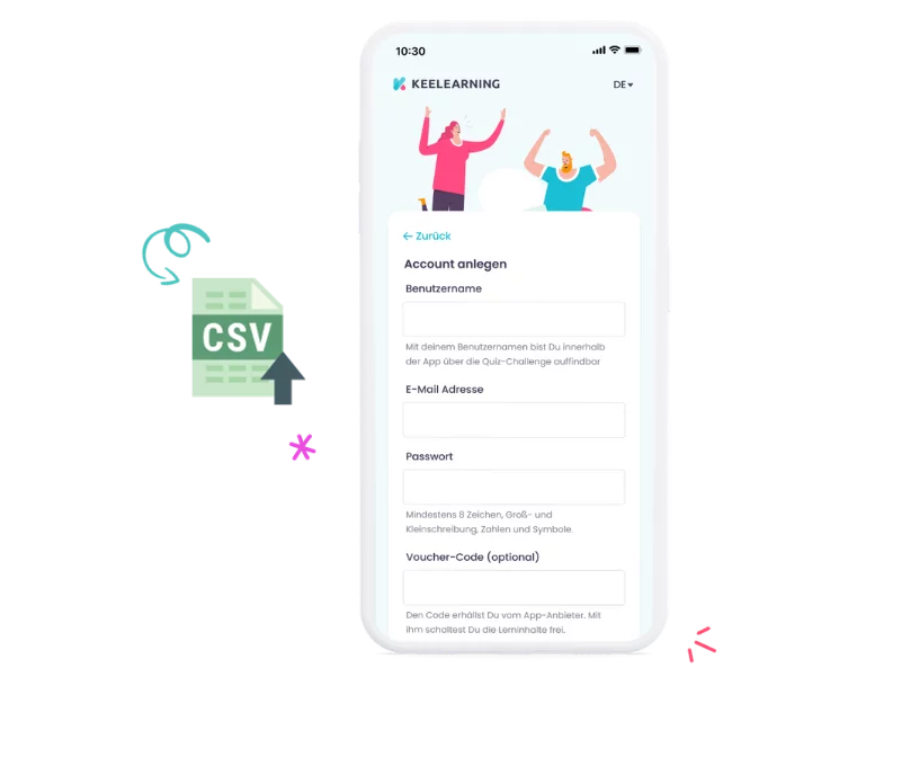
- You invite your customers via email, voucher code, or self-registration and assign them tags and roles and thus also individual learning paths. You can learn anywhere via app. The LMS is also multi-tenant capable, so you can build different learning environments for different customers.
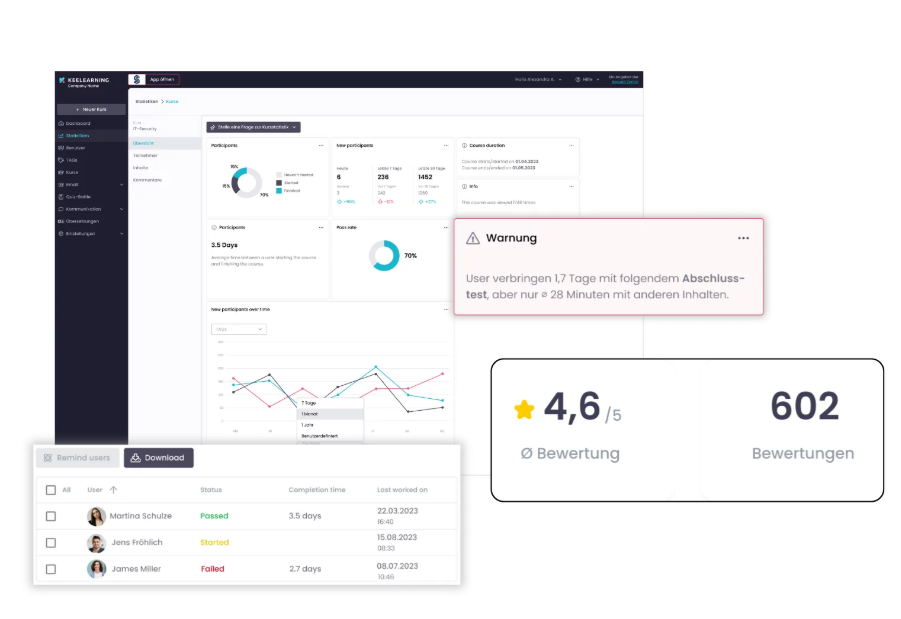
- With our chat, comments, and evaluation tools, you stay in direct contact with your customers and see where things might be getting stuck.
- Thanks to blended learning & appointment scheduling tools, you also have the possibility to plan offline training or meetings.
- In your media library, you save important documents or share news regarding the software.
- In your analytics dashboard, you as an administrator have an overview of completed training, comments, learning progress, and more, allowing you to follow up immediately if a customer gets stuck.
Measurability from the start
What isn't measured can't be improved. Define the key metrics for success during your onboarding setup: completion rates, time to value, support ticket volume, and churn rate post-onboarding. Only by keeping an eye on these numbers can you optimize effectively.
💡DATAflor generated more revenue with their customer training in just a few weeks using keelearning than they did in the entire previous quarter. Read the full success story on our page!
Formats for effective, sustainable SaaS onboarding
Not every customer learns the same way, and not every piece of information is best conveyed in the same format. A successful onboarding program relies on a well-thought-out combination:
Videos

Short, clearly structured learning videos are ideal for product features that are best understood visually. The rule of thumb: multiple short videos are better than one long one—and always include subtitles for accessibility and multilingual teams. Screencasts created directly within the software are particularly effective because they show rather than describe.
Live training

Synchronous formats are especially valuable for complex setups or enterprise customers. They allow for direct feedback, real-time questions, and a stronger sense of support. With an LMS, live sessions can be seamlessly embedded into structured learning paths—as a blended learning concept that combines the best of digital and personal formats.
Guides and documentation

Written instructions, how-to documents, and FAQs are the first place customers turn when they have a question. Well-maintained guides reduce support requests and empower customers to find answers themselves. It is crucial that this content is centrally accessible and always up to date—sending loose PDFs via email is not a scalable solution.
Webinars

Group webinars are particularly efficient when several customers have similar questions or when a new feature is introduced. They scale well and provide a personal touch without requiring individual attention for every customer. When recorded and stored in a learning platform, they also become a permanent, reusable resource.
Interactive product tours
Guided click-throughs within the software engage customers directly in the product, showing them how features work through experience rather than explanation. The advantage: customers reach their first "aha!" moment faster without waiting for an appointment. For recurring questions or new team members, these tours can be accessed again at any time.
Courses and structured learning paths
For more complex products or deeper training, modular course building blocks are the most effective format. They guide the customer through the necessary knowledge in a logical sequence—complete with knowledge checks, certificates, and automatic assignments based on role or progress. This is exactly where a learning platform like keelearning delivers the most value: courses are created once and can be deployed as often as needed, to as many customers as desired, and in multiple languages.
Onboarding done—what’s next?
Completing onboarding isn't the finish line; it’s the starting point. What follows is just as crucial:
- Keep knowledge up to date. Product updates, new features, and changed workflows—your customers need to know about them. When you manage training content centrally, you can enter changes once and roll them out to everyone immediately.
- Integrate new team members at the customer's site quickly. Staff turnover is a reality for many companies. With a structured onboarding program, no customer success manager has to start from scratch every time—the knowledge is already available on the platform.
- Measure usage and impact. Which courses are being completed? Where are users dropping off? Reports provide the data you need to continuously improve your onboarding—and to show your customers exactly what they’ve learned.
- Make customer retention a strategic goal. If you don't just acquire customers but actually empower them, you build true loyalty. Well-trained customers require less support, buy more, and recommend your product more often. Onboarding isn't a cost center—it's a growth driver.
Do you want to scale your customer onboarding without starting from scratch every time? keelearning helps SaaS companies structure, automate, and measure their training. [Book a demo now →]
Key Takeaways
Table of Contents
Ready for training that works?
Get to know keelearning in a personal demo – no obligation and tailored to your needs.
Share
Lorem ipsum dolor sit amet, consectetur adipiscing elit. Suspendisse varius enim in eros elementum tristique. Duis cursus, mi quis viverra ornare, eros dolor interdum nulla, ut commodo diam libero vitae erat. Aenean faucibus nibh et justo cursus id rutrum lorem imperdiet. Nunc ut sem vitae risus tristique posuere.





The learning platform for businesses looking to make their training simple, mobile, and accessible to all – with no IT overhead.


