All blog posts
Published on
19.05.2026
LMS comparison: Which solution fits your company?

Lisa Kubatzki
Senior Content Marketing Manager @ keelearning
description

An LMS is supposed to make training easier. In practice, however, the opposite often happens: the selection is vast, features sound similar, and prices are difficult to compare. Anyone looking for a Learning Management System therefore does not need the longest list of providers. What is far more important is a clear answer to the question: Which LMS fits my purpose, my target group, and my everyday training routine?
This comparison shows which LMS systems exist, how they differ, and how you can make the right choice.
Too Long, Didn’t Read: LMS Comparison, here are the systems available
- An LMS system manages, distributes, and analyzes digital training centrally.
- The most important differences lie in target group, usability, mobile usage, content creation, reporting, and pricing logic.
- keelearning is particularly suitable for companies that want to train frontline teams, customers, or international target groups on mobile.
- Moodle is flexible but often requires more technical know-how.
- iSpring LMS is interesting if you work heavily with authoring tools and classic online courses.
- 360Learning is a good fit for companies that want to integrate collaborative learning and internal expertise more strongly.
- reteach is a lean option for medium-sized businesses, mandatory training, and simple course management.
- The right LMS comparison does not begin with features, but with your training goal.
What is an LMS system?
An LMS system is software with which companies centrally provide learning content, manage learners, assign courses, and evaluate learning progress. LMS stands for Learning Management System.
Typical areas of application are:
- Onboarding new employees
- Product training
- Mandatory instructions
- Compliance training
- Customer training
- Partner training
- Training for frontline teams
- Knowledge checks and certifications
The most important benefit: knowledge is no longer explained individually, searched for in emails, or distributed in outdated PDFs. Instead, a central place for training is created that is scalable, measurable, and repeatable.
LMS Comparison: What types of LMS systems are there?
LMS systems differ not only by provider but also by their orientation.
The deciding factor is therefore not which LMS has the most features. The decisive factor is which system best supports your learning processes.
LMS systems in comparison: 5 options
This comparison is current as of 05/11/2026. We attach great importance to keeping the information up to date and checking it regularly. However, as offers, features, and conditions can change, we recommend that you also inform yourself directly on the official websites of the respective providers or contact their sales departments if you are interested.
1. keelearning: LMS for mobile training and frontline teams
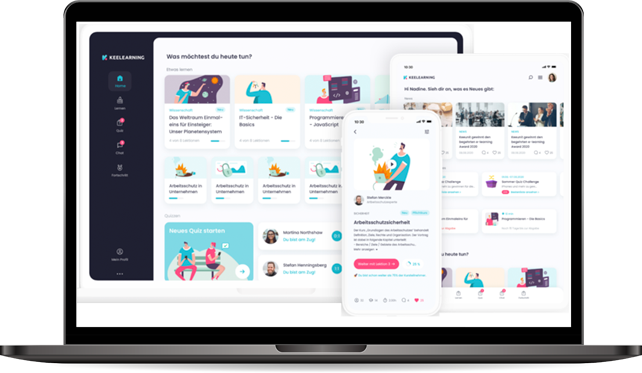
Before we compare different solutions, we will start with keelearning. Not because we want to pretend that only we have a suitable solution. But because this post is appearing on our blog and we want to categorize directly the onboarding scenarios for which our platform was developed: mobile training, frontline teams, multilingual content, and structured learning paths.
keelearning is an LMS system for companies that want to implement training simply, on mobile, and in multiple languages. The platform is particularly relevant for frontline teams, i.e., employees in retail, gastronomy, production, logistics, nursing, or field service.
Core features:
- mobile learning app for iOS and Android
- multilingual training
- course management and learning paths
- integrated authoring tool
- reporting and learning progress
- course library and templates
- branding options
- use for employee and customer training
Advantages:
- very suitable for operational teams without a fixed desk workstation
- content can be prepared in a practical and short format
- multilingual learning content supports international teams
- course library saves time with standard training
- well suited for onboarding, product training, and mandatory training
Possible disadvantages:
- less suitable if you are looking for a purely academic open-source system
- prices depend on specific requirements, number of users, and range of functions
Pricing Info: keelearning works with individual offers. The costs depend on requirements, number of users, and setup.
Suitable for: Companies with frontline teams, multiple locations, high training frequency, customer training, or multilingual target groups.
Check if keelearning fits your use case and book a free and non-binding demo.
2. Moodle: flexible, open, and highly customizable
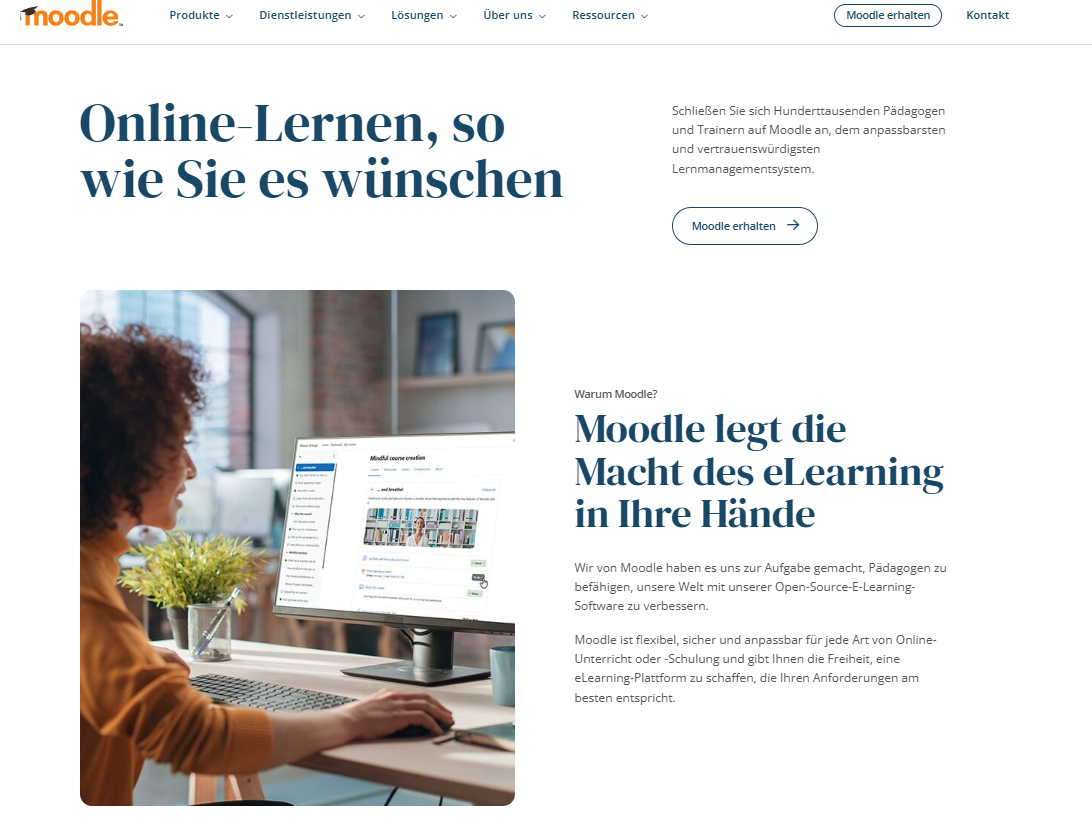
Moodle is one of the best-known LMS systems worldwide. The open-source orientation makes Moodle particularly flexible. Companies can host Moodle themselves, customize it, or have it operated by service providers. There is also Moodle Workplace for companies. By the way: In this article, we have compared keelearning and Moodle.
Core features:
- Open-source LMS
- many plugins and extensions
- courses, tests, forums, and learning spaces
- mobile use possible
- high customizability
- MoodleCloud as a hosted entry-level solution
Advantages:
- very flexible
- large community
- many extensions
- suitable for educational institutions and companies with individual requirements
- MoodleCloud offers a quick start without your own server structure
Possible disadvantages:
- setup and maintenance can require technical know-how
- user experience depends heavily on the setup
- customizations can cause effort
- not always intuitively enough for operational teams
Pricing Info: Moodle LMS itself is open source. Costs arise from hosting, setup, maintenance, customizations, and support. MoodleCloud offers public annual prices, for example, entry-level packages for smaller numbers of users.
Suitable for: Organizations with IT resources, educational institutions, and companies that want maximum customizability.
3. iSpring LMS: strong in courses and authoring tool workflows
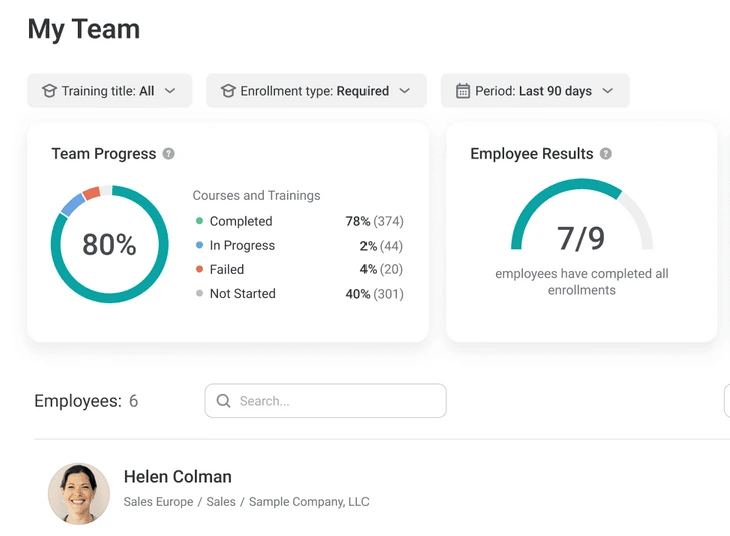
iSpring LMS is aimed at companies that want to create and distribute digital training quickly. Of particular interest is its proximity to the iSpring Suite, an authoring tool for creating e-learning content.
Core features:
- learning paths
- mobile app
- progress reports
- quizzes and tests
- close connection to iSpring authoring tools
- billing based on active users
Advantages:
- good for classic online courses
- simple management of learners
- transparent license logic based on active users
- suitable for companies that create a lot of content themselves
Possible disadvantages:
- strong potential mainly in combination with iSpring authoring tools
- limits can arise with very specific learning processes
- less specialized in frontline learning than mobile-first platforms
Pricing Info: iSpring LMS bills based on active users. Active users are people who log in at least once in the respective month.
Suitable for: Companies that want to create, distribute, and evaluate structured online courses.
4. 360Learning: collaborative learning and internal expertise
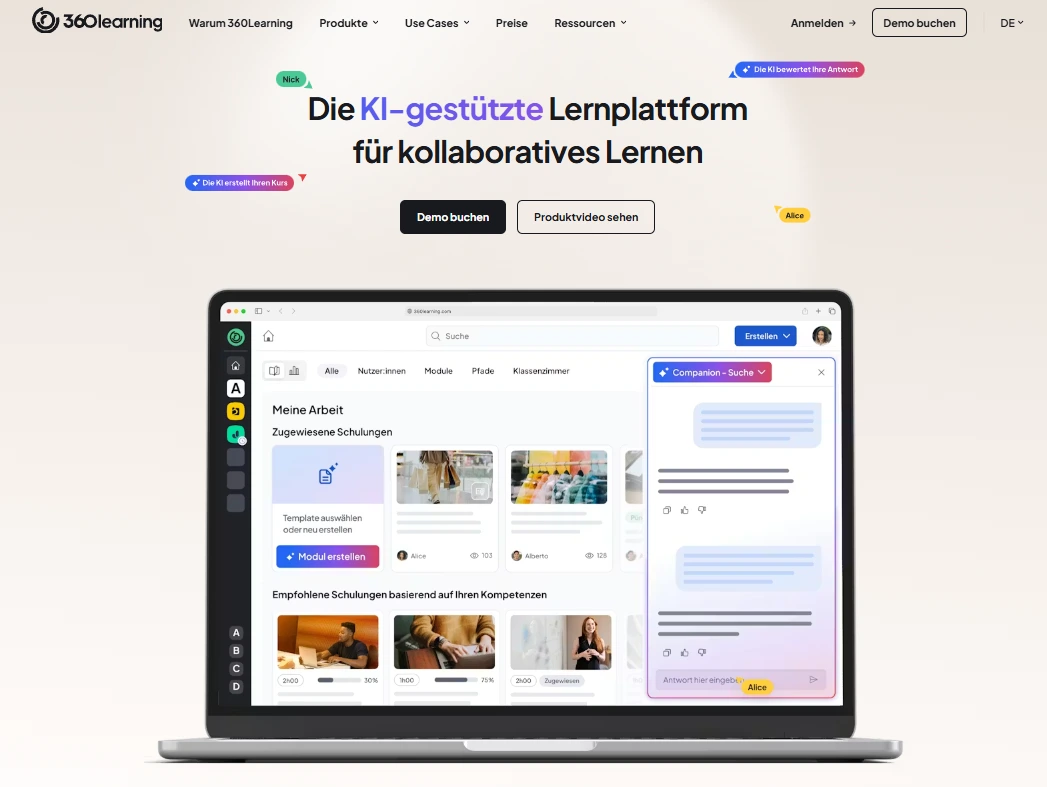
360Learning combines LMS and LXP functions with a focus on collaborative learning. The platform aims to convert knowledge from specialist departments into learning content more quickly and to involve teams more strongly. In this blog post we devote ourselves even more intensively to 360Learning and alternatives to it.
Core features:
- AI-supported course creation
- collaborative learning formats
- LMS and LXP functions
- integrations
- skill and learning management
- internal and external training
Advantages:
- strong if specialist departments are to contribute content themselves
- suitable for growing L&D organizations
- supports internal academies and collaborative learning processes
- flexible license models
Possible disadvantages:
- can offer more scope of functions than necessary for simple mandatory training
- introduction and strategic use require clear responsibilities
- prices can vary depending on the package and number of users
Pricing Info: For small to medium target groups, a team rate per user per month is internationally cited. Larger business and enterprise setups are offered individually.
Suitable for: Companies that want to scale internal expertise quickly and expand collaborative learning strategically.
5. reteach: lean LMS for medium-sized businesses and mandatory training
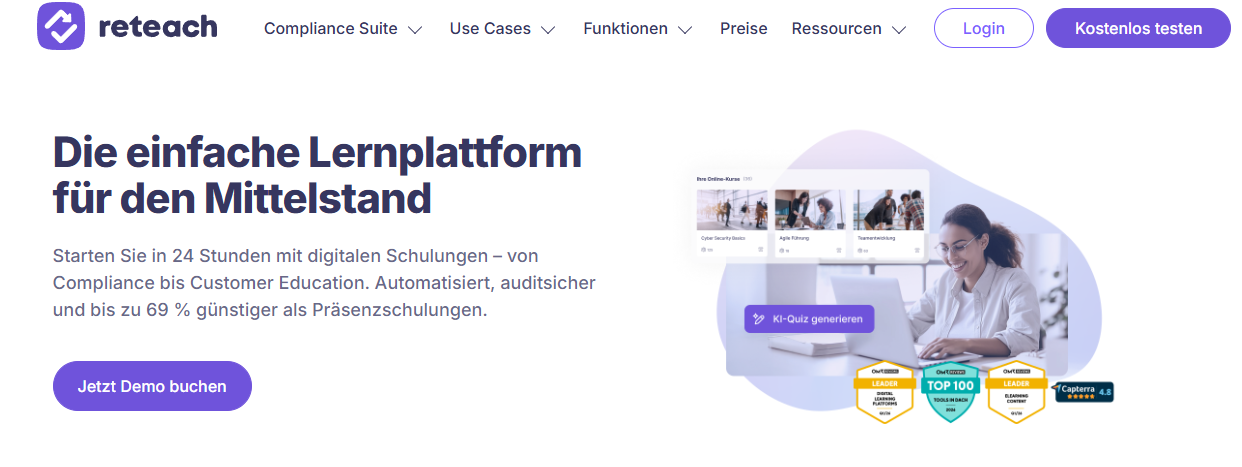
In the LMS comparison, reteach positions itself as a learning platform and compliance suite for medium-sized companies. The focus is on simple course creation, mandatory training, proof of completion, and clear management.
Core features:
- course editor
- mandatory training
- AI support
- analytics and reports
- participant management
- compliance functions
Advantages:
- simple start
- clear orientation towards medium-sized businesses
- suitable for mandatory training and instructions
- publicly communicated starting price
Possible disadvantages:
- less specialized in mobile frontline scenarios
- additional review may be necessary for complex international training structures
- range of functions depends on the chosen package
Pricing Info: reteach publicly mentions an entry point starting at 199 euros per month for the LMS.
Suitable for: Medium-sized companies that want to implement mandatory training, digital instructions, and simple course management.
LMS Comparison: Which LMS is suitable for which purpose?
The right solution depends heavily on your target group.
For frontline teams, you should pay particular attention to three points: mobile usage, short learning units, and simple language. Long desktop courses rarely work well in operational everyday life. Learners need content that they can understand quickly and apply immediately. In this article, you will learn even more about different e-learning platforms.
How to choose the right LMS system
Do not start your LMS comparison with a feature list. Start with five concrete questions:
- Who is supposed to learn?
Employees in the office have different requirements than frontline teams, customers, or partners. - What should be trained?
Onboarding, product training, compliance, and process knowledge require different formats. - Where will learning take place?
At the desk, on the go, in the branch, on the tablet, or directly on the smartphone? - Who creates the content?
HR, L&D, specialist departments, customer success, or external service providers? - How do you measure impact?
Are completion rates sufficient or do you need learning paths, certificates, location comparisons, and detailed reporting?
If you answer these questions, the tool selection becomes much clearer. An LMS does not have to be able to do everything. It must reflect the learning reality of your target group.
Important selection criteria in the LMS comparison
Pay particular attention to these criteria:
- Usability: Can admins and learners use the platform without long training?
- Mobile capability: Does the content also work on smartphones and tablets?
- Multilingualism: Can international teams be reached well?
- Content creation: Can you create and update courses yourself?
- Course library: Are there ready-made templates for standard training?
- Reporting: Can you clearly evaluate learning status, completions, and proof of training?
- Integrations: Does the LMS fit existing HR, CRM, or SSO systems?
- Support: Is there reliable support at the start and during ongoing operation?
- Data protection: Where is data stored and what standards apply?
- Scaling: Does the system grow with the number of users, locations, and learning goals?
The LMS comparison shows: Especially with operational teams, the feature data sheet is often not the deciding factor. The decisive factor is whether learners use the platform voluntarily and without hurdles.
Find out what mobile training looks like with keelearning and book a free and non-binding demo.
The next step: From LMS comparison to the right decision
A good LMS comparison does not end with a winner list. It ends with a clear decision for your learning reality. Therefore, do not just ask: What features does the system offer? Ask: Does this solution really help our learners in their everyday lives?
If you want to train frontline teams, customers, or cross-location target groups, your LMS should achieve three things above all: it must be easily accessible, convey content in an understandable way, and make progress measurable. This is exactly where keelearning plays out its strengths: mobile, multilingual, practical, and designed for scalable training.
This is how an LMS system becomes not just software, but a tool for better onboarding, secure processes, and sustainable knowledge transfer. Get to know keelearning for free now.
You can find more professional insights, current perspectives, and impulses on LinkedIn.
FAQ: Frequently asked questions about LMS systems
What is the difference between an LMS and an e-learning platform?
An LMS manages learning processes: courses, users, learning paths, progress, and reports. An e-learning platform can be understood more broadly and can also include authoring tools, course libraries, apps, or learning communities. In practice, the terms often overlap.
Which LMS system is suitable for frontline teams?
For frontline teams, an LMS that works mobile, simply, and in multiple languages is suitable. Learners should be able to access content directly on their smartphone. Short modules, quizzes, videos, and clear learning paths are more important than long theory courses; keelearning could be an exciting solution for you!
How much does an LMS system cost?
The costs of e-learning depend on the number of users, range of functions, hosting, support, setup, and content creation. Some providers mention public starting prices. Others create individual offers. Therefore, compare not only license prices but also the effort for introduction, maintenance, and content.
What are the benefits of an LMS for companies?
An LMS makes training available centrally, reduces repeated explanations, and creates transparency regarding learning status. Furthermore, onboarding, mandatory training, and product training can be rolled out more uniformly.
When is an LMS worth it?
An LMS is worth it as soon as training takes place regularly, multiple target groups are to be reached, or knowledge can no longer be reliably conveyed through individual conversations, PDFs, and emails.
Key Takeaways
Table of Contents
Ready for training that works?
Get to know keelearning in a personal demo – no obligation and tailored to your needs.
Share
Lorem ipsum dolor sit amet, consectetur adipiscing elit. Suspendisse varius enim in eros elementum tristique. Duis cursus, mi quis viverra ornare, eros dolor interdum nulla, ut commodo diam libero vitae erat. Aenean faucibus nibh et justo cursus id rutrum lorem imperdiet. Nunc ut sem vitae risus tristique posuere.





The learning platform for businesses looking to make their training simple, mobile, and accessible to all – with no IT overhead.


