All blog posts
Published on
16.10.2026
Choosing mobile learning platforms for frontline teams: 8 criteria and checklist

Lisa Kubatzki
Senior Content Marketing Manager @ keelearning
description

A cashier, a warehouse worker or a nurse: they all need regular training, but rarely work at a desk. That's why traditional e-learning systems often only reach these employees to a limited extent.
A mobile learning platform for frontline teams should above all meet three requirements: easy access without a company email address, intuitive use on a smartphone and multilingual learning content. Short learning units and reliable documentation of mandatory training are also essential.
But what exactly should companies look for when choosing software? This guide shows eight key criteria, a structured selection process and practical questions for your next software demo.
TL;DR: The key criteria for mobile learning platforms
{{key-takeaways}}
That's why the software should adapt to the reality of everyday work, not the other way round.
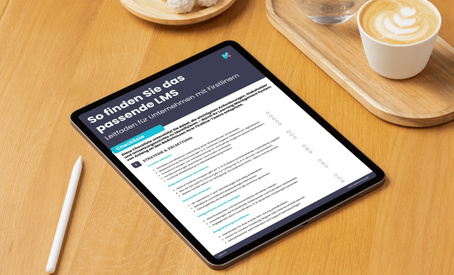
The right LMS for frontline teams
8 criteria for choosing a mobile learning platform
The following criteria help you choose the right learning platform for frontline employees. Use the demo questions to compare providers based on concrete use cases.
1. Mobile-first use
A mobile learning platform should be as intuitive to use on a smartphone as an everyday app.
So check whether there is a native app for iOS and Android or merely a mobile-optimized website. Fast loading times, push notifications and offline features also matter.
Demo question: "Show me the complete learner view on a smartphone. How does a course work without a stable internet connection?"
2. Access without a company email address
Frontline employees often don't have their own company email address. That's why registration must also be possible through alternative methods.
Suitable options include access codes, personnel numbers or invitation links. Companies should also check whether shared devices are supported.
Demo question: "How does a new temp register on their first day without a company email address?"
3. Multilingual learning content
A suitable learning platform should be able to translate both the user interface and the actual training content.
AI translations of courses, quiz questions and messages are particularly helpful. However, it must be possible to have safety-related content checked by experts.
Demo question: "Can you translate an existing course, including quiz questions, into Turkish live and then correct it?"
4. Microlearning and motivation
Short learning modules of five to ten minutes are often easier to fit into operational workflows than long training sessions.
So videos, quiz questions and interactive learning formats should be supported. Gamification features such as points or leaderboards can also boost motivation.
Demo question: "What does a typical five-minute learning unit look like, and what options are there for checking learning progress?"
Experience keelearning's mobile learning platform live
5. Mandatory training and records
For mandatory instruction, the people responsible must be able to see at any time which employees have completed their training.
So look for automatic reminders, recurring courses, certificates and exportable training records. Reporting by location or department should also be possible.
Demo question: "How can I see at a glance which employees at a branch haven't completed their hygiene training yet?"
6. Easy creation of your own courses
Specialist departments should be able to create and update training content without technical knowledge.
An integrated authoring tool, ready-made templates and AI support make this easier. Importing existing documents, videos or SCORM courses is also helpful.
Demo question: "How quickly can an existing PDF work instruction be turned into an interactive course with a quiz?"
7. Knowledge management in everyday work
Learning doesn't end when a course is completed. Employees also need access to up-to-date information during their daily work.
That's why a central media library, search functions and a knowledge assistant can be especially valuable.
Demo question: "How does an employee find the right answer to a workflow question within 30 seconds?"
8. Pricing model, data protection and operation
License costs should match your actual team size and workforce structure.
So check user tiers, flexible plans for seasonal staff and possible additional costs. GDPR compliance, hosting, integrations and accessible support are just as important.
Demo question: "What additional costs arise if we need to train 40% more staff during the Christmas season?"
Six steps to the right learning platform
A structured selection process helps avoid costly wrong decisions. Instead of only comparing product features, companies should take the actual working conditions of their frontline teams into account.
- Define training goals: decide whether you want to speed up onboarding, document mandatory training or improve product knowledge, for example.
- Analyze the target group: check available devices, language skills and working hours. Ask three to five frontline employees.
- Prioritize requirements: distinguish between must-have features and nice-to-haves. Involve IT, data protection and the works council early on.
- Select providers: narrow your long list down to about three suitable platforms. Consider references from your industry.
- Test the software in practice: have providers demonstrate real training scenarios. Ideally, someone from the operational team tests along.
- Run a pilot: start at one location and measure completion rates, usability and onboarding times.
You can then decide whether the platform is suitable for a company-wide rollout.
Mobile learning platforms at a glance: 4 software providers
Various learning platforms are available for training frontline employees. The providers differ particularly in mobile use, multilingual support and managing mandatory training.
- keelearning: mobile-first learning platform with its own app for iOS and Android, access without a company email and automatic translations into more than 20 languages. Particularly suitable for larger, distributed frontline teams.
- 360Learning: LMS with a mobile app, collaborative learning and integrated coaching features. Suitable for companies that want to combine training with knowledge sharing and collaboration.
- elearnio: browser-based learning platform for digital onboarding, mandatory training and HR development. Particularly interesting for small and medium-sized companies with an HR focus.
- reteach: mobile-optimized learning academy with AI-supported course creation, certificates and optional compliance features. Suitable for companies with structured mandatory training.
Which solution fits your company depends in particular on access options, the range of features and your employees' requirements. Our comparison of e-learning platforms offers a more detailed overview.
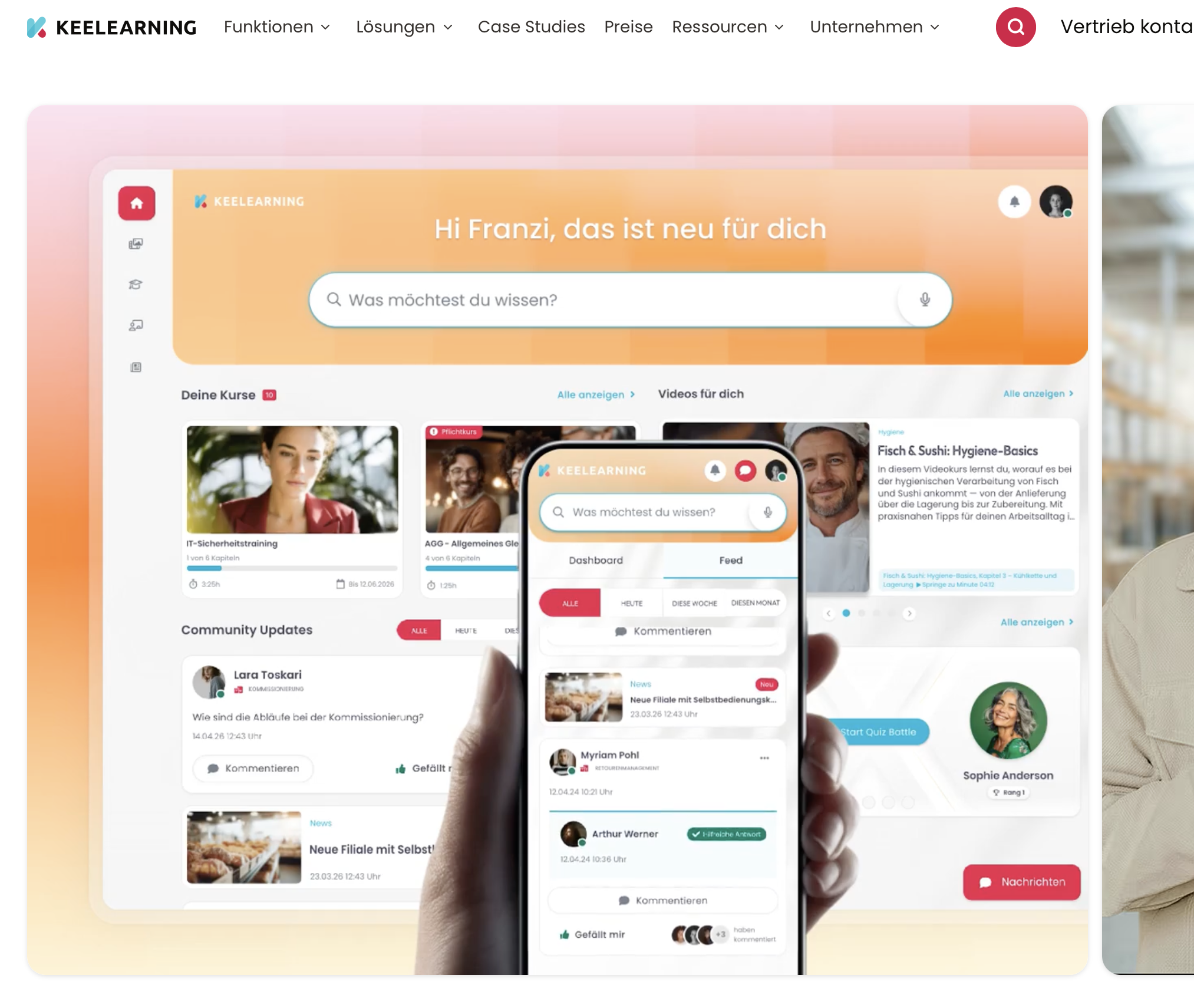
Avoid common mistakes when choosing an LMS
Many companies choose their learning platform based on feature lists. However, it's only in everyday work that you see whether it's actually adopted.
Common mistakes include:
- A responsive desktop LMS is treated as equivalent to a true mobile-first solution.
- Access only works with a company email address.
- Training modules are too long for everyday operational work.
- Multilingual teams only get content in one language.
- The software is only tested by HR, not by frontline employees.
- License models take neither staff turnover nor seasonal workers into account.
That's why a practical test with typical employees and realistic learning content is always recommended before making a decision.
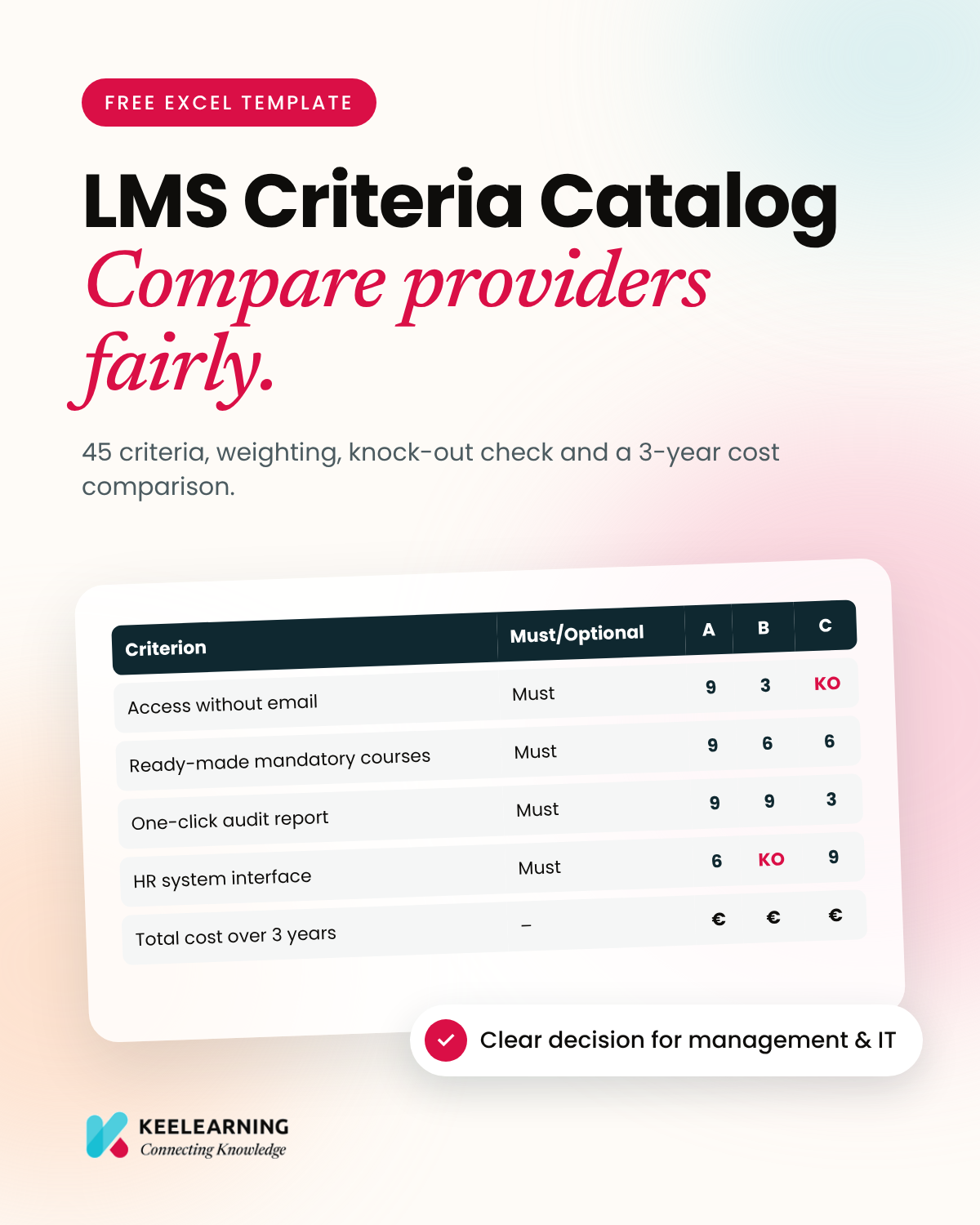
LMS criteria catalog ready to fill in
Consider data protection, the works council and private smartphones early
When introducing a mobile learning platform, companies also need to consider organizational and legal requirements. The following points refer to the legal situation in Germany.
Particularly relevant are the use of private smartphones, the analysis of personal learning data and working time rules.
Under Section 12 of the German Occupational Safety and Health Act (ArbSchG), mandatory safety instruction must take place during working hours.
In addition, introducing a learning platform with analytics features can be subject to co-determination under Section 87(1) No. 6 of the German Works Constitution Act (BetrVG).
For private smartphones, a voluntary usage policy with alternative access options, such as company devices or terminals, is recommended.
Companies should also check data processing agreements, access rights, deletion periods and hosting location. The General Data Protection Regulation (GDPR) provides the legal framework for this.
keelearning as a mobile learning platform for frontline teams
keelearning was developed for companies that want to reach employees without a fixed office workstation. The platform is particularly suitable for larger organizations with around 100 employees or more.
The key features at a glance:
- Mobile app: the keelearning app enables learning on iOS and Android, even offline.
- Easy access: with user registration, employees without a company email can get started with an access code.
- Multilingual support: Autotranslate translates courses, quiz questions and messages into more than 20 languages.
- Ready-made courses: the course library contains more than 160 courses and templates.
- Compliance: escalation management monitors deadlines and automatically sends reminders about open training.
- Knowledge management: the knowledge community provides quick access to approved company knowledge.
keelearning also offers a Flex package for companies with fluctuating team sizes.
Practical examples from logistics and retail
MS Direct AG uses keelearning for multilingual onboarding and mobile training of its logistics employees.
Blume 2000 also relies on the platform to train branch teams flexibly and combine digital learning content with in-person training.
Both examples show how companies bring training closer to everyday operational work.
Costs and suitability
keelearning pricing starts at €299 per month for up to 50 users with annual billing. An individual Flex package is available for seasonal staff and changing team sizes.
For very small teams or purely office-based workforces, a simple LMS may be sufficient.
The right learning platform has to work in everyday work
A mobile learning platform shouldn't just offer extensive features; above all, it has to reliably reach your frontline employees.
That's why easy access, intuitive apps, multilingual support and short learning modules are essential. Transparent costs, data protection and reliable training documentation remain just as important.
If you want to compare different providers, our e-learning platform comparison offers additional guidance.
Then test your preferred solution with real employees before making a company-wide decision.
{{inline-cta}}

E-learning for frontline teams
Make knowledge visible, structure it and train on mobile: step by step for managers in day-to-day operations.
- Spot knowledge gaps in your team
- Turn know-how into learning modules
- Use microlearning on mobile
FAQ: Common questions about mobile learning platforms
What is the difference between a mobile learning platform and an LMS?
A mobile learning platform is designed specifically for smartphones and short usage situations. Traditional LMS, on the other hand, are often geared more towards desktop workstations.
Do employees need a company email address?
Not necessarily. With keelearning, for example, employees can learn via access codes without their own company email address.
Can employees learn on their private smartphones?
In principle, this can be possible with an appropriate agreement. Use should be voluntary. Data protection, working time and alternative access options also need to be considered.
How much does a mobile learning platform cost?
Costs depend on the number of users, the range of features and the contract model. keelearning, for example, starts at €299 per month with annual billing. Individual packages are also available.
How long does it take to introduce a mobile learning platform?
It depends on company size, existing learning content and integrations. A small pilot can often be implemented within a few weeks, while larger rollouts need more preparation.
Which providers offer mobile learning platforms for frontline employees?
Providers include keelearning, 360Learning, elearnio and reteach. While keelearning and 360Learning offer their own mobile apps, elearnio and reteach can be used via the mobile browser. Key selection criteria include multilingual support, easy access and managing mandatory training.
Disclaimer: This article is based on publicly available information as of October 2026 and does not constitute legal advice. Features, prices and legal requirements may change. So check current provider information and the applicable data protection and co-determination rules before introducing a platform.
Key Takeaways
- Mobile use: an intuitive app should work even without a fixed PC workstation.
- Easy access: employees need simple login options without a company email.
- Multilingual support: courses and the user interface should be available in the languages you need.
- Microlearning: short learning units are easier to fit into everyday work.
- Mandatory training: reminders, certificates and central records make compliance easier.
- Course creation: authoring tools and AI reduce the effort for your own training content.
- Knowledge management: information should also be available outside of formal courses.
- Costs and data protection: flexible license models and GDPR-compliant data processing are important.
- Software providers at a glance: keelearning, 360Learning, elearnio and reteach offer different solutions for digital employee training. When choosing, companies should pay particular attention to mobile accessibility, multilingual support and suitable training features.
Table of Contents
Ready for training that works?
Get to know keelearning in a personal demo – no obligation and tailored to your needs.





The learning platform for businesses looking to make their training simple, mobile, and accessible to all – with no IT overhead.