All blog posts
Published on
28.05.2026
Onboarding Software Compared: How to Find the Right Platform

Lisa Kubatzki
Senior Content Marketing Manager @ keelearning
description
Good onboarding isn't just decided on the first day of work. It often begins right after the contract is signed. This is where many companies lose valuable time: information is scattered in emails, checklists are maintained manually, responsibilities are unclear, and new employees receive a lot of content, but little orientation.
An onboarding software only solves this problem if it fits the actual goal. Some platforms are strong in HR processes. Others support internal communication. Still others are designed for training, learning paths, and knowledge transfer.
This comparison shows what types of onboarding software exist, which providers are suitable for which purposes, and what you should look for when choosing.
Too Long, Didn’t Read: Onboarding Software Compared
- Onboarding software helps companies make training more structured, efficient, and measurable.
- The best solution depends on the focus: HR processes, communication, training, documents, or frontline onboarding.
- keelearning is particularly suitable for companies that understand onboarding as a training process and want to reach many operational teams.
- Personio and Factorial are a good fit if onboarding should be closely linked to HR administration.
- Staffbase is primarily suitable for internal communication and reach via an employee experience platform.
- iSpring Learn is interesting if onboarding relies heavily on digital training and learning paths.
- A good comparison starts not with features, but with the question: What do new employees really need to be able to do after 30, 60, and 90 days?
What is Onboarding Software?
Onboarding software is a digital solution that supports companies in training new employees. It bundles tasks, information, training, documents, learning content, and responsibilities in one central place.
Typical features include:
- digital onboarding checklists
- automated tasks and reminders
- learning modules and training
- document provision
- progress overviews
- role and location logic
- feedback surveys
- mobile usage
- integrations into HR systems
Why should you use onboarding software at all? Because digital onboarding not only reduces administrative effort but makes the training of new team members more structured, faster, and more sustainable. Our article on digital onboarding and up to 60% cost savings shows just how large the potential savings can be.
What Types of Onboarding Software Are There?
Onboarding software is not a uniform software type. Different solutions cover different areas of focus. Therefore, a clear classification is worthwhile.
The central decision is: Do you primarily need administrative relief or rapid operational capability?
If new team members need to sign documents, complete tasks, and find contacts, an HR-oriented solution is often sufficient. However, if they need to understand processes, explain products, comply with safety standards, or advise customers, you need onboarding training software with learning logic.
Onboarding Software Comparison: 5 Providers
This comparison is current as of May 11, 2026. We attach great importance to keeping the information current and regularly checking it. However, since offerings, features, and conditions can change, we recommend that you also inform yourself directly on the official websites of the respective providers or contact their sales departments if you are interested.
1. keelearning: Onboarding Platform for Training and Frontline Teams
keelearning is an LMS and e-learning platform that supports companies with digital onboarding, employee training, and customer training. The platform is particularly strong where new team members do not sit at a desk but work directly with customers, products, patients, or machines.
The keelearning onboarding app makes learning content available on mobile. New employees can complete training on their smartphone or tablet. This is particularly relevant in industries such as retail, gastronomy, logistics, production, nursing, or field service.
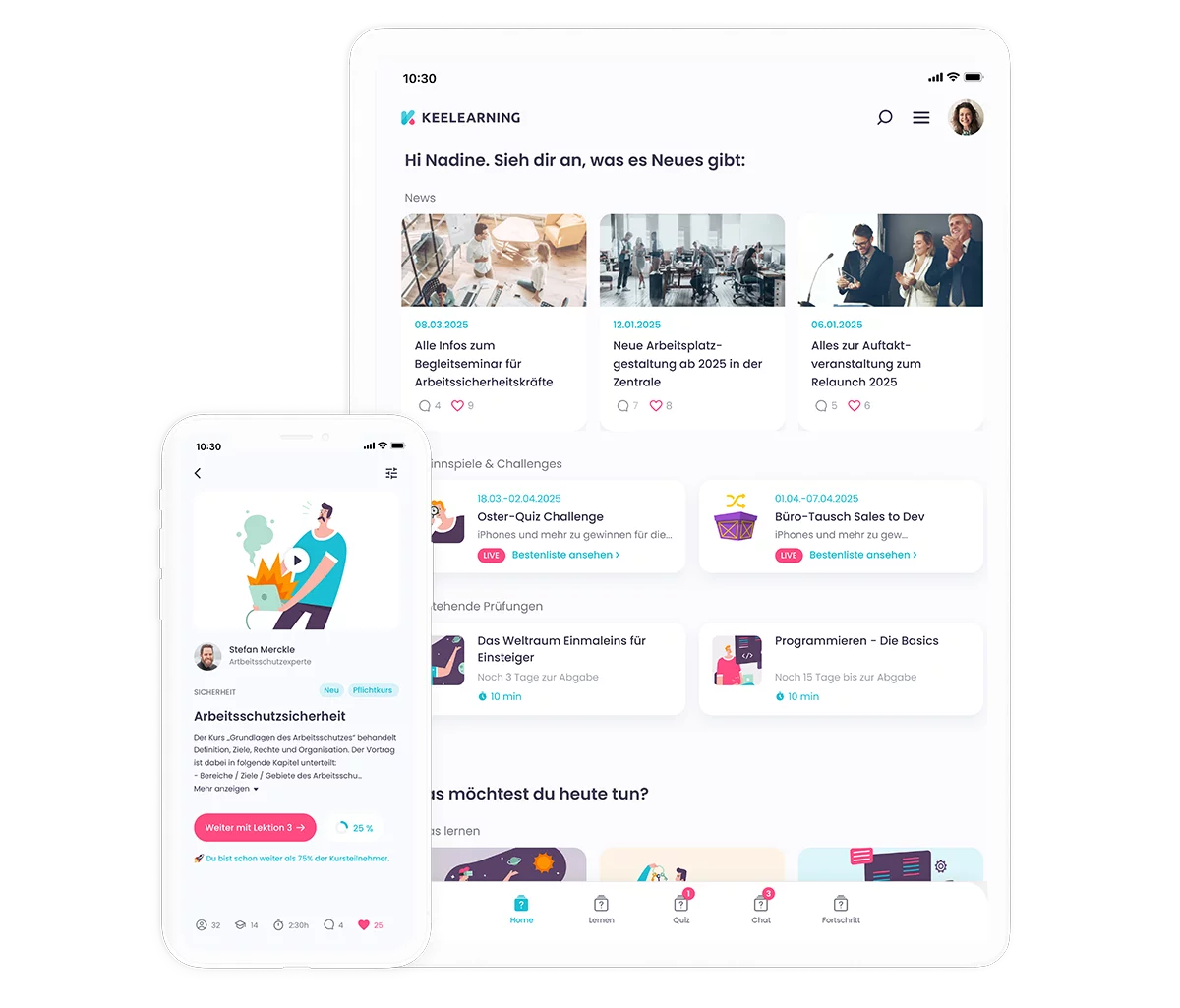
Core Features:
- mobile onboarding app
- learning paths and courses
- microlearning
- quizzes and knowledge checks
- multilingual content
- course templates
- branding in corporate design
- reporting and progress overviews
- usable even without classic PC access
Pros:
- very suitable for frontline teams
- training content can be structured in a practical way
- multilingualism supports international teams
- learning progress becomes trackable
- content remains usable even after onboarding
- suitable for onboarding, product training, compliance, and process knowledge
Potential Cons:
- less suitable if you are looking exclusively for HR management software
- the greatest benefit is generated when onboarding is consciously designed as a learning process
Pricing Info: Prices are based on requirements, number of users, and setup. A demo or individual request makes sense for an accurate estimate.
Suitable for: Companies with frontline teams, many locations, high training needs, multilingual target groups, or highly operational roles.
2. Personio: Onboarding as Part of HR Processes
Personio is an HR platform that bundles many personnel processes into one system. Onboarding is closely linked to HR administration here. Companies can use templates, tasks, reminders, and progress overviews to guide new employees through their introduction in a structured way.
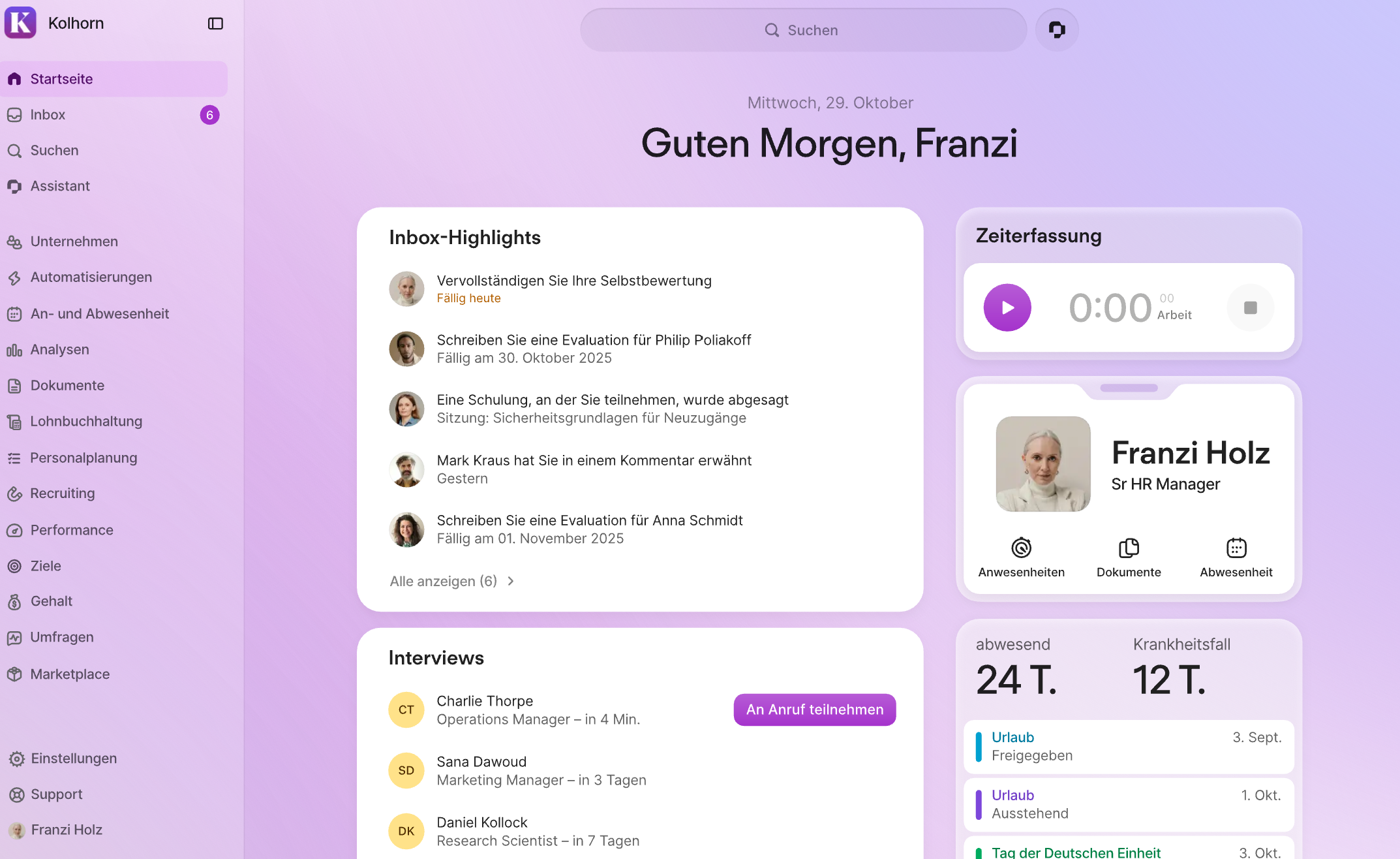
Core Features:
- onboarding templates
- tasks and reminders
- digital HR processes
- document management
- roles and responsibilities
- progress tracking
- integration into other HR functions
Pros:
- strong if onboarding is to be part of a broader HR system
- good for administrative procedures
- clear responsibilities for HR, managers, and IT
- suitable for office and hybrid teams
Potential Cons:
- training depth depends on the specific setup
- less specialized in mobile frontline training
- an additional learning platform may be useful for operational training
Pricing Info: Personio works with individual offers, depending on company size and selected features.
Suitable for: Companies that want to closely connect onboarding with HR master data, recruiting, documents, and personnel processes.
3. Factorial: HR Software with Onboarding Workflows
Factorial is HR software for companies that want to digitize administrative HR processes. This includes, among other things, employee management, time tracking, absences, documents, and onboarding workflows.
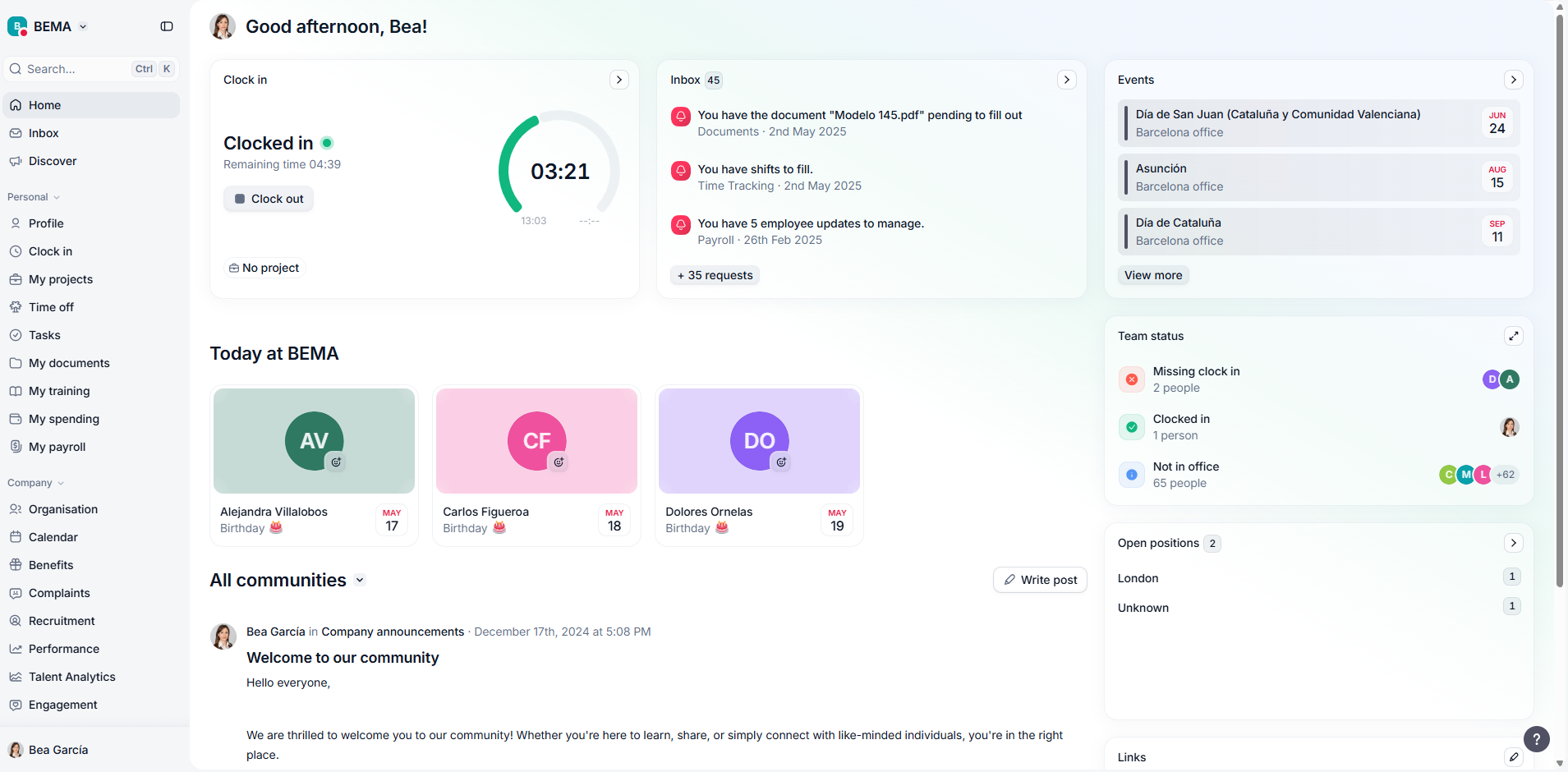
Core Features:
- onboarding and offboarding workflows
- employee management
- digital documents
- roles and permissions
- time tracking and absences
- mobile app
- HR reports
Pros:
- good for small and medium-sized companies with growing HR needs
- onboarding is embedded in other HR processes
- transparent entry prices
- makes sense if HR administration is the focus
Potential Cons:
- not primarily positioned as a learning platform
- training logic and knowledge checks can be more limited than with an LMS
- for frontline onboarding with high training needs, the scope of functions should be checked carefully
Pricing Info: Factorial publicly states an entry price starting at €8 per user per month. The specific price depends on the selected package and needs.
Suitable for: Companies that want to bundle HR processes, documents, workflows, and onboarding into one platform.
4. Staffbase: Reach and Communication in Onboarding
Staffbase is an employee experience platform with a focus on internal communication, employee app, intranet, and central information distribution. Staffbase is particularly interesting for onboarding when new employees are to be involved early in communication, culture, and company information.
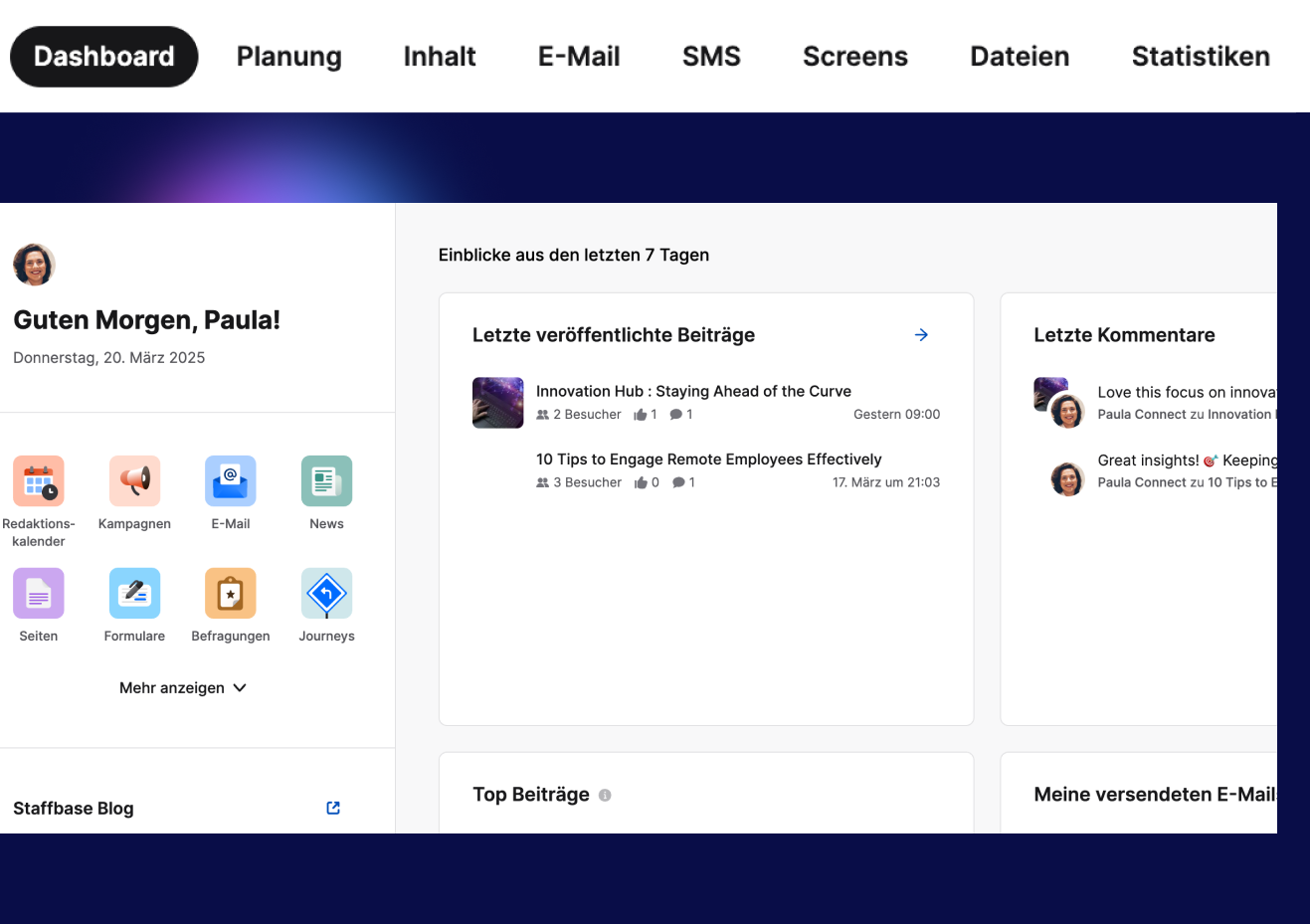
Core Features:
- employee app
- intranet
- internal communication
- content management
- target group control
- digital information channels
- platform for hard-to-reach target groups
Pros:
- strong in communication and reach
- good for large organizations and decentralized workforces
- suitable for connecting new team members early with culture, news, and information
- makes sense as part of a broader employee experience strategy
Potential Cons:
- not a pure onboarding training software
- learning paths, knowledge checks, and training logic are not in the same focus as with an LMS
- for intensive training, a learning platform may be needed as a supplement
Pricing Info: Staffbase creates individual offers. The pricing logic is based, among other things, on user numbers, platform scope, and add-ons.
Suitable for: Companies that think about onboarding primarily through communication, culture, reach, and employee experience.
5. iSpring Learn: Onboarding via Digital Training
iSpring Learn is an LMS that supports companies with online courses, learning paths, and training. The focus is on digital knowledge transfer. This makes the platform suitable for companies that want to map onboarding strongly through structured courses and digital training.
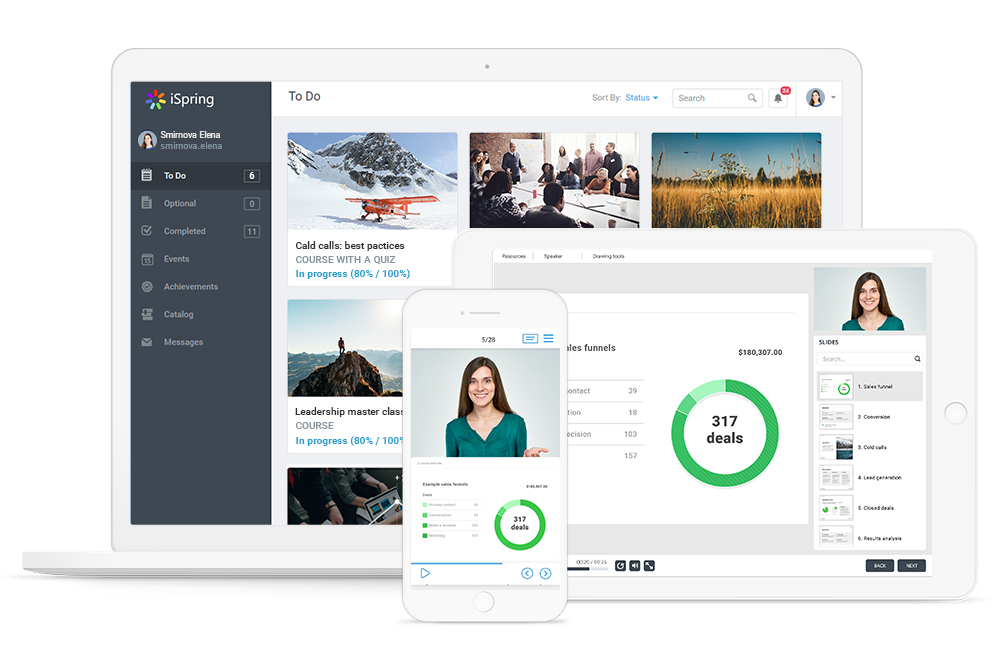
Core Features:
- learning paths
- online courses
- mobile app
- tests and quizzes
- progress reports
- course assignment
- integration with authoring tools
Pros:
- good for classic digital training
- suitable for structured learning paths
- active-user pricing model can be interesting for changing target groups
- strong if content is created with authoring tools
Potential Cons:
- less specifically geared towards frontline communication and operational team structures
- for very practical, mobile onboarding scenarios, usability and target group fit should be checked carefully
Pricing Info: iSpring Learn uses a model based on active users. An active person is considered someone who logs in at least once in the respective month.
Suitable for: Companies that want to organize onboarding as digital training with courses, learning paths, and evaluations.
Which Onboarding Platform Fits Which Purpose?
The right platform depends on your focus.
For many companies, a combination is sensible. HR systems manage processes. Onboarding training software ensures that knowledge actually arrives. This separation is important: A signed contract, a completed checklist, and a completed learning module measure different things.
Your Next Onboarding Decision
Onboarding software makes sense if it makes the start clearer, faster, and more effective. To do this, it must fit your reality. An HR system helps with documents, tasks, and processes. An employee experience platform strengthens communication and belonging. A learning platform ensures that new employees can actually understand and apply knowledge.
If your company has many operational teams, international employees, or training needs across locations, onboarding should primarily achieve one thing: It must make new team members capable of acting quickly. This requires a platform that works in a mobile, understandable, and learning-oriented way.
keelearning supports companies in not treating onboarding as a loose checklist, but as a structured learning program. This creates a start that secures knowledge, relieves managers, and gives new team members orientation. Get to know the keelearning onboarding app now in a free and non-binding demo!
More professional insights, current perspectives, and impulses can be found on LinkedIn.
FAQ: Frequently Asked Questions about Onboarding Software
What is the difference between onboarding software and an onboarding platform?
Onboarding software usually describes a concrete tool for tasks, processes, or training. An onboarding platform is often broader and bundles several functions such as learning content, communication, tasks, documents, and reporting.
Which onboarding software is suitable for frontline teams?
A mobile solution with short learning modules, multilingualism, simple operation, and access via smartphone is suitable for frontline teams. It is important that content is usable directly in everyday work. keelearning is particularly suitable for this area of application.
What does onboarding software cost?
Costs depend on the number of users, scope of functions, setup, support, and integrations. Some providers state entry prices per user per month. Others work with individual offers. Therefore, compare not only license prices but also the effort for content, introduction, and maintenance.
When is onboarding training software worth it?
Onboarding training software is worth it when new employees not only have to complete tasks but must safely apply knowledge. This applies especially to product knowledge, compliance, safety standards, operational processes, and customer contact.
Table of Contents
Ready for training that works?
Get to know keelearning in a personal demo – no obligation and tailored to your needs.
Share
Lorem ipsum dolor sit amet, consectetur adipiscing elit. Suspendisse varius enim in eros elementum tristique. Duis cursus, mi quis viverra ornare, eros dolor interdum nulla, ut commodo diam libero vitae erat. Aenean faucibus nibh et justo cursus id rutrum lorem imperdiet. Nunc ut sem vitae risus tristique posuere.





The learning platform for businesses looking to make their training simple, mobile, and accessible to all – with no IT overhead.


